Fiber Laser Marking Machine Range
Fiber Laser Marking Machines
Compare fiber laser marking machines by machine structure, workpiece handling and production configuration. Choose the physical platform first, then confirm Q-switched or MOPA source type, laser power, marking field, source brand and accessories for the actual part and marking result.
- Products organized by machine structure, not wattage
- Q-switched and MOPA both remain inside the Fiber family
- Desktop, table, split, enclosed, mobile, flying, vision and 3D routes
- Power, field and accessories confirmed on each product configuration
Fiber product range
Choose a Fiber Laser Marking Machine by Structure
The product family is defined by the physical machine platform and how it is used. Laser power is a configuration option inside the product, not a separate product category. The same machine type can also have more than one cabinet style when the mechanical design is meaningfully different.
One machine type can include several real cabinet styles
For example, two machines can both be desktop fiber laser markers while using different cabinet designs, work areas or control layouts. Those styles can be shown as separate machine options when the mechanical design is genuinely different. Their available power, source and marking-field options are then selected within that machine rather than turning every wattage into a separate product family.
- Desktop and Table stay separate: they are different machine structures.
- Different Desktop cabinet styles may coexist: they still belong to the Desktop machine type.
- Power is selected within the machine: do not choose the product family from wattage alone.
- MOPA stays inside Fiber: it is a source option, not a machine structure.
Standard workstation
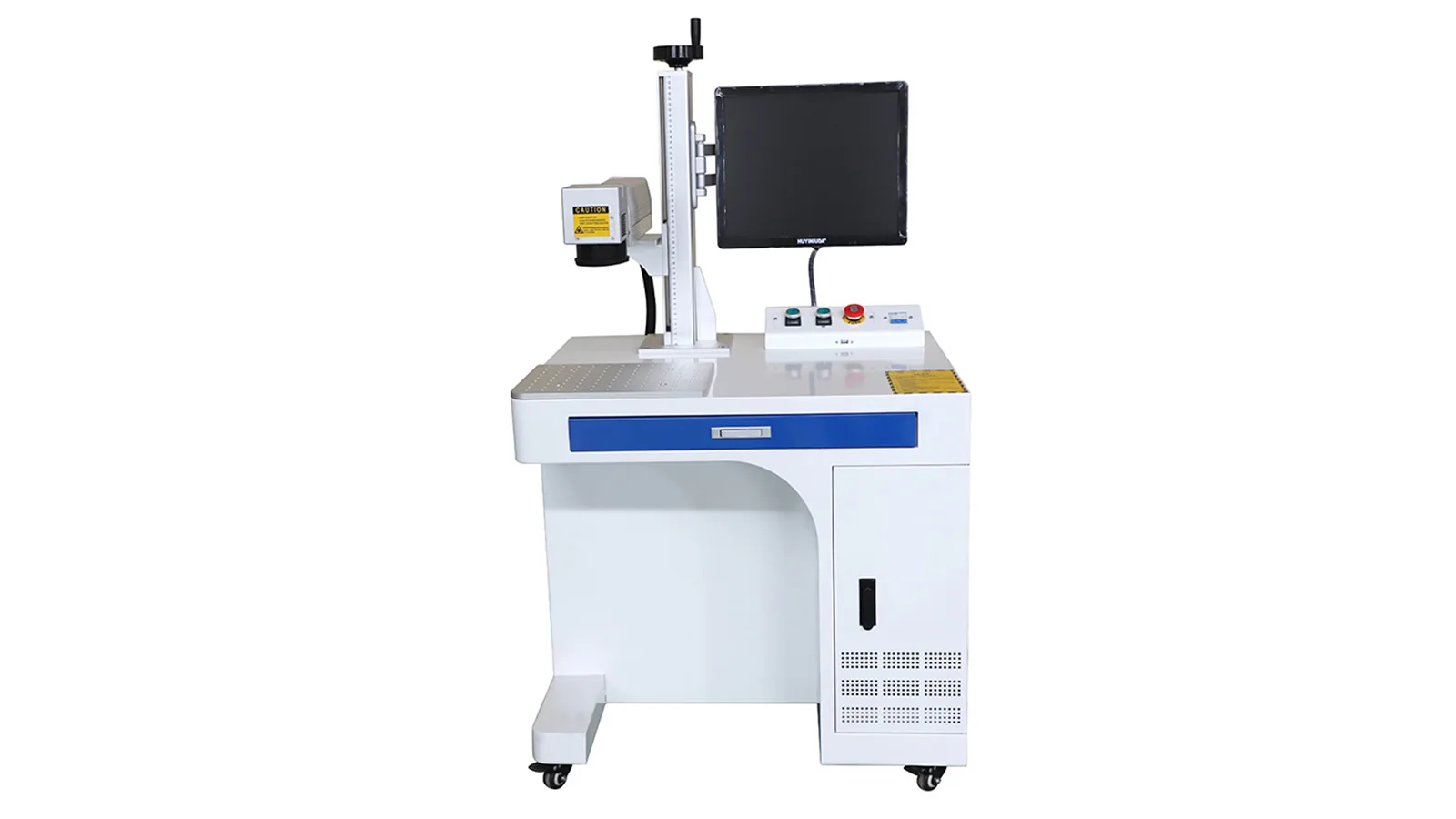
Desktop Fiber Laser Marking Machine
Compact workstation for repeatable manual loading of small and medium parts. More than one cabinet style can sit inside the Desktop family when the physical machine design is different.
Best fit: general production, workshops, serial numbers, logos, codes and standard fixture-based marking.
Discuss Desktop Configuration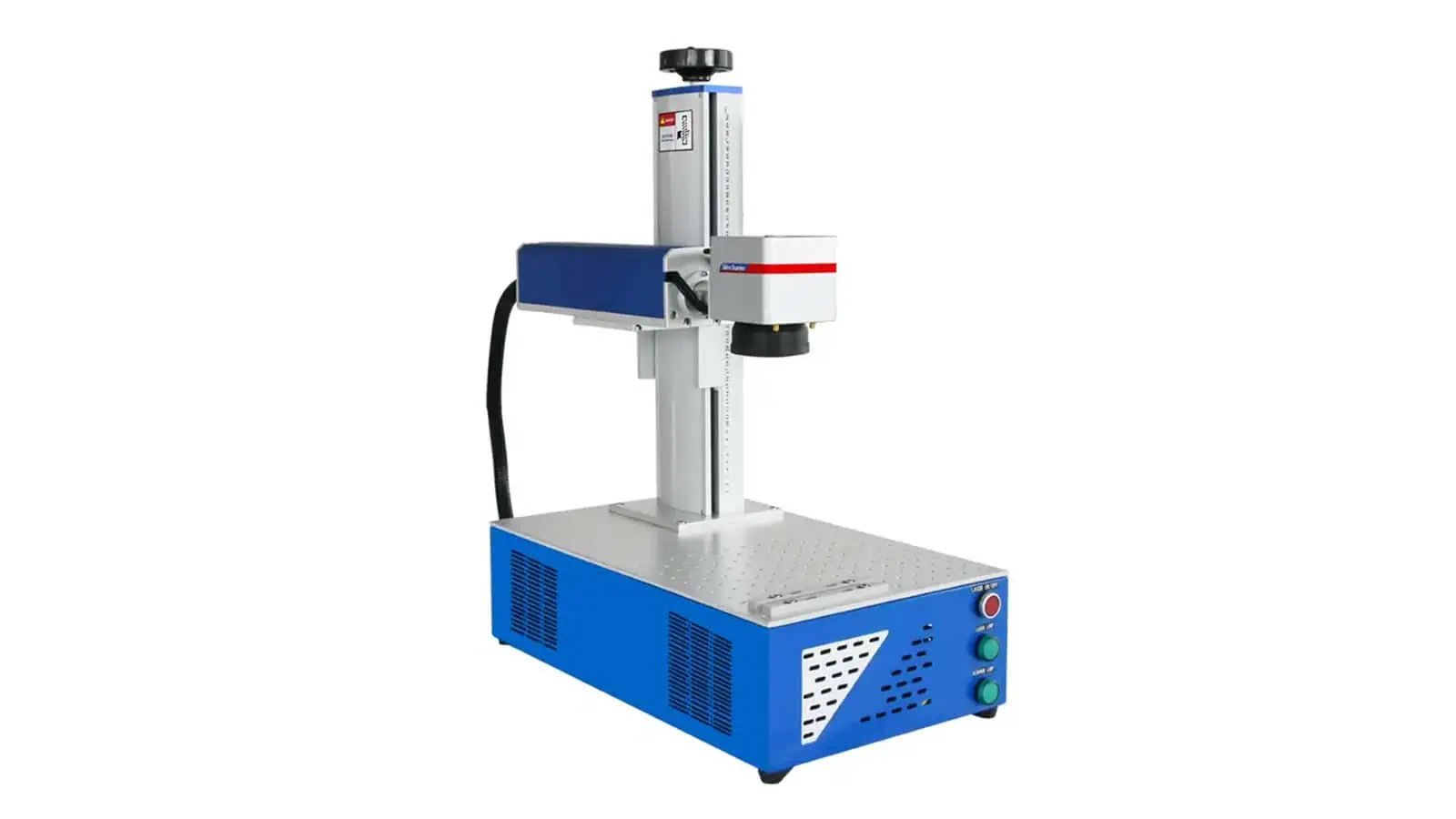
Standard workstation
Table Fiber Laser Marking Machine
Integrated table-style platform with a larger work surface and more space for fixtures, rotary devices or larger manually loaded parts.
Different from Desktop: Table is treated as its own machine structure, not another name for a desktop unit.
Discuss Table Configuration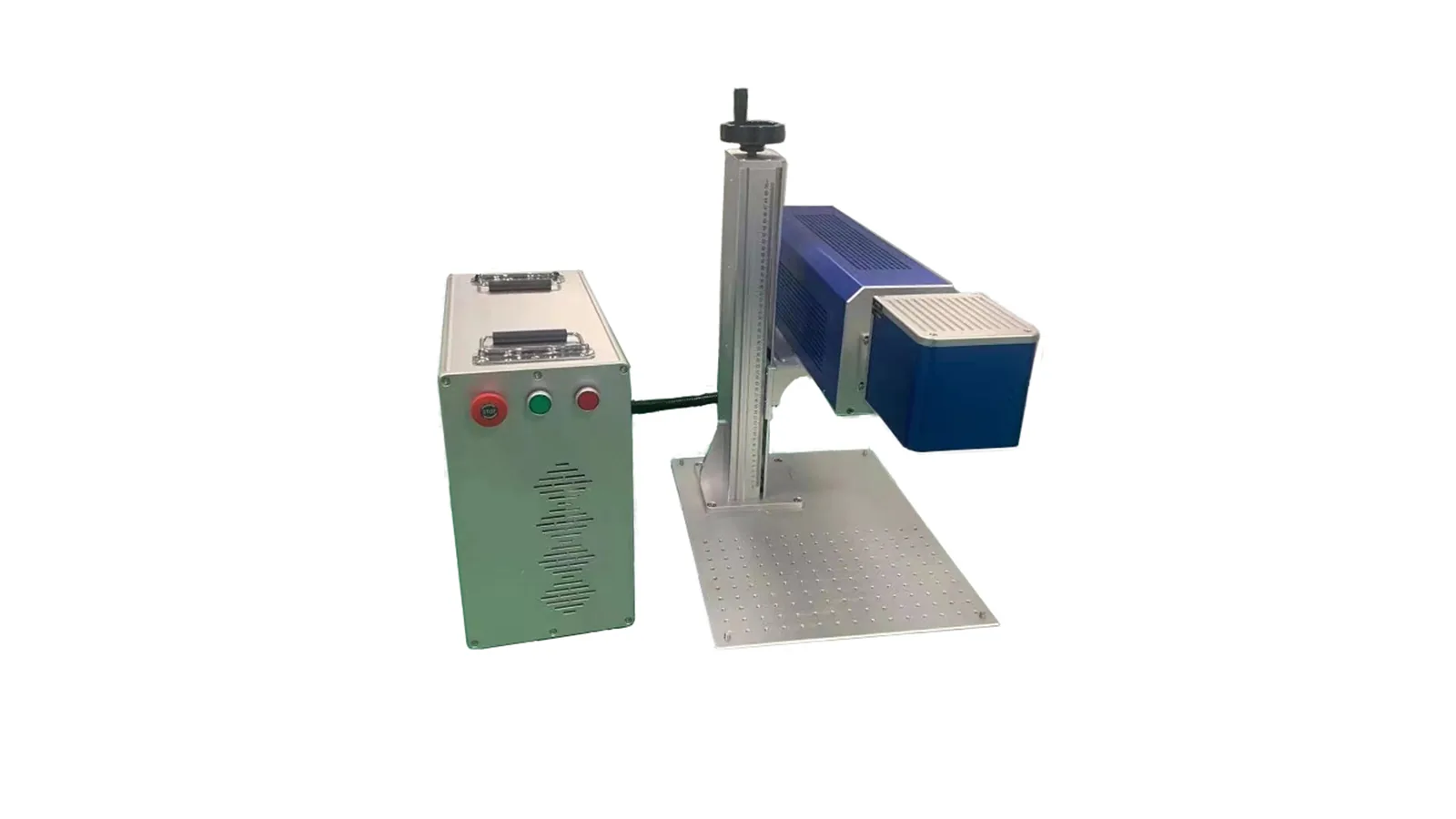
Flexible workstation
Split Fiber Laser Marking Machine
Separated marking column and control/source arrangement for flexible installation around fixtures, larger workpieces or custom workstations.
Best fit: factories and integrators that need more freedom around the marking head and fixture.
Discuss Split Configuration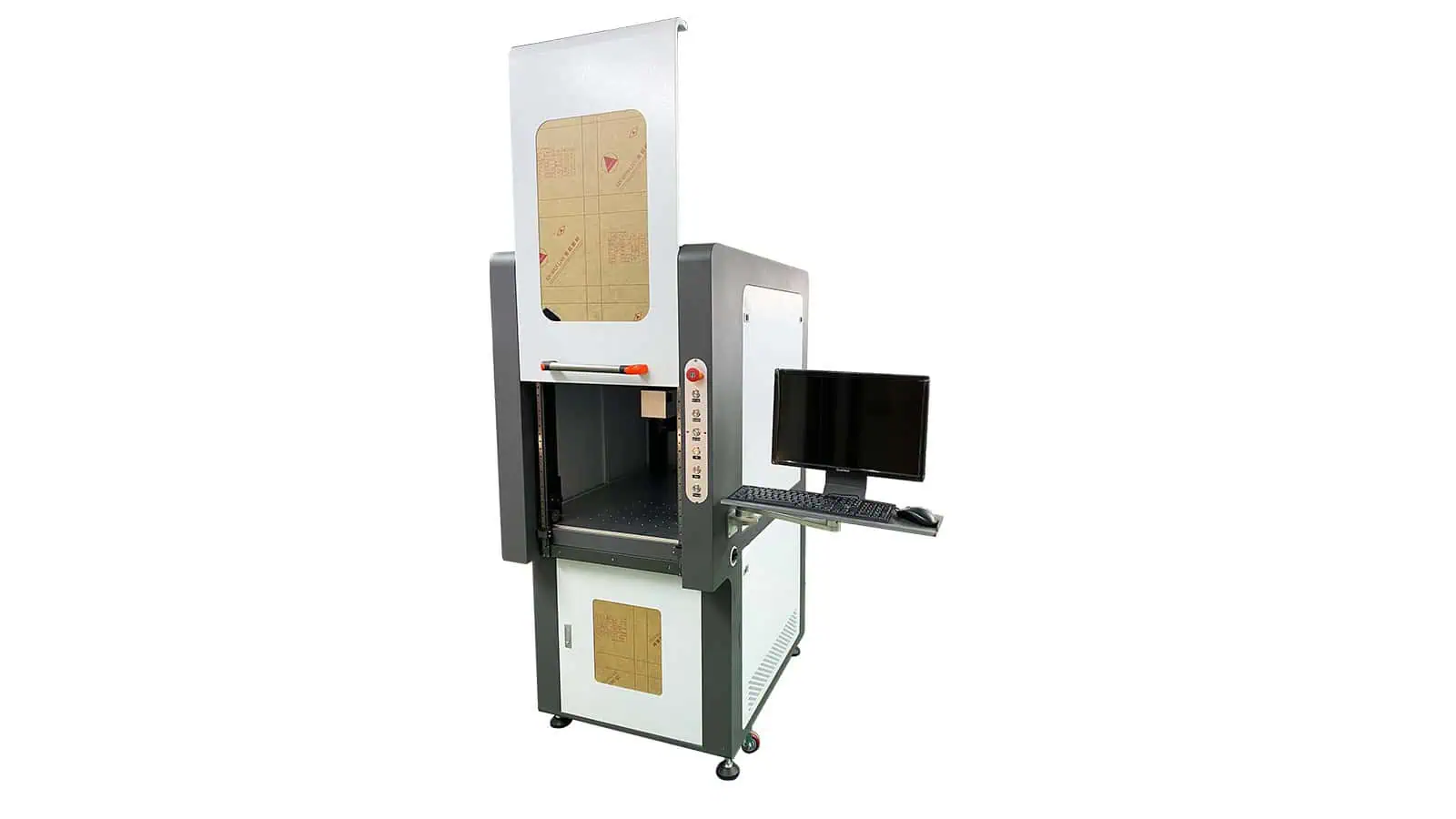
Guarded workstation
Enclosed Fiber Laser Marking Machine
Enclosed workstation for controlled operator access, repeatable loading and a more contained marking environment.
Important: the complete machine and installed safety system still require application-specific review.
Discuss Enclosed Configuration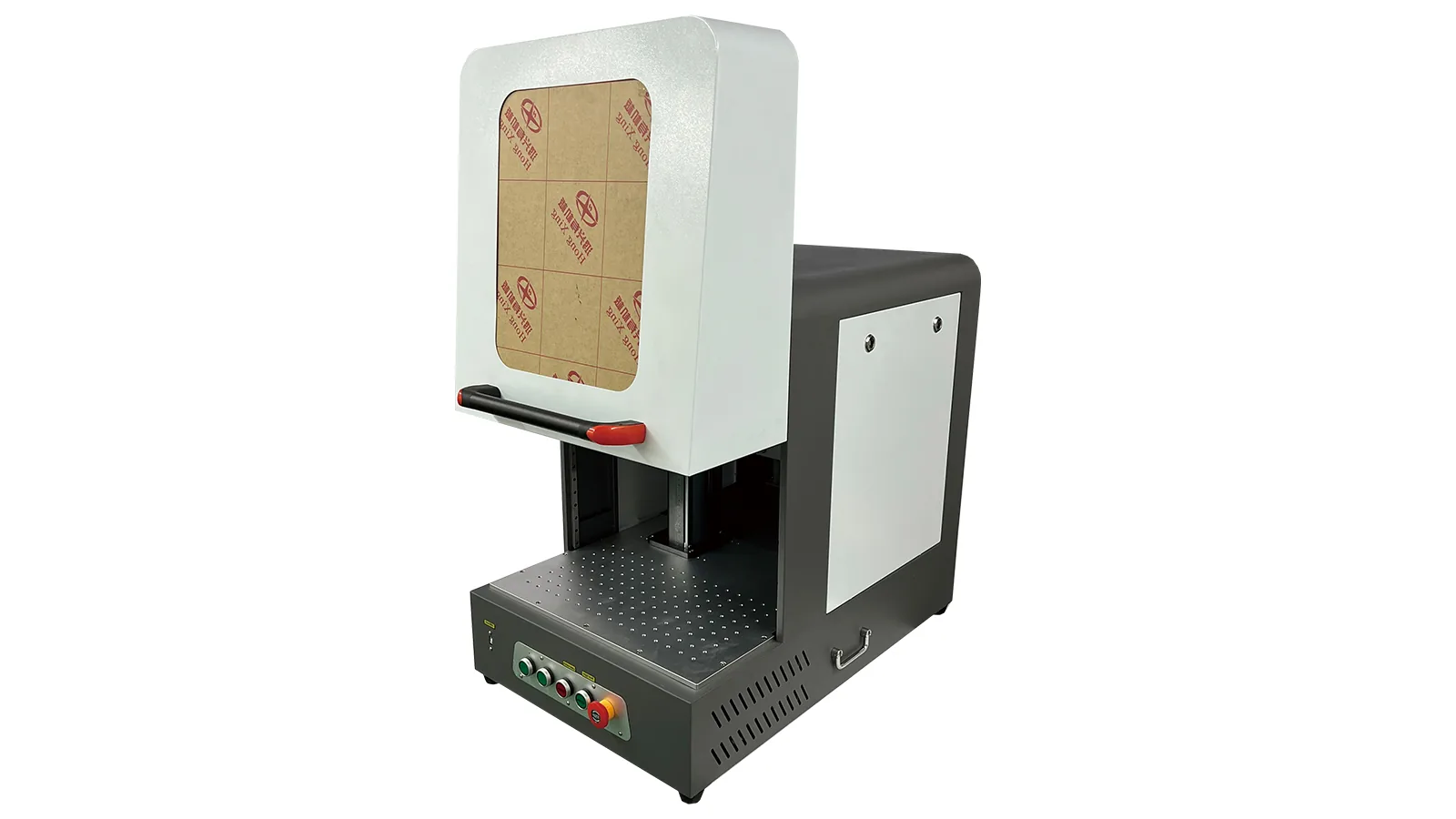
Guarded workstation
Semi-enclosed Fiber Laser Marking Machine
Partially guarded platform for applications that need easier access to larger or less regular workpieces than a fully enclosed workstation allows.
Best fit: production where access and partial guarding must be balanced around the real workpiece.
Discuss Semi-enclosed Configuration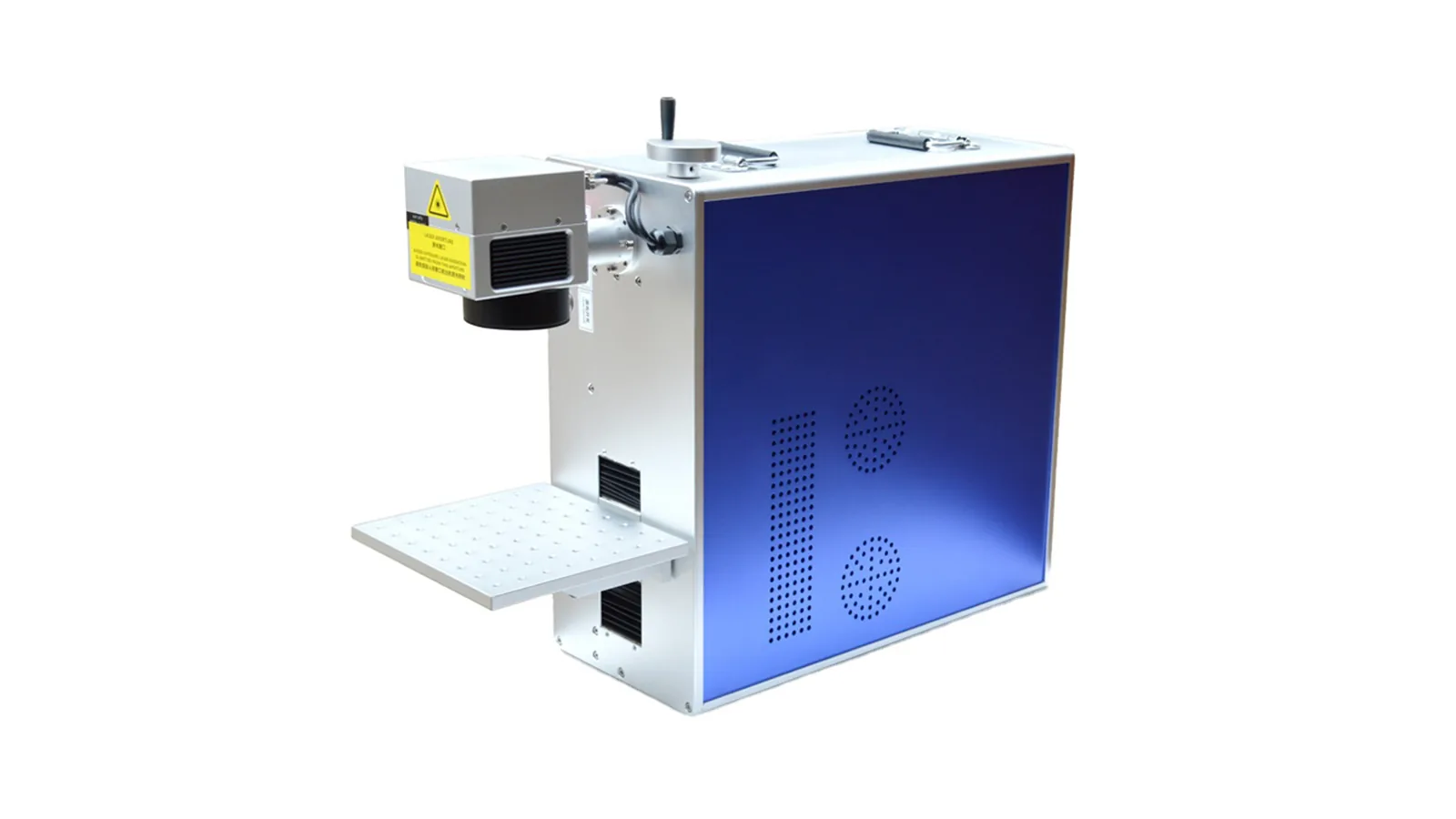
Mobile machine
Portable Fiber Laser Marking Machine
Compact complete machine designed to be moved between work areas while maintaining a defined marking setup.
Not the same as Handheld: portable describes the complete machine, not an operator-held marking head.
Discuss Portable Configuration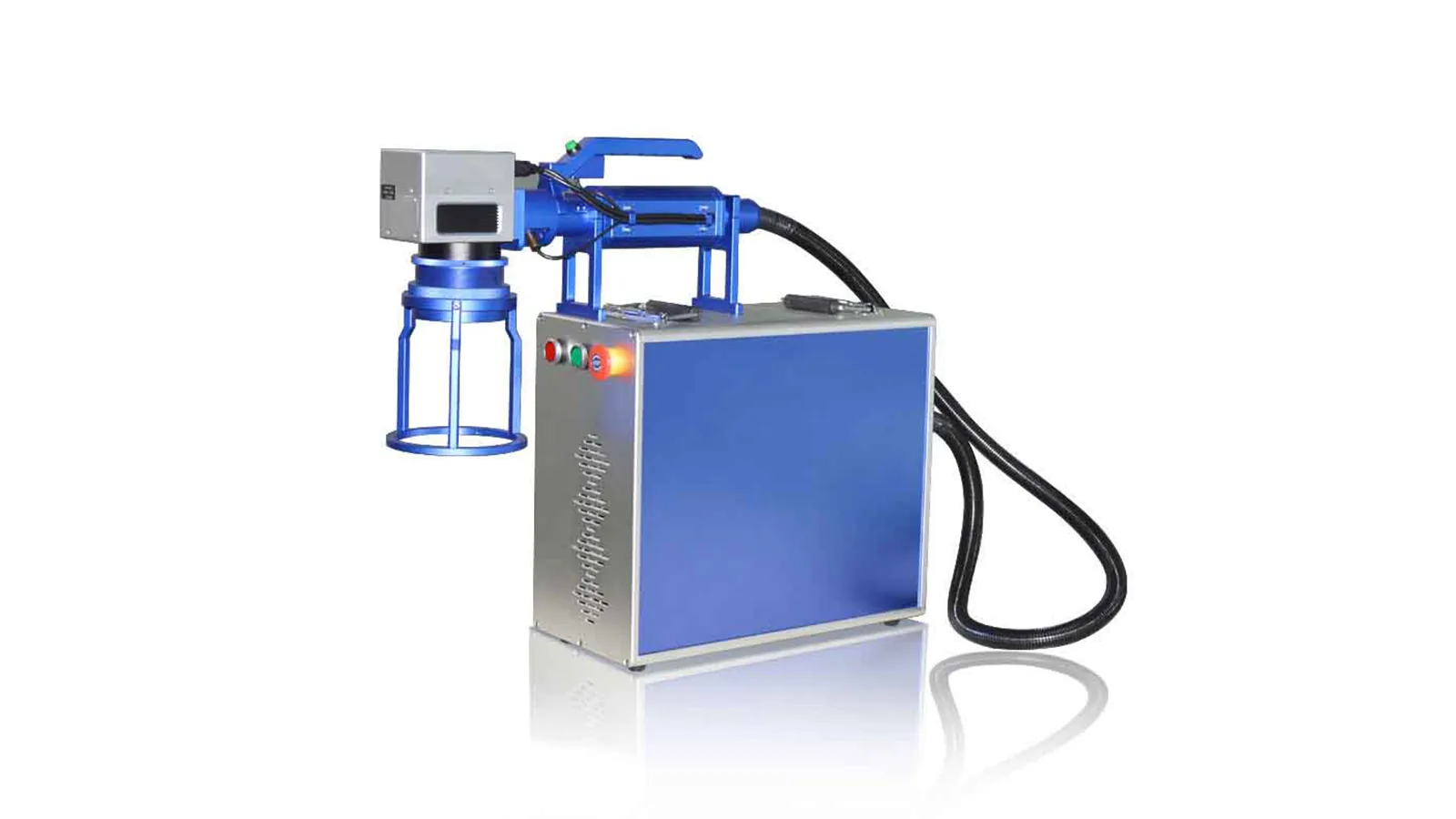
Large-part handling
Handheld Fiber Laser Marking Machine
Operator-held marking head for large, fixed or difficult-to-position workpieces where the marking head must move to the part.
Selection focus: repeatability and safe control of the marking head are as important as laser power.
Discuss Handheld Configuration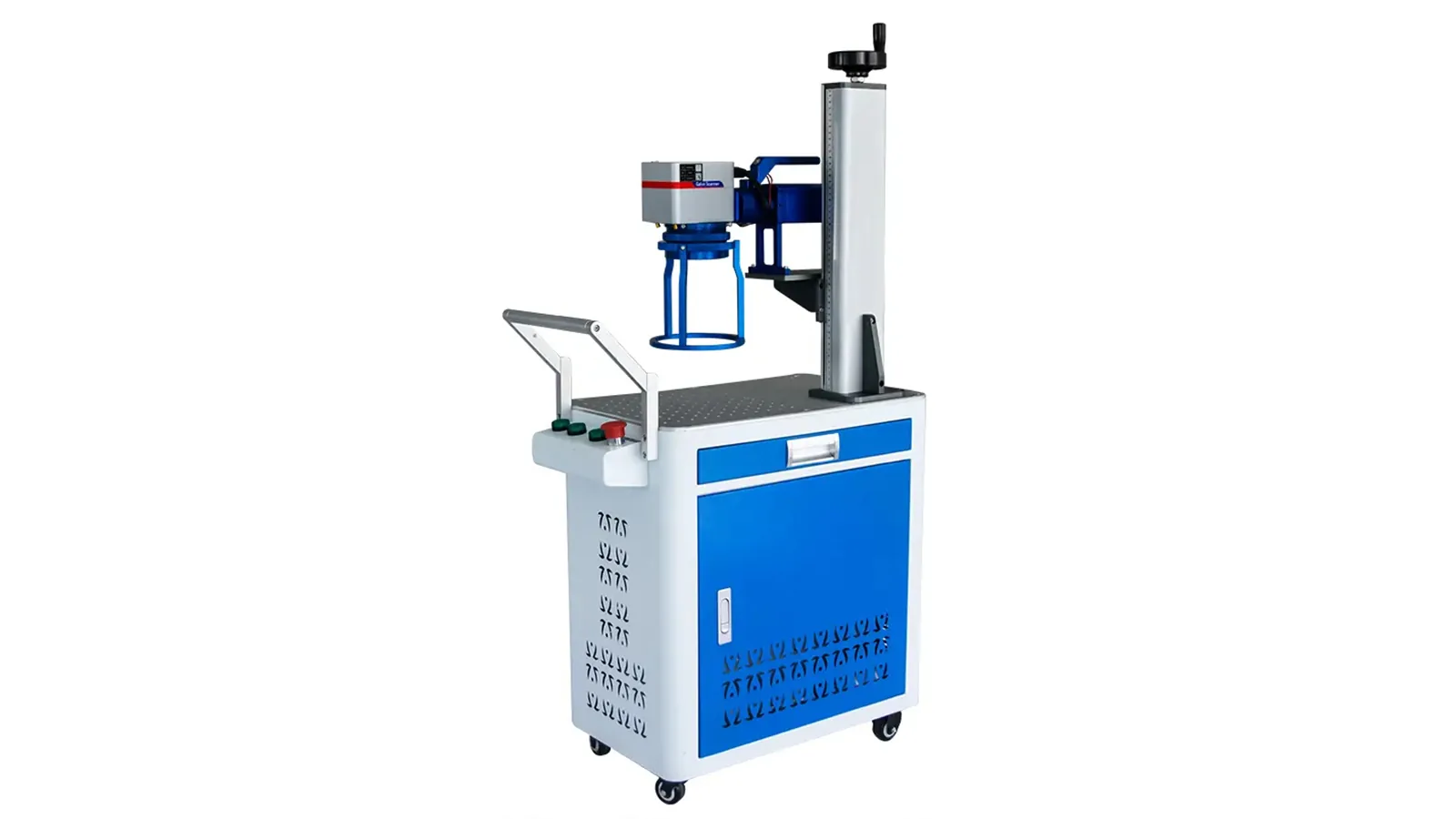
Mobile workstation
Trolley Fiber Laser Marking Machine
Wheeled workstation that keeps the marking system, controls and working head together while allowing the complete unit to move between stations.
Best fit: applications that benefit from a complete wheeled workstation with a stable working height and integrated controls.
Discuss Trolley Configuration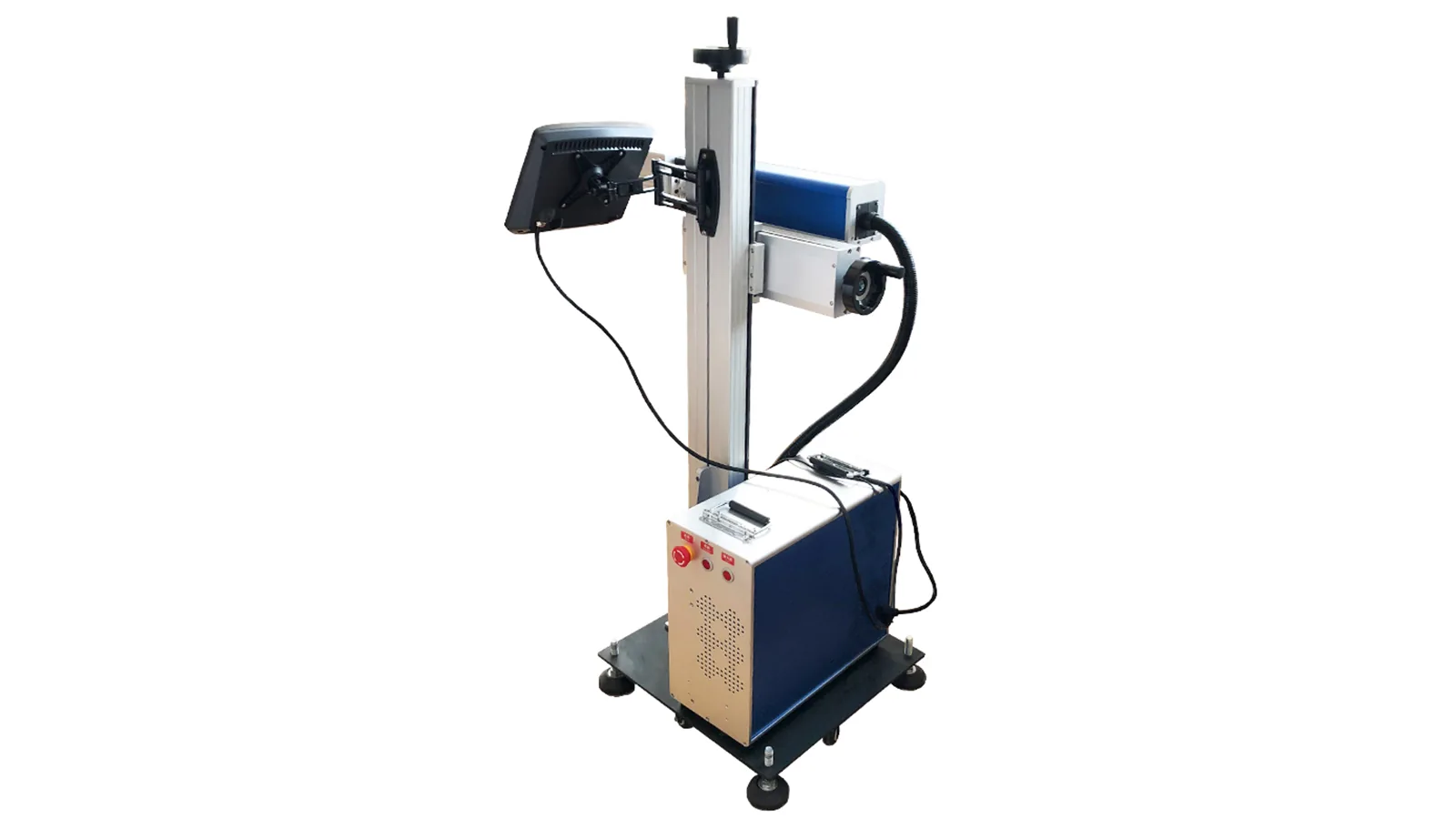
Production-line configuration
Flying Fiber Laser Marking Machine
Online marking platform for moving products where sensor or encoder signals, line speed and marking window become part of the machine configuration.
Selection focus: confirm line speed, trigger method, marking window, data requirements and how the unit will mount into the production line.
Discuss Flying Configuration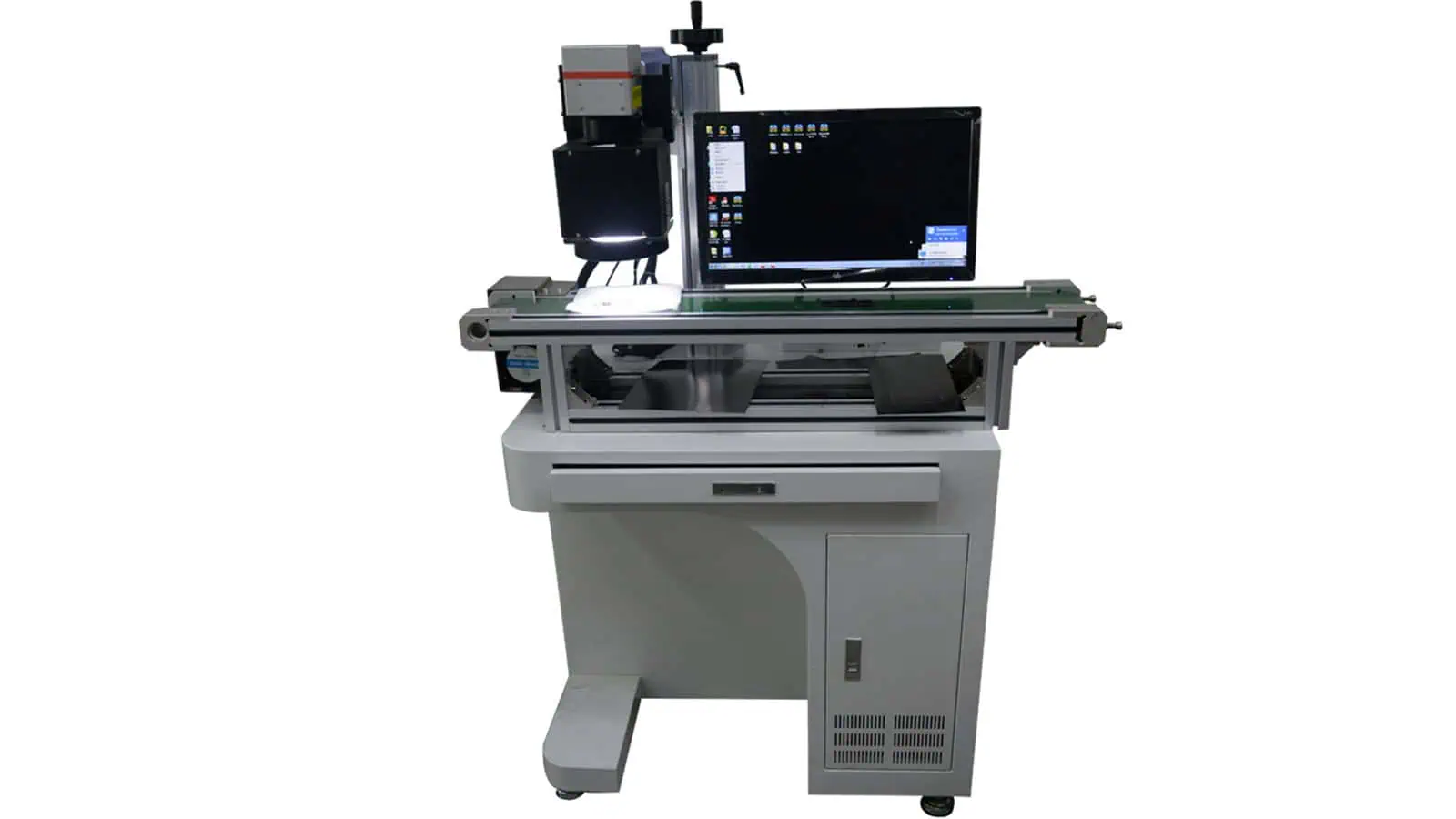
Vision configuration
CCD Vision Fiber Laser Marking Machine
Camera-assisted fiber marking machine for parts whose position or orientation varies before marking.
Selection focus: vision helps locate the part; it does not automatically solve height variation or curved surfaces.
Discuss Vision Configuration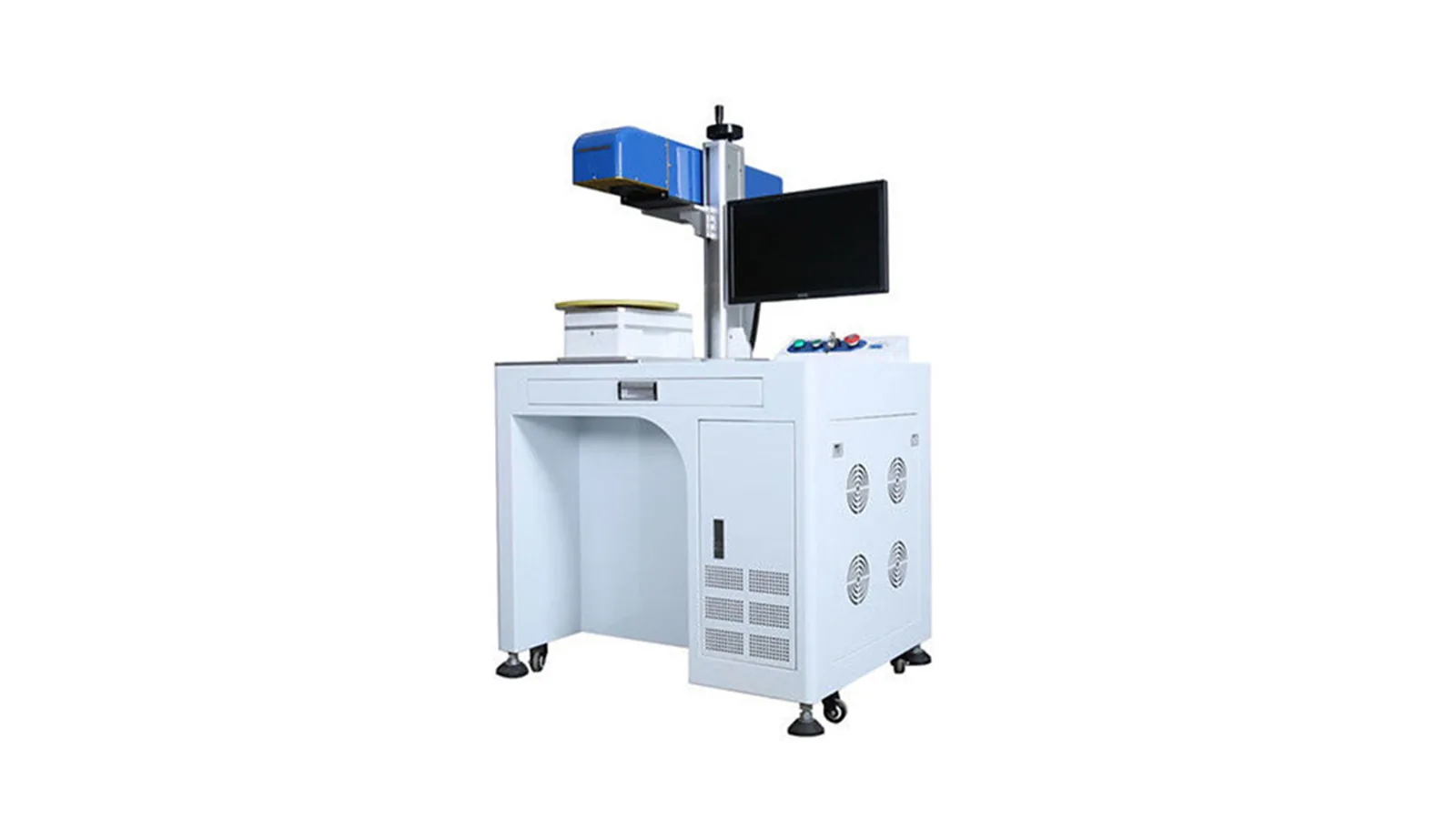
Dynamic-focus configuration
3D Fiber Laser Marking Machine
Dynamic-focus fiber marking platform for curved, stepped or changing-height surfaces where a conventional flat-field setup is insufficient.
Selection focus: confirm the real geometry and required marking result rather than assuming 3D is necessary from appearance alone.
Discuss 3D ConfigurationFiber source options
Q-Switched vs MOPA Fiber Laser Marking Machines
Q-switched and MOPA are both Fiber laser routes. The source subtype is selected inside the machine configuration according to the material, target surface result and process window; MOPA should not be treated as a separate peer category beside Desktop, Table, Split or other machine structures.
Standard Fiber route
Q-Switched Fiber
A practical starting point for many metal marking, identification and engraving tasks when a standard Fiber pulse range can produce the required result.
- Common tasks: serial numbers, logos, QR/Data Matrix codes, identification and selected engraving.
- Selection variables: alloy, surface finish, power, field, focus, speed and required depth or contrast.
- Buying logic: start here when the part does not need the wider pulse-control range of a MOPA source.
Extended pulse-control route
MOPA Fiber
MOPA remains a Fiber source subtype and is useful when a wider pulse-width or frequency adjustment range gives the application a better processing window.
- Common evaluation cases: selected black marks, colour effects, fine detail, selected plastics and tighter heat-input control.
- Selection variables: actual source model, pulse window, material surface and required visual or functional result.
- Buying logic: choose MOPA only when the sample or process requirement benefits from the extra control; it is not automatically better for every part.
How to choose
Four Decisions Shape the Final Fiber Laser Machine
Choose the machine platform first, then confirm the source, optical setup and production options. This avoids turning wattage into the product identity.
Machine Structure
Desktop, Table, Split, Enclosed, Portable, Handheld, Trolley, Flying, Vision or 3D determines workpiece access, mobility and workflow.
Fiber Source Type
Choose Q-switched or MOPA according to the required processing window and the real material result.
Power & Marking Field
Power, F-theta lens, field size, spot behavior and focal distance are selected as product specifications, not separate product pages.
Handling & Options
Add rotary, fixture, vision, enclosure, extraction, flying I/O or other functions only when the part and production method require them.
Configuration options
What Changes Inside a Fiber Laser Product
Each machine is offered with a defined set of available configurations. Compare the fields below after selecting the machine structure, so the final choice reflects the real part and production requirement instead of treating wattage as the product itself.
| Configuration field | What it controls | What to compare | Selection note |
|---|---|---|---|
| Fiber source subtype | Available pulse-control route | Q-switched / MOPA options actually available for the machine | Do not treat MOPA as a separate structure category. |
| Source brand / model | Actual laser source package | Available source brands and models for the selected machine | Keep supplier-source specifications separate from Zhuorui’s assembly identity. |
| Laser power | Available process energy and throughput window | Available power options for the selected machine | Higher power does not automatically mean a better result. |
| Marking field / lens | Working area, spot behavior and focal distance | Available marking fields and F-theta lens options | A larger field can change spot size and process behavior. |
| Cabinet / mechanical style | Machine layout and operator access | Cabinet style, work area and operator-access differences | Several Desktop styles can exist without changing the Desktop family. |
| Workholding | Part positioning and repeatability | Fixture, rotary, chuck, roller or worktable options | Choose from the real part geometry and loading method. |
| Functional options | Production workflow | Vision, flying I/O, enclosure, extraction, axes or other available options | Complex automation should remain project-based rather than a universal standard feature. |
Marking fit
Where Fiber Laser Marking Is a Strong Starting Route
Fiber is widely evaluated for metals, coated metals and selected engineering plastics, but the real grade, coating, geometry and target mark still determine the final machine and parameters.
Common material and part directions
- Stainless steel, carbon steel, aluminium, brass and other metals where Fiber absorption and the target result are suitable.
- Anodized, plated, painted or coated metal surfaces that require identification, contrast or traceability marks.
- Selected engineering plastics where Fiber or MOPA testing produces an acceptable surface response.
- Flat, cylindrical, curved or varying-height parts when the machine structure and handling method are matched correctly.
Common marking objectives
- Serial numbers, logos, text, part identification and traceability content.
- QR codes and Data Matrix codes when code quality is validated on the real part.
- Surface contrast, annealing-type effects, selected black marking, engraving or controlled material removal.
- Production marking that also depends on fixture repeatability, cycle time, data flow or line synchronization.
Assembly and machine verification
Fiber Machine Assembly, Commissioning and Sample Validation
Zhuorui focuses on complete-machine assembly, configuration, commissioning and testing. These real workshop images show practical stages used to prepare laser marking machines before delivery.


Selection workflow
How We Confirm the Fiber Laser Configuration
A useful recommendation connects the real part and target result to the machine structure, source subtype, optical configuration and required handling options.
Review the part
Share the material, surface, dimensions, geometry, mark location, artwork and production requirement.
Choose the platform
Select Desktop, Table, Split, Enclosed, Mobile, Flying, Vision or 3D according to how the part must be handled.
Confirm the specification
Match Q-switched or MOPA, power, marking field, source brand, fixture and other real product options.
Validate when needed
Use representative samples to confirm contrast, depth, appearance, readability or process behavior before the final quotation.
Safety and extraction
Review the Complete 1064 nm Fiber Marking System
Machine structure is part of the safety decision. Open, semi-enclosed, enclosed, handheld and line-integrated systems can have different access, reflection, interlock and extraction requirements. An enclosure image alone does not prove a final Class 1 installation; the complete operating environment and marked material still need review.
FAQ
Fiber Laser Marking Machine Buying Questions
Should I choose a Fiber laser marking machine by 20W, 30W or 50W?
No. Start from the machine structure and the real marking task. Power is one specification inside the product and must be considered together with source type, field size, focus, material response and target result.
Can one Desktop Fiber laser machine have several cabinet styles?
Yes. Different cabinet or mechanical designs can still belong to the Desktop family. When two designs are genuinely different machines, they can be presented as separate machine options while keeping their power and source choices inside each machine specification.
Are Desktop and Table Fiber laser marking machines the same?
No. They are treated as different machine structures. Desktop machines are more compact workstation formats, while Table machines use a larger integrated work surface and generally provide more space for fixtures or larger manually loaded parts.
When should I choose MOPA instead of standard Q-switched Fiber?
Evaluate MOPA when a wider pulse-control range may improve the required surface result, such as selected black marks, colour effects, fine details, some plastics or tighter heat control. The real material should still be tested.
Is a Portable Fiber laser marking machine the same as a Handheld machine?
No. Portable describes a complete machine that can be moved between work areas. Handheld describes the operator-held marking head used on large or difficult-to-move workpieces.
Does higher Fiber laser power always mark faster or deeper?
No. The result depends on pulse behavior, spot size, field, focus, speed, overlap, material and the target mechanism. Higher power can help some throughput or engraving tasks and be unnecessary for others.
Can Fiber laser marking machines use rotary, vision or flying functions?
Yes, when the selected product and project support them. Rotary handles cylindrical parts, vision helps locate variable part positions, and flying marking is used when products move through a production line. Each option changes the configuration and validation work.
What should I send for a Fiber laser machine recommendation?
Send part photos or drawings, material and surface condition, mark artwork and size, desired contrast or depth, production quantity or cycle target, loading method, destination voltage and any rotary, vision, line, enclosure, extraction or safety requirements.
Next step
Choose the Fiber Machine from the Part and Workflow
Tell us what must be marked, how the part is loaded and which result must be accepted. We can narrow the machine structure first, then confirm the Fiber source subtype, power, field, source brand, fixture and required production options.