
Automation around the laser marking machine
Laser Marking Automation Integration
Zhuorui Laser integrates motion, positioning, vision and marking-related signals around the laser marking machine. The goal is to reduce repeated manual positioning and help suitable applications move from single-part operation toward more efficient, repeatable batch or continuous marking through XY and multi-axis motion, rotary positioning, CCD/vision, sensors, triggers, machine-side I/O, variable data and online marking interfaces.
- XY & multi-axis sequential positioning
- Rotary & CCD/vision positioning
- Sensors, triggers & machine-side I/O
- Batch & online marking workflows
The direct answer
What Does Automation Around the Laser Marking Machine Mean?
It means automating the marking-related steps closest to the machine: locating the workpiece, moving it to the correct marking position, selecting the correct job or variable data, receiving the signals needed to start the mark, and coordinating these functions in a repeatable sequence.
A standard rotary axis, CCD/vision option, electric Z axis or conventional fixture does not automatically make a project an automation integration project. If a standard configuration solves the task, it remains a selectable machine configuration. If the machine structure, workholding or working envelope itself must be changed, see Custom Laser Marking Machine Engineering. Automation integration becomes relevant when multiple marking-side functions must work together in a defined sequence.
When the marking station must cooperate with existing equipment, Zhuorui focuses on the interface directly related to marking—for example part-present, start, ready/busy, complete, fault/interlock, recipe or variable-data signals. The confirmed quotation identifies the marking-station interface, the supplied functions and any customer equipment that must exchange signals with it.
If the requirement extends beyond the laser marking station into broader material handling, automatic loading/unloading, robotic handling or another project-specific production-system architecture, review the overall requirement through Laser Marking Solutions rather than assuming it is part of this machine-side automation scope.
Integrated functions
What Can Be Automated Around the Laser Marking Machine?
The useful functions are the ones that directly control workpiece position, marking movement, job data or the signals needed for the laser marking station to cooperate with existing equipment.
Workholding & Positioning Foundation
A fixture may remain a standard option. In an automation project, it provides the repeatable datum that coordinated motion, vision or sequence control relies on.
Rotary, Linear & XY Axes
Move or index the workpiece when one fixed position cannot cover the required mark area, circumference or sequence of marking locations.
Vision-Assisted Positioning
Use camera-based positioning when part placement, orientation or the available marking area cannot be controlled reliably by fixed tooling alone.
Height & Focus Coordination
Use controlled Z or focus movement when height changes must be coordinated as part of the marking sequence. A normal electric Z option by itself remains a standard machine configuration.
Sensors, Triggers & Machine I/O
Use part-present, start, ready/busy, complete, interlock or other marking-related signals needed to control the sequence around the laser station.
Variable Data & Marking Recipes
Apply serial, lot, date, code or recipe data while keeping the correct marking job associated with the correct workpiece, position or marking step.
Online Marking & External Triggering
Use part-present, trigger or encoder-related inputs where appropriate so marking can start at the correct point while parts move through an existing process.
Signals With Existing Equipment
Exchange only the ready/busy, complete, fault, trigger or data signals needed for the laser marking station to cooperate with customer equipment.
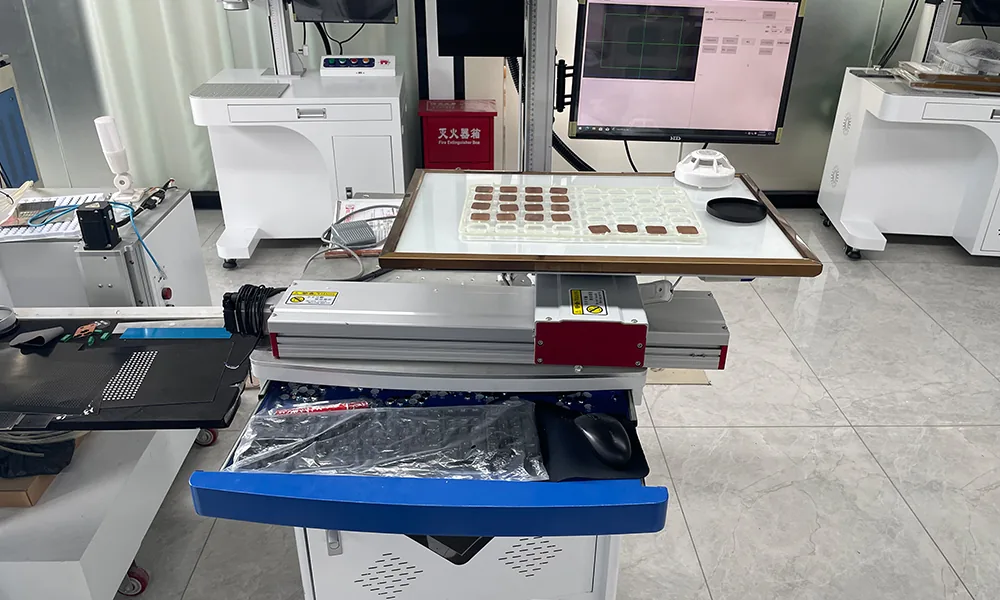
Vision positioning example
Vision Is Useful When Fixed Positioning Is Not Enough
A camera can be integrated around the marking area when the workpiece position or orientation varies and a fixed fixture alone does not provide enough repeatability. The exact vision method, correction range and acceptance criteria depend on the part and the project.
Vision can remain part of this machine-side integration scope when it is used to locate or orient parts for marking. If the requirement expands into broader material handling or a project-specific production system around the marking station, review the overall project through Laser Marking Solutions.
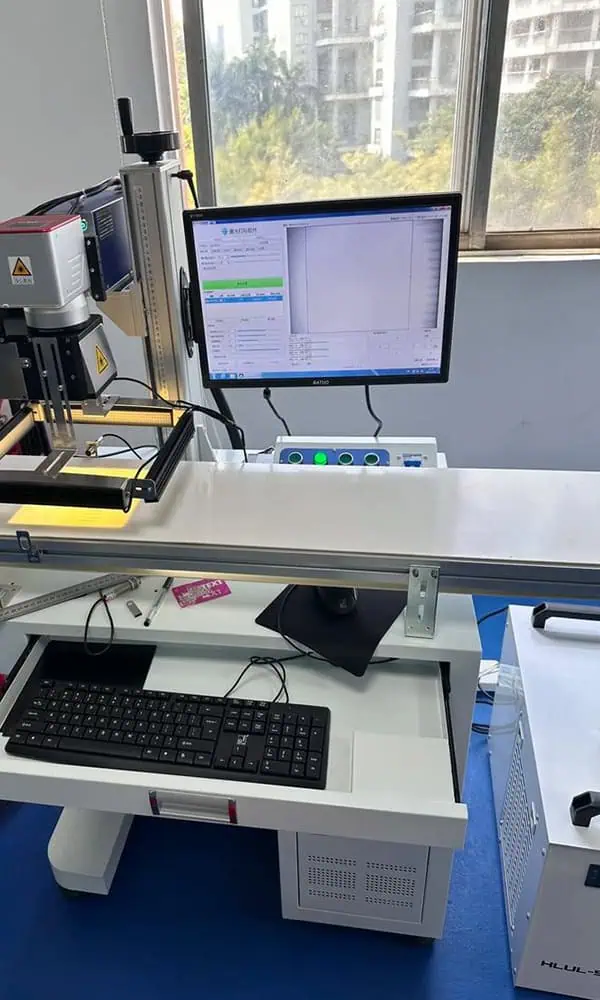
Marking sequence
How Do Machine-Side Functions Work Together During Marking?
Automation can begin even when an operator still places the workpiece. The improvement comes from letting positioning, motion, vision, job/data selection and marking-related signals handle repeated steps more consistently after the part is presented.
Present the Workpiece
The operator, fixture or existing equipment presents the part to the marking station in the required starting condition.
Identify the Job
Select the required recipe or receive the fixed/variable marking data associated with the part or production task.
Establish the Mark Position
Fixture datums, rotary motion, linear/XY axes, red-light preview or vision establish the position and orientation required by the actual geometry.
Move or Wait for the Trigger
For batch work, an axis brings the next programmed position into range. For online work, the station waits for the required sensor, trigger or data condition before marking.
Execute the Mark
The validated laser route, marking parameters and selected job are applied at the confirmed workpiece position.
Confirm & Continue
Visual confirmation, reader/camera verification or a complete/ready signal can allow the workstation or existing equipment to continue to the next position or part.
Batch and online marking use the same basic principle: automate the repeated steps around the mark. Batch work typically uses programmed XY, rotary or multi-axis positioning; online work relies more on part detection, trigger/data conditions and the marking station’s direct signal interface with existing equipment. Real cycle time still depends on part presentation, positioning or motion, data handling, marking and any required verification—not laser scan time alone.
Batch marking example
Multi-Part Sequential Marking with an XY Axis
For repetitive batch marking, multiple workpieces can be loaded into one fixture. The XY stage then moves the fixture through programmed positions, bringing each workpiece into the effective laser marking area in sequence.
Compared with repeatedly loading, positioning and starting each workpiece manually, this can reduce repetitive operator handling and make positioning more consistent across the batch. The laser is not marking all parts at once; controlled XY movement brings each programmed position under the marking head one after another.
The production benefit depends on the real marking time, axis travel, fixture layout, fixture preparation or changeover time and any required verification, so the system should be evaluated as a complete batch-marking cycle rather than by axis speed alone.
Angular positioning example
Rotary-Axis Sequential Positioning
A rotary axis becomes part of an automated marking sequence when the workpiece or fixture must move through multiple angular positions. Instead of relying on repeated manual angle adjustment, the system can index the rotary axis to the required position, complete the marking step and continue to the next programmed orientation.
The automation value comes from controlled positioning and sequence coordination—not simply from adding a rotary accessory. For repetitive or multi-position marking, this can reduce manual repositioning, improve positional repeatability and support a more efficient batch-marking workflow.
Integration project workflow
How Is Automation Around the Marking Machine Defined and Built?
The project starts with the part, mark and required production method, then adds only the workholding, motion, vision, sensor/trigger, I/O and data functions needed to make batch or online marking more repeatable.
Define the Marking Task
Confirm the part, material/surface, mark content, mark zone, required result and representative samples where available.
Review Positioning & Access
Check workpiece geometry, loading orientation, datum, available clearance and the positions that must be reached during marking.
Confirm Required Functions
Decide whether the task needs only a fixture or standard option, or a coordinated combination of XY/multi-axis motion, rotary positioning, vision, sensors, triggers, machine I/O, variable data or online marking functions.
Build & Integrate
Assemble the workstation and integrate the confirmed positioning, motion, vision, sensors, control hardware and marking functions.
Configure the Marking Sequence
Set up recipes, variable data, trigger conditions, machine-side I/O and axis actions so each marking step occurs at the correct part, position and time.
Validate the Functions Together
Use representative parts and the agreed setup to check positioning, motion, marking, triggers/I/O, data and verification as one batch or online marking workflow.
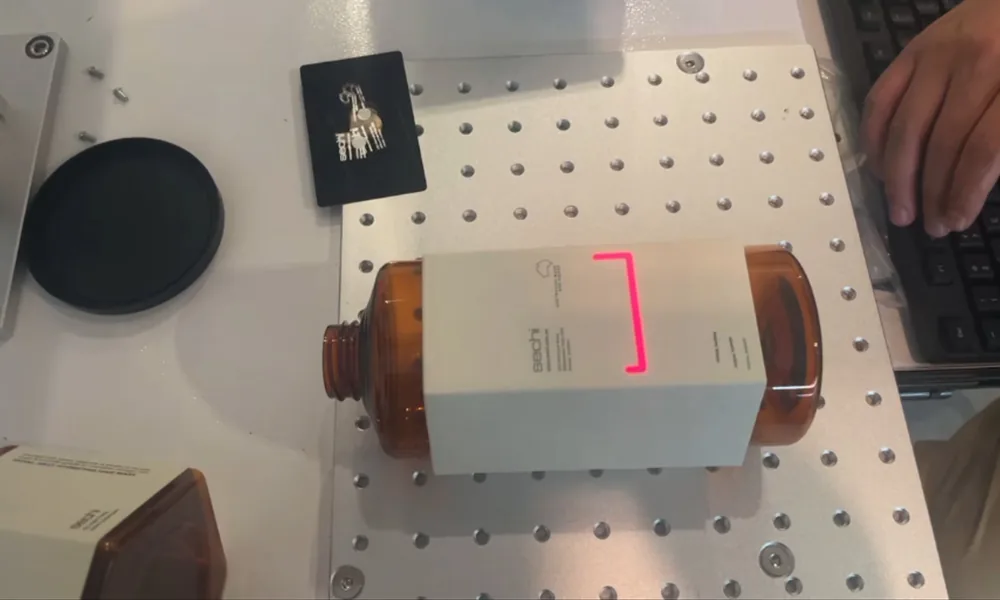
Functional integration checks do not replace complete-machine commissioning and pre-shipment stability testing. Those release checks belong to Quality Control & Testing. Project-specific functional acceptance and any signal interface with existing equipment are defined only when they are included in the confirmed project scope.
Engineering brief
What Information Is Needed Before Automation Around the Marking Machine Can Be Defined?
The most useful inputs are the real workpiece, marking area, placement variation, required movement, vision need, batch or online marking method, data/recipe logic and any existing-equipment signals that must directly coordinate with the marking station.
| Topic | Information to prepare | What it helps define |
|---|---|---|
| Workpiece & mark | Material, surface, dimensions, weight, mark zone, marking content, required result and representative samples where available | Laser route, optics, working distance, mark location and sample-validation requirement |
| Part presentation | How the part is presented, available datum, expected X/Y/rotation variation and whether a fixed fixture can control the starting position | Whether standard workholding is enough or vision/motion assistance is justified |
| Motion requirement | Number of marking positions, rotary requirement, axis travel, index positions, Z/focus changes and usable clearance | Fixture, rotary/linear/XY configuration and machine-level working envelope |
| Vision requirement | Why fixed positioning is insufficient, what feature can be located and what placement/orientation variation must be handled | Whether vision positioning is technically appropriate and what must be validated on real parts |
| Marking data & recipes | Fixed or variable content, serial/lot/date/code format, recipe rules and source of the marking job | Job-selection logic and how the correct content is associated with each workpiece or position |
| Machine I/O & triggers | Part-present, external start, ready/busy, complete, interlock, sensor or other marking-related signals and any customer equipment that must exchange them | The direct signal interface required by the marking station and what must be validated with the existing equipment |
| Online marking | How the part moves past the marking position, available sensor/trigger or encoder-related signal, expected speed range where relevant and required mark timing | Whether online/flying marking is appropriate and what synchronization must be validated around the laser station |
| Functional acceptance | Positioning expectation, mark acceptance criteria, required sequence, representative parts and any project-specific cycle target | What can be checked during functional integration and what belongs to later machine release testing |
Before final engineering commitment
What Must Be Confirmed Before Positioning, Cycle Time or Integration Can Be Committed?
The correct answer depends on the actual workpiece and marking sequence. Positioning repeatability, axis travel, optical clearance, data/I/O compatibility and the mark itself need to be reviewed together before the workstation configuration is finalized.
Next step
Send the Part, Positioning Requirement and Function List
For an automation review, send the part drawing or photos, mark zone, part presentation condition, required positioning or movement, CCD/vision need, batch or online marking method, machine-side I/O or trigger requirement, variable marking data and any target cycle that matters to the marking station.