Flexible workstations for larger parts and custom fixtures
Split Laser Marking Machines
Flexible Fiber, UV and CO2 laser marking systems for larger workpieces, rotary fixtures and application-specific workstations. The separated marking station and control package give you more freedom to arrange the machine around the actual part instead of forcing the part into a compact integrated housing.
Structure first, source second: Split-type describes how the machine is physically arranged. Fiber, UV or CO2 should then be selected from the material, target mark and production requirement.
01 / What it is
What Is a Split-Type Laser Marking Machine?
The defining feature is the separated equipment layout: the marking column and work area are not locked inside one compact integrated housing with the controller, source cabinet or cooling package.
The marking process stays the same; the installation becomes more flexible
The laser source, galvanometer, field lens, controller and software still form the marking system. The split structure changes how those modules are physically arranged around the operator, workbench, fixture and workpiece.
This is useful when a compact integrated machine creates access problems. A separated marking station can be positioned around larger parts, rotary fixtures, custom tooling or an existing production bench while the controller and supporting hardware are placed where service access and cable routing make sense.
02 / Why choose it
Why Choose a Split-Type Laser Marking Machine?
Choose the split structure when machine placement and workpiece access are more important than having every component inside one compact housing.
Flexible Workstation Layout
The marking station and controller can be positioned separately to better fit an existing workbench, production area or custom cell.
Better Workpiece Access
An open marking area is easier to arrange around larger, heavier or awkwardly shaped parts that are difficult to load into compact equipment.
Easier Fixture Integration
Rotary axes, custom fixtures, special worktables and positioning devices can be planned around the real work envelope instead of being constrained by an integrated housing.
More Configuration Freedom
Fiber, UV or CO2 sources can use the split concept, allowing the machine structure and laser process to be selected as two separate decisions.
03 / Trade-offs
Advantages and Limitations of Split-Type Machines
The split structure gains installation freedom, but that flexibility also creates more responsibility for workstation layout, cable routing, guarding and supporting equipment.
Advantages
- Flexible placement of the marking station, controller and supporting modules.
- Better access to larger, heavier or irregular workpieces.
- Easier integration of rotary axes, fixtures and custom worktables.
- Suitable for custom benches and application-specific workstation layouts.
- Fiber, UV and CO2 laser routes can all be evaluated within the split structure.
- Separated modules can make service access easier when the installation is planned correctly.
Limitations
- Requires more installation planning than a compact integrated desktop machine.
- Cable length, routing, bend radius and strain relief must be considered.
- Open work areas require a complete guarding and laser-safety review for the installed system.
- It is usually less convenient than a portable machine when the equipment must be moved frequently.
- Controller, cooling and marking station may require separate bench or floor space.
- A standard split machine does not automatically solve large height variation or curved-surface marking.
04 / Laser-source routes
Fiber, UV and CO2 Split-Type Laser Marking Machines
The split structure answers how the machine is arranged. Fiber, UV and CO2 answer how the laser interacts with the material. Select the source family from the substrate, surface, required mark and production conditions.
Source family 01 / Fiber
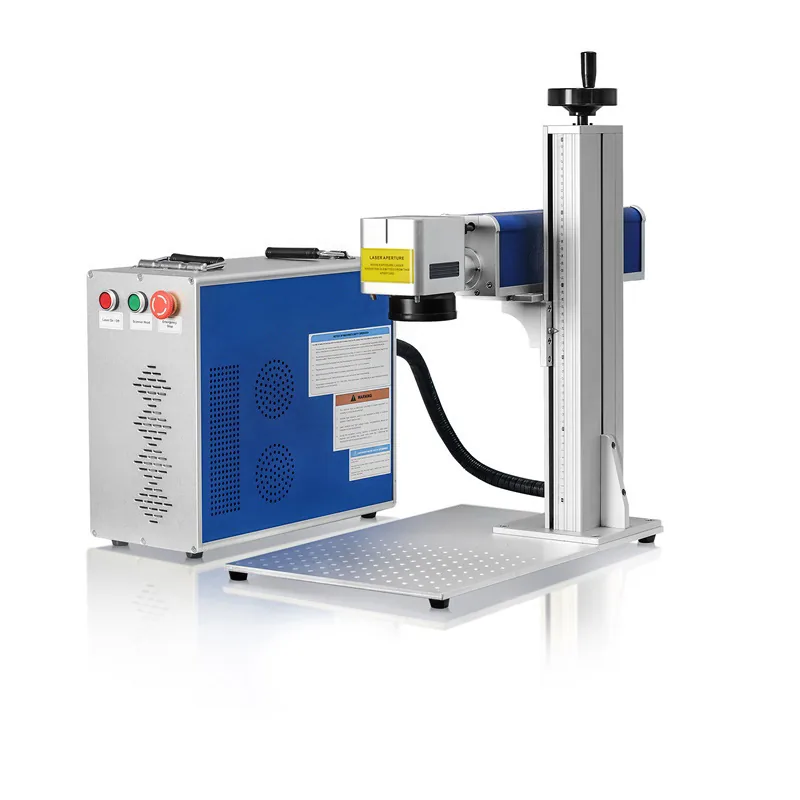
Split-Type Fiber Laser Marking Machine
Fiber is the main route to review for metals and many industrial part-marking tasks. The split structure is useful when the metal part, fixture, rotary device or workbench needs more open access than a compact integrated machine provides.
Source family 02 / UV
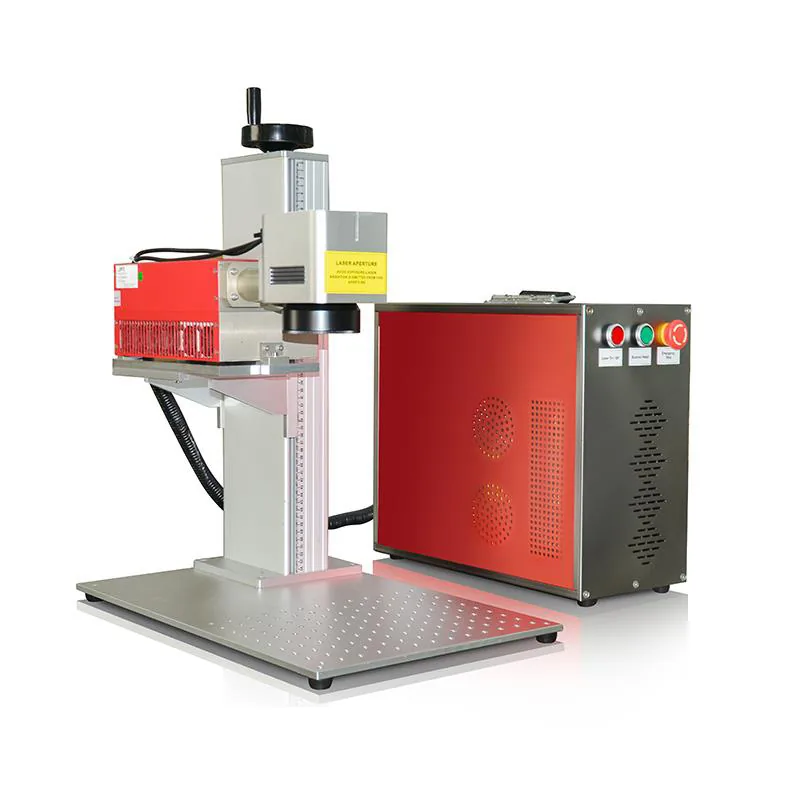
Split-Type UV Laser Marking Machine
UV is worth evaluating for heat-sensitive substrates, fine-detail marking and surfaces where a lower-thermal-impact process may be more suitable. The separated layout can also make room for an external cooling package and application-specific fixtures.
Source family 03 / CO2
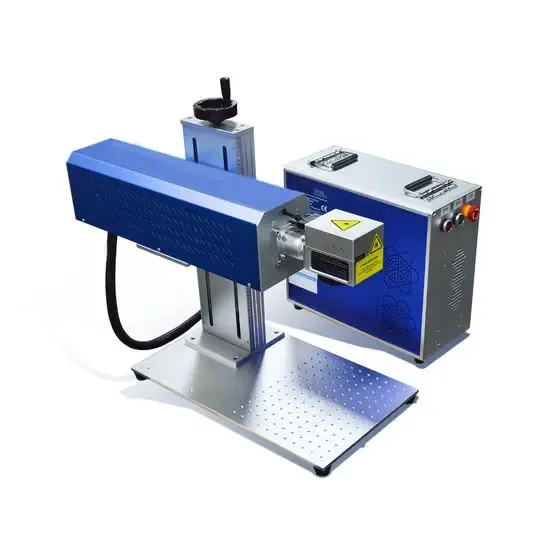
Split-Type CO2 Laser Marking Machine
CO2 is commonly evaluated for many organic and non-metal materials such as paper, wood, leather, packaging and compatible plastics. The source position, beam delivery, extraction and work area should be planned together with the split workstation.
05 / Machine size
How to Determine the Required Split-Type Machine Size
Do not select the machine from the outer dimensions alone. Start from the complete workpiece, fixture and marking envelope, then confirm the required column height, field and installation space.
| Decision point | What to define | Why it matters |
|---|---|---|
| Part and fixture envelope | Largest dimensions, weight, loading direction, mark position and clamps | Determines worktable access, column reach and whether the open split layout provides a real advantage |
| Z clearance and focus | Minimum and maximum part height, fixture height and changeover range | Determines the required lifting range and whether a standard 2D focus setup is sufficient |
| Marking field | Required mark size, character size, edge detail and working area | Larger fields change lens selection, working distance and achievable spot characteristics |
| Controller and cooling | Module footprint, ambient conditions, service clearance and heat rejection | Separated hardware still requires realistic bench or floor space and ventilation |
| Cable path and interfaces | Cable length, routing, I/O and connection points | Poor routing can limit movement, service access and long-term reliability |
06 / Choose the source
How to Choose Fiber, UV or CO2 for a Split-Type Machine
Choose the laser process from the actual substrate and target result. The same split workstation concept can use different laser sources, so the machine structure should not be used as a shortcut for source selection.
Fiber
Start Here for Metals
Fiber is normally the first route to evaluate for stainless steel, carbon steel, aluminum, brass and many other metal-marking tasks.
- Serial numbers, logos, codes and identification
- Surface contrast or engraving depending on material and process
- MOPA fiber can be evaluated when pulse control or a specific surface response is important
UV
Start Here for Sensitive Surfaces
UV is worth testing when heat input, fine detail or the surface response makes a conventional fiber or CO2 route less suitable.
- Heat-sensitive plastics and electronic parts
- Fine graphics or small characters
- Glass and other substrates that require application testing
CO2
Start Here for Many Non-Metals
CO2 is commonly evaluated for organic and non-metal materials where the wavelength produces a useful surface response.
- Paper, cardboard and packaging
- Wood, leather and similar organic materials
- Compatible plastics and coated surfaces after sample confirmation
Final selection: material name alone is not enough. Surface finish, coating, color, geometry, mark size, target contrast or depth, cycle requirement and sample result can all change the recommended source and optics.
07 / Structure comparison
Split-Type vs Other Laser Marking Machine Structures
Compare machine structures by how the operator loads the part, how often the equipment moves, how much guarding is required and whether the process is stand-alone or integrated into a line.
Split-Type
Best fit: flexible benches, larger parts, fixtures and custom workstation layouts.
Desktop
Best fit: compact fixed workstations with standard loading and a more integrated machine layout.
Portable
Best fit: applications where the marking system must be moved between work positions more frequently.
Enclosed
Best fit: fixed workstations that prioritize controlled access, guarding and a more contained operating area.
Flying
Best fit: moving products on conveyors or production lines where marking is triggered in continuous flow.
08 / When not to choose it
When a Split-Type Machine May Not Be the Best Choice
A split machine is not automatically the most flexible answer for every job. Another structure can reduce installation work when the operating condition points clearly in a different direction.
09 / Configuration and delivery
What Is Included in a Split-Type Machine Configuration?
The exact package depends on the confirmed quotation and application. A typical split-type system is built around the marking station, source and control package, then expanded with the accessories required by the workpiece and production process.
Marking Station
- Marking head and field lens according to the selected optical configuration
- Vertical lifting column or approved positioning structure
- Worktable or application-specific mounting arrangement
Laser & Control Package
- Selected Fiber, UV or CO2 laser source
- Controller, power components and required electrical package
- Cooling package when required by the selected source
Optional Configuration
- Rotary axis and custom fixture
- Vision positioning or project-specific I/O
- Extraction, enclosure or custom workstation configuration
Before production: Zhuorui reviews the workpiece, laser route, marking field, part height, fixture, supporting modules and required interfaces together. Sample testing is recommended when the target appearance, material response or acceptance criterion is critical.
10 / Applications
Typical Applications for Split-Type Laser Marking Machines
Split-type machines are most useful when the application benefits from open workpiece access, separate module placement or custom fixture integration.
Large or Heavy Parts
Mechanical parts, housings and components that are easier to position under an open marking head than inside a compact integrated machine.
Rotary Marking
Cylindrical parts that require a rotary axis, chuck or additional support fixture around the marking station.
Custom Workbenches
Existing benches or production cells where the controller and marking station need to be positioned separately.
Metal Identification
Fiber-based marking of industrial metal parts, tools, hardware, nameplates and components when the split layout improves loading.
Plastic & Sensitive Components
UV-based marking when the material and target result support that process and the workstation requires open fixture access.
Packaging & Non-Metal Parts
CO2-based marking of compatible packaging, paper, wood, leather and other non-metal materials in a stand-alone workstation.
11 / Buyer questions
Split-Type Laser Marking Machine FAQ
Is a split-type laser marking machine the same as a portable machine?
No. Split-type describes separated machine modules. Portable describes a system designed for easier relocation. Some compact split machines may be movable, but the two terms are not interchangeable.
Can split-type machines use Fiber, UV and CO2 lasers?
Yes. Split-type is a physical structure, so Fiber, UV and CO2 can all be configured in split-style equipment when the product design and application support that arrangement.
Can a rotary axis be added to a split-type laser marking machine?
Yes, a rotary axis can be evaluated for cylindrical parts. The chuck size, part diameter, weight, axis height, fixture stability and marking position should be confirmed before the machine layout is finalized.
Is a split-type machine suitable for large parts?
Often yes, because the open work area provides more loading freedom. The real limit still depends on the column reach, Z clearance, field size, fixture and whether the part can be positioned safely and repeatably.
When should I consider a 3D laser marking machine instead?
Review 3D dynamic focusing when the marking surface has meaningful height variation, curves or stepped geometry that cannot remain inside a reliable standard 2D focus range.
What information should I send for machine selection?
Send the part photo or drawing, dimensions, weight, material, surface condition, mark file, mark size and position, target result, fixture requirement, cycle target, destination voltage and any rotary, vision, I/O or extraction requirements.
12 / RFQ
Send the Workpiece Before Selecting the Split-Type Machine
For a useful quotation, start with the real part and marking requirement. Zhuorui can then evaluate the machine structure, Fiber / UV / CO2 route, marking field, Z clearance, fixture, rotary or other options as one configuration.