Guarded laser marking workstations
Enclosed Laser Marking Machines
A fixed guarded workstation for repeatable part loading, controlled access and a defined marking area. Zhuorui can configure enclosed laser marking machines with Fiber, UV or CO2 sources according to the material, mark requirement, workpiece size and production method.
- Fiber, UV and CO2 source options
- Fixed guarded workstation
- Work area, access and extraction reviewed together
Machine structure
What Is an Enclosed Laser Marking Machine?
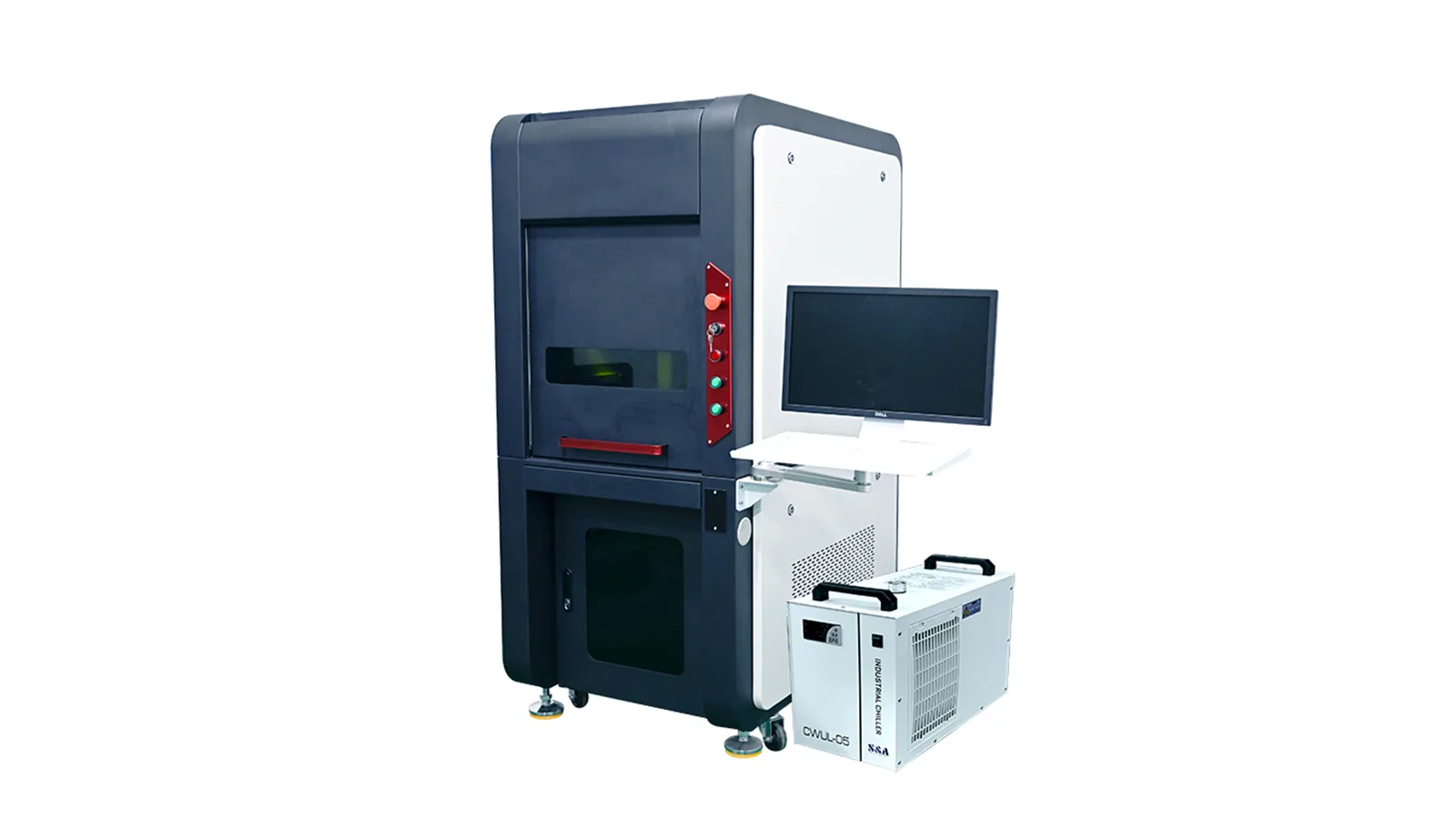
“Enclosed” describes the machine structure, not the laser source. The laser marking head and work area are arranged inside a surrounding cabinet or guarded workstation with a defined operator access point.
Compared with an open workstation, an enclosed machine places the marking area, loading zone, viewing area and many supporting functions into one more controlled equipment format. This is useful when the machine will remain at a fixed production station and operators repeatedly load parts, fixtures or batches into the same work area.
The laser source is selected separately. An enclosed machine may use Fiber for many metal marking tasks, UV for selected fine-detail or heat-sensitive surfaces, or CO2 for suitable organic, coated and packaging materials.
Enclosed does not automatically mean Class 1
The final laser safety classification depends on the complete delivered system, including enclosure openings, access doors, interlocks, viewing protection, beam containment and operating modes. These items need to be reviewed for the actual configuration.
Best-fit use
Why Choose an Enclosed Laser Marking Machine?
Choose an enclosed workstation when the production task benefits from a fixed loading position, a defined guarded work area and better integration of part handling, viewing and extraction around the marking process.
Repeatable operator loading
A consistent loading area makes it easier to position fixtures, trays or individual parts in the same working zone.
Controlled access to the marking zone
Doors, openings and work-area boundaries can be designed around the actual part-loading method instead of leaving the marking area completely open.
Cleaner equipment layout
Extraction connections, controls, viewing, fixtures and other workstation functions can be arranged around one fixed machine structure.
Suitable for repeated batch work
For parts that return to the same station, the enclosure can support a consistent operator routine and defined work area.
Trade-offs
Advantages and Limitations of Enclosed Laser Marking Machines
The enclosure adds control and integration, but it also creates space, access and cost trade-offs. The best choice depends on the actual workpiece and production method.
Where the enclosed format helps
- Defines a repeatable operator loading and marking area.
- Makes it easier to integrate doors, viewing panels, interlocks and extraction around one workstation.
- Keeps the fixture, workpiece and marking head within a more organized machine envelope.
- Can suit factory environments where a fixed production station is preferred over a movable or open arrangement.
- Provides a practical base for custom fixtures, rotary devices and selected automation functions when internal clearance allows.
What the enclosure makes harder
- Usually requires more floor space and a larger machine body than a simple open workstation.
- Large, tall or irregular parts may not fit through the access opening or inside the work chamber.
- Rotary axes, chucks and fixtures consume internal height and width that must be planned before purchase.
- Door opening and closing adds an operator step to the cycle.
- Service access, extraction routing, cooling and custom guarding can increase configuration complexity and cost.
Laser source options
Enclosed Fiber, UV and CO2 Laser Marking Machines
The enclosure is the workstation structure; Fiber, UV and CO2 describe the laser source inside it. Select the source from the material and target mark, then confirm that the enclosure has the right work envelope and supporting functions.
For metals and selected engineered materials
Fiber is the common starting route for serial numbers, logos, identification codes and many durable marks on metals. Material grade, coating, required contrast and depth still determine the final setup.
Explore Fiber Laser Marking Machines →For fine detail and selected sensitive surfaces
UV is often considered when the task needs fine features or reduced thermal impact on selected plastics, glass, coatings or electronic parts. Actual surface response must be checked on the production material.
Explore UV Laser Marking Machines →For organic, coated and packaging materials
CO2 is commonly considered for wood, paper, cardboard, leather, selected plastics and coated surfaces. Material composition, smoke and fume behavior make extraction part of the machine decision.
Explore CO2 Laser Marking Machines →Machine sizing
How to Confirm the Right Enclosure Size
Do not use marking field size as a substitute for machine capacity. The optical marking field and the physical work envelope are different dimensions and both must fit the job.
The usable optical area for the mark itself. A larger field changes the optical setup and may affect feature size and focus tolerance.
The workpiece must fit inside the chamber with enough room for positioning, fixtures and operator access.
Check the distance from the working surface to the marking head together with focus adjustment and Z-axis travel.
A part can fit inside the cabinet but still be impossible to load if the access opening is too small.
Rotary chucks, clamps and custom fixtures consume internal width and height and can change the required enclosure size.
Allow room for ducting, cooling, cable routing, filters and service access around the installed machine.
Send the real part dimensions before the enclosure is finalized
For large, tall or irregular workpieces, share a drawing or photos with dimensions, the mark location, fixture concept and loading direction. This is more useful than choosing from an external machine dimension alone.
Loading method is part of enclosure selection
The correct enclosure is not determined only by external cabinet size. Front access, door position, opening direction, fixture access, drawer or tray loading where applicable, and the operator’s loading motion should match the real production process.
Source selection
How to Choose Fiber vs UV vs CO2 in an Enclosed Machine
Start with the material stack and required mark. Power alone is not enough to select the source, because wavelength, pulse behavior, optics and surface response all affect the result.
| Laser source | Typical starting materials | Common marking goals | What must be checked |
|---|---|---|---|
| Fiber | Metals and selected engineered plastics or coatings | Serial numbers, logos, codes, contrast marks and selected engraving tasks | Material grade, coating, required contrast or depth, lens field, pulse behavior and cycle requirement |
| UV | Selected plastics, glass, coatings and electronic components | Fine features, controlled surface change and applications where thermal response matters | Actual formulation, haze or discoloration risk, feature size, focus stability and durability requirement |
| CO2 | Wood, paper, cardboard, leather, selected plastics and coated surfaces | Text, logos, codes, surface-layer removal and selected shallow engraving | Material composition, smoke or fumes, coating behavior, extraction, lens field and heat response |
Sample validation
Confirm the Mark Before Finalizing the Machine
The enclosure defines the workstation format, but the actual sample confirms whether the selected laser source, optics and process can produce the required result on the real production material.
Do not finalize a machine from the material name alone. Surface condition, coating, color, formulation, geometry and the target result can change the correct laser route even when two parts appear to use the same general material family.
- Production material and surface: include grade, coating, color, finish or formulation when known.
- Actual mark file: send the real logo, text, serial number, barcode or Data Matrix layout when possible.
- Target result: define contrast, depth, appearance, readability, durability or other acceptance requirements.
- Mark size and location: include the real marking area and the position on the finished part.
- Production requirement: share the expected loading method, batch size and target cycle when these affect machine selection.
Structure comparison
Enclosed vs Open, Portable and Flying Laser Marking Machines
Choose the machine structure from the way the workpiece reaches the marking head. The table below compares common buying routes without mixing them into the enclosed product category.
| Machine structure | Best starting use | Main advantage | Main limitation |
|---|---|---|---|
| Enclosed workstation | Fixed production station with repeated manual loading | Defined guarded work area and easier workstation integration | Part size and access are limited by the enclosure and door opening |
| Open desktop / workstation | General operator-loaded marking where open access is useful | Simple loading and easier access to varied parts | The operating area and guarding strategy require separate planning |
| Portable machine | Jobs where the equipment needs to move between work areas | Mobility and flexible placement | Less integrated as a fixed workstation; stable positioning remains critical |
| Flying / inline machine | Products moving continuously on a production line | Supports online marking without manual stop-and-load cycles | Line speed, triggering, synchronization and data handling become part of the system |
When to choose another structure
When an Enclosed Laser Marking Machine Is Not the Best Choice
An enclosure should solve a real workstation need. It can become unnecessary or restrictive when the part cannot be loaded naturally or the production process does not use a fixed marking station.
Very large or fixed workpieces
If the part cannot reasonably fit through the enclosure opening, a portable, handheld or custom open arrangement may be more practical.
Continuous production lines
If products move continuously, a flying or inline marking configuration may fit the process better than repeated door opening and manual loading.
Frequent size changes
If workpieces vary greatly in height and shape, the enclosure may require oversized internal clearance or repeated fixture changes that reduce convenience.
Simple low-volume open work
Where an open workstation already meets the production and safety plan, the extra enclosure size and complexity may not add enough value.
Configuration planning
Standard Workstation Functions and Optional Configuration
The exact supply scope depends on the selected model and project. Confirm the work area, access method and support equipment in the quotation rather than assuming every enclosed machine has the same functions.
Items to confirm on every enclosed machine
- Enclosure size and usable work area.
- Door or loading opening and access direction.
- Viewing panel and operator visibility.
- Door/interlock arrangement and emergency-stop functions.
- Marking head position, Z-axis or focus adjustment and working distance.
- Extraction connection, cooling arrangement and service access.
Functions that may be added after project review
- Rotary axis for cylindrical parts.
- Custom fixtures or multi-part trays.
- Motorized lift or adjusted worktable arrangement.
- Larger work chamber or customized door/opening dimensions.
- Dedicated extraction equipment for the actual material process.
- Vision positioning, data interfaces or other integration functions when the application requires them.
Quotation review
What to Confirm in the Quotation
The quotation should define the delivered configuration rather than relying on the appearance of a standard machine photo. Review the machine as a complete workstation before approving the order.
Confirm the marking configuration
Check the selected laser source, marking field or lens, focus arrangement and any application-specific source option included in the quotation.
Confirm the usable work area
Check enclosure dimensions, internal clearance, door or loading method, Z-axis travel, fixture space and rotary requirements if applicable.
Confirm what is included
Review extraction, cooling, control method, computer or interface items where applicable, accessories, manuals, spare items and the agreed shipping configuration.
Typical applications
Where Enclosed Laser Marking Machines Are Commonly Considered
The enclosed format is most useful when the job repeats at a fixed workstation. The laser source still follows the actual material and required mark.
Metal components
Serial numbers, logos, identification codes and selected traceability marks on parts that can be fixture-loaded into a fixed workstation.
Electronics and plastic parts
Fine text, symbols, identifiers and selected component marks where stable positioning and controlled access are useful.
Packaging and coated products
Selected CO2 or UV marking tasks on cartons, coated surfaces, labels or packaging components after material testing.
Batch-loaded production
Trays, fixtures or repeated manual loading where the same work area and operator routine are used across multiple production cycles.
Available enclosed routes
Available Enclosed Laser Marking Machines
Start from the three main source routes below. Final model selection should confirm material response, workpiece size, marking field, internal clearance, fixture needs and the required workstation functions.
Enclosed Fiber
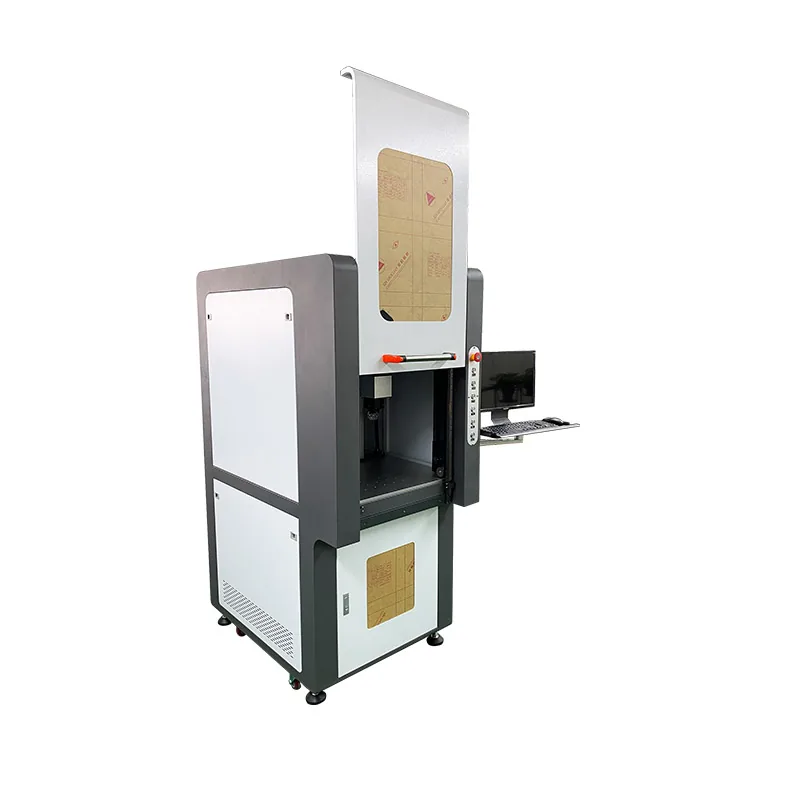
Fully Enclosed Fiber Laser Marking Machine
A guarded Fiber workstation for operator-loaded metal and engineered parts where a fixed marking cell is preferred.
View Fiber Laser Marking Machines →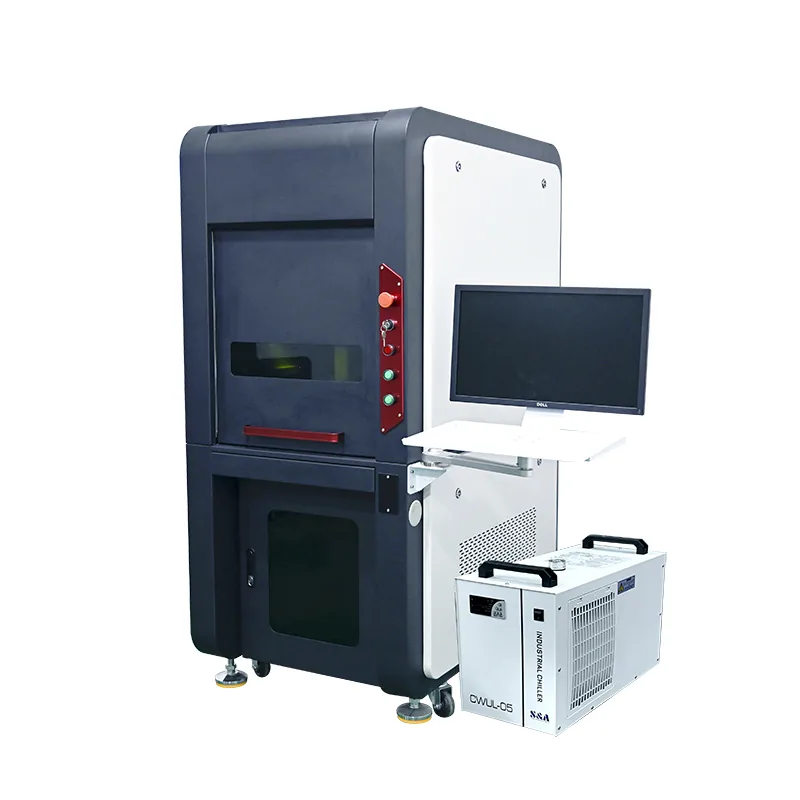
Enclosed UV
Enclosed UV Laser Marking Machine
A guarded UV workstation for selected fine-detail and sensitive-surface applications where part access and focus stability need to be controlled.
View UV Laser Marking Machines →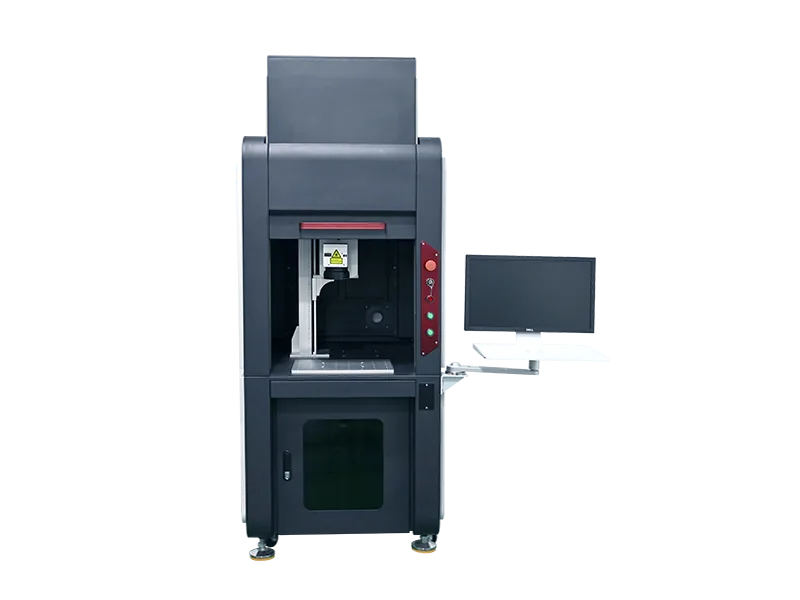
Enclosed CO2
Enclosed CO2 Laser Marking Machine
A guarded CO2 workstation for selected organic, coated and packaging materials where extraction and part loading are designed into the fixed station.
View CO2 Laser Marking Machines →Common questions
Enclosed Laser Marking Machine FAQ
Is an enclosed laser marking machine always Class 1?
No. “Enclosed” describes the physical workstation structure. Final laser safety classification depends on the complete delivered system, including openings, access doors, interlocks, viewing protection, beam containment and operating modes.
Can an enclosed laser marking machine use Fiber, UV or CO2?
Yes, enclosed equipment can be configured around different laser sources. Fiber, UV and CO2 are selected from the material and marking result; the enclosure is selected from the workpiece, loading method, access and workstation requirements.
How do I know what enclosure size I need?
Provide the workpiece width, depth and height, the mark location, loading direction, fixture or rotary size and any required internal movement. The marking field alone does not define the required machine chamber.
Does an enclosure remove the need for extraction?
No. Laser processing can still generate smoke, particles or airborne contaminants inside the cabinet. Extraction and filtration should be matched to the actual material and process.
Can I add a rotary axis inside an enclosed machine?
Often, yes, but the chuck diameter, rotary height, part length and focal position consume internal clearance. Confirm these dimensions before the enclosure and worktable are finalized.
When should I choose an open or portable machine instead?
Consider another structure when parts are too large or irregular for the enclosure, the equipment must move between work areas, or the production line requires continuous inline marking rather than repeated manual loading.
Request a machine review
Send the Part and Work Envelope Before Choosing the Enclosure
Include the material, part dimensions, mark size and location, loading method, fixture or rotary requirement, target result, expected production cycle and destination requirements. Zhuorui can then evaluate the laser source, marking field, enclosure size and supporting configuration for the actual job.