Handheld marking systems
Handheld Laser Marking Machines
Bring the marking head to large, fixed, installed or difficult-to-position workpieces. Zhuorui handheld laser marking machines are configured around two main laser routes—Fiber and CO₂—and four practical machine structures: desktop handheld, portable handheld, split handheld and trolley handheld.
- Fiber & CO₂ routes
- Desktop, portable, split & trolley handheld structures
- Configuration based on the real part and access conditions
What it is
What Is a Handheld Laser Marking Machine?
A handheld laser marking machine uses an operator-held marking head instead of requiring every workpiece to be positioned beneath a permanently fixed marking head. The main reason to choose this structure is access: the machine goes to the mark location when the part is too large, already installed or inconvenient to move.
Handheld describes the marking-head operating method. It does not automatically mean the whole machine is portable. A desktop handheld system can remain at one workstation, a portable handheld system can be moved between work areas, a split handheld system separates the marking head from the main source and control unit, and a trolley handheld system keeps the Fiber marking package on a wheeled mobile frame.
The handheld structure solves a part-handling problem. The laser source still needs to be selected around the material and required marking result.
Why choose handheld
Advantages and Limitations of Handheld Laser Marking
Handheld marking improves access, but it also transfers more positioning and operating responsibility to the head, operator and work-zone setup. The right choice depends on whether that trade-off helps the real production task.
Where Handheld Helps
- Large or fixed workpieces: the part does not need to fit under a conventional fixed marking station.
- More access freedom: the head can approach different faces or locations when clearance allows.
- Less part handling: useful when moving the component is slow, risky or impractical.
- Flexible workstation planning: desktop, portable, split and trolley layouts can be matched to different operating environments.
Where Handheld Has Limits
- Positioning depends more on the operating method: focus, head angle and reference location must be controlled.
- Operator handling matters: head weight, cable routing and working posture affect long-duration use.
- High-repeatability batch work may be better fixed: a fixture or automated station can provide more consistent positioning.
- Open handheld operation requires a defined safety method: the complete work zone must be reviewed around the actual source and application.
Two laser routes
Fiber and CO₂ Handheld Laser Marking Machines
Handheld is the equipment structure; Fiber or CO₂ is the laser route. Choose the source from the material and target mark first, then choose the handheld layout that gives the operator practical access to the workpiece.
Fiber Handheld Laser Marking Machine
Fiber is the main starting route for metals such as stainless steel, carbon steel, aluminum, brass and many coated metal parts. It can also work with some compatible plastics, but polymer response depends strongly on formulation, additives and color.
Use a representative part or sample to confirm the required contrast, depth, readability or surface appearance instead of choosing by wattage alone.
Explore Fiber Laser Marking Machines →CO₂ Handheld Laser Marking Machine
CO₂ is considered for suitable non-metal materials such as wood, paper, cardboard, leather, rubber, selected plastics and compatible coated surfaces. The actual response depends on material composition, finish and the mark you need.
CO₂ is generally not the first route for direct marking on bare metal. Unknown plastics, coatings and multilayer materials should be reviewed for both marking response and fume generation before production use.
Explore CO₂ Laser Marking Machines →Four machine structures
Desktop, Portable, Split and Trolley Handheld Configurations
The four structures solve different deployment problems. They do not replace the Fiber / CO₂ decision: select the laser route from the material and target mark, then select the structure from how often the complete machine moves, how far the marking head must reach and where the source and controls can be positioned.
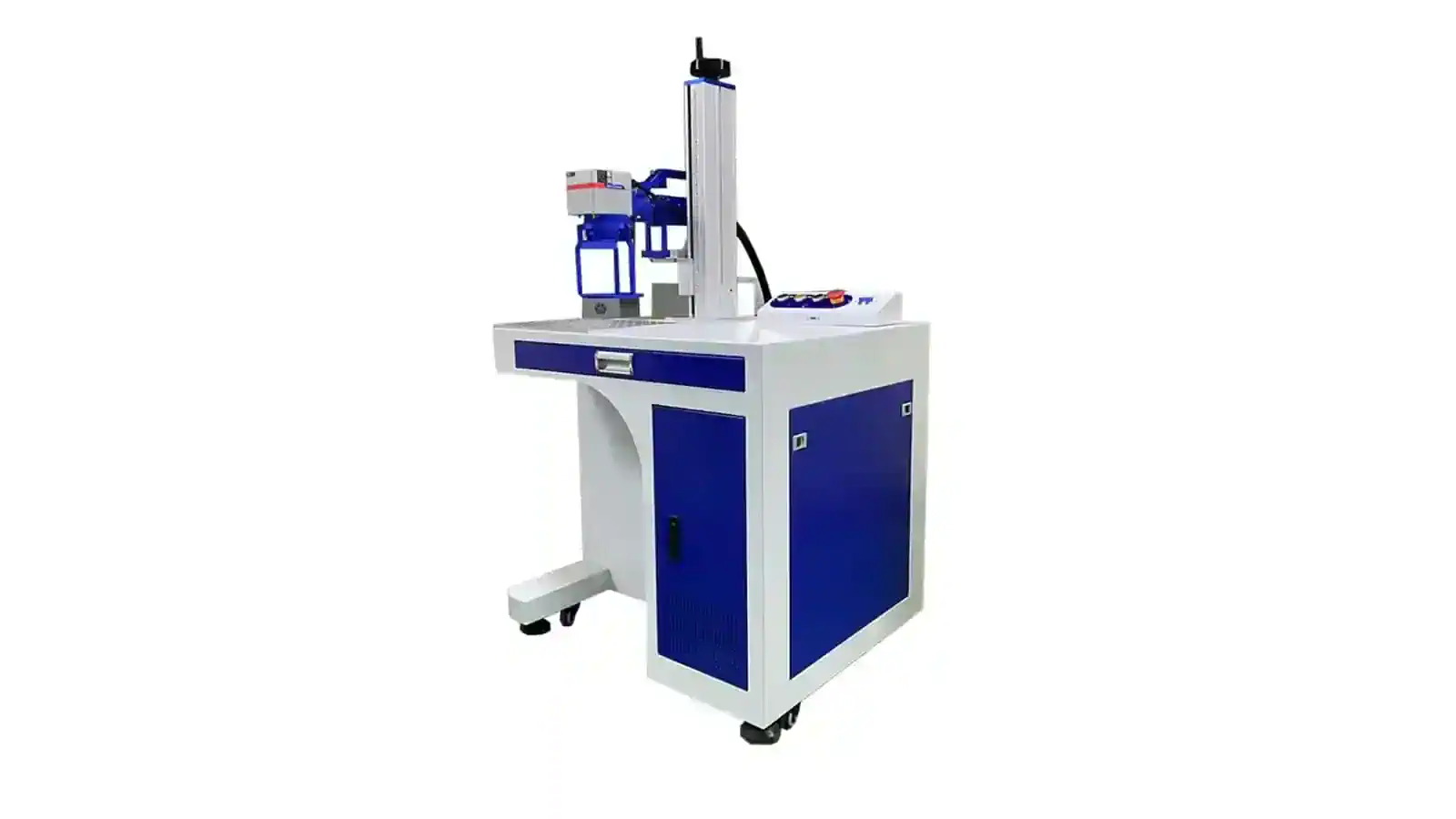
01 / Fixed workstation
Desktop Handheld Laser Marking Machine
The main machine stays at a defined workstation while the operator moves the handheld head to the mark location. This structure suits factories that need handheld access but do not need to move the complete system frequently.
- Best fit: fixed work area with occasional large or awkward parts
- Confirm: table position, head reach, cable routing and working posture
- Trade-off: less mobile than a portable package
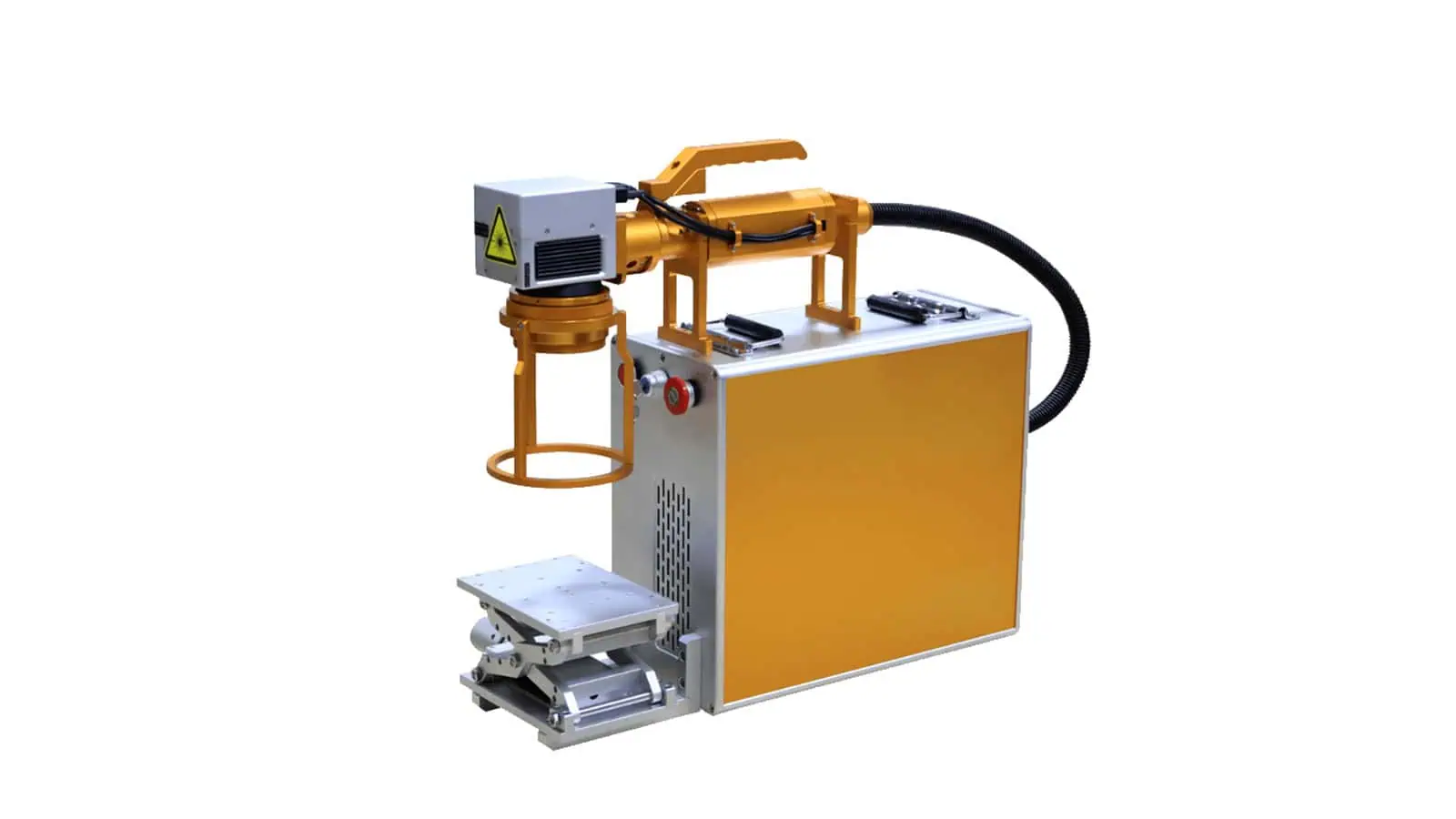
02 / Mobile complete system
Portable Handheld Laser Marking Machine
The complete machine is designed to be repositioned between controlled work areas while retaining an operator-held marking head. This is the route to consider when both head access and whole-system mobility matter.
- Best fit: work distributed across several locations
- Confirm: machine weight, carrying method, stable support and setup time
- Trade-off: portable does not remove focus or safety-control requirements
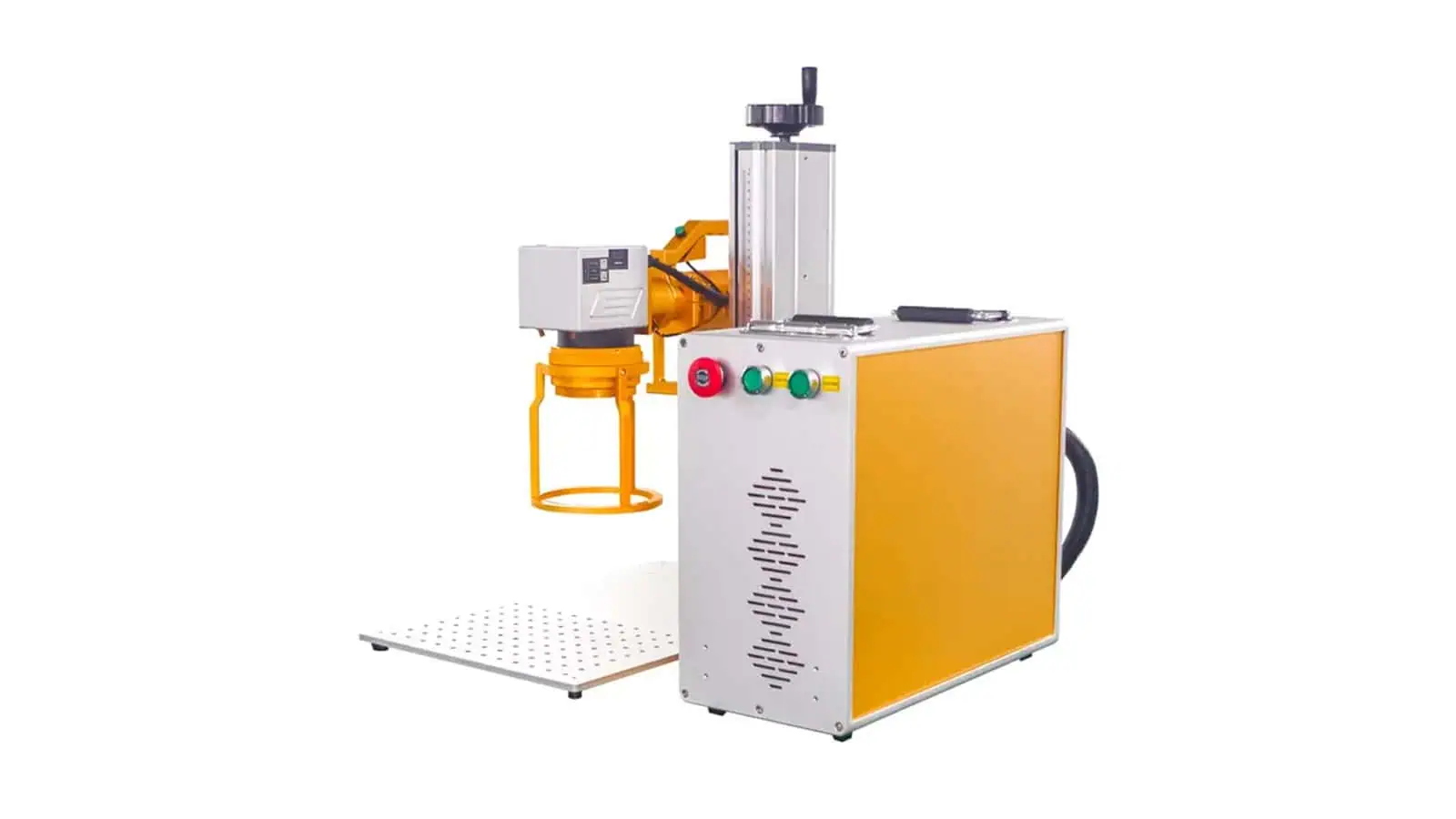
03 / Separated source and head
Split Handheld Laser Marking Machine
The main source and control unit remain in a nearby position while the marking head is handled separately. The separated layout is useful when the head must reach around assemblies, frames or installed equipment.
- Best fit: access-constrained marks on large fixed parts
- Confirm: cable reach, head balance, clearance and focus reference
- Trade-off: the controller/source still needs a stable nearby location
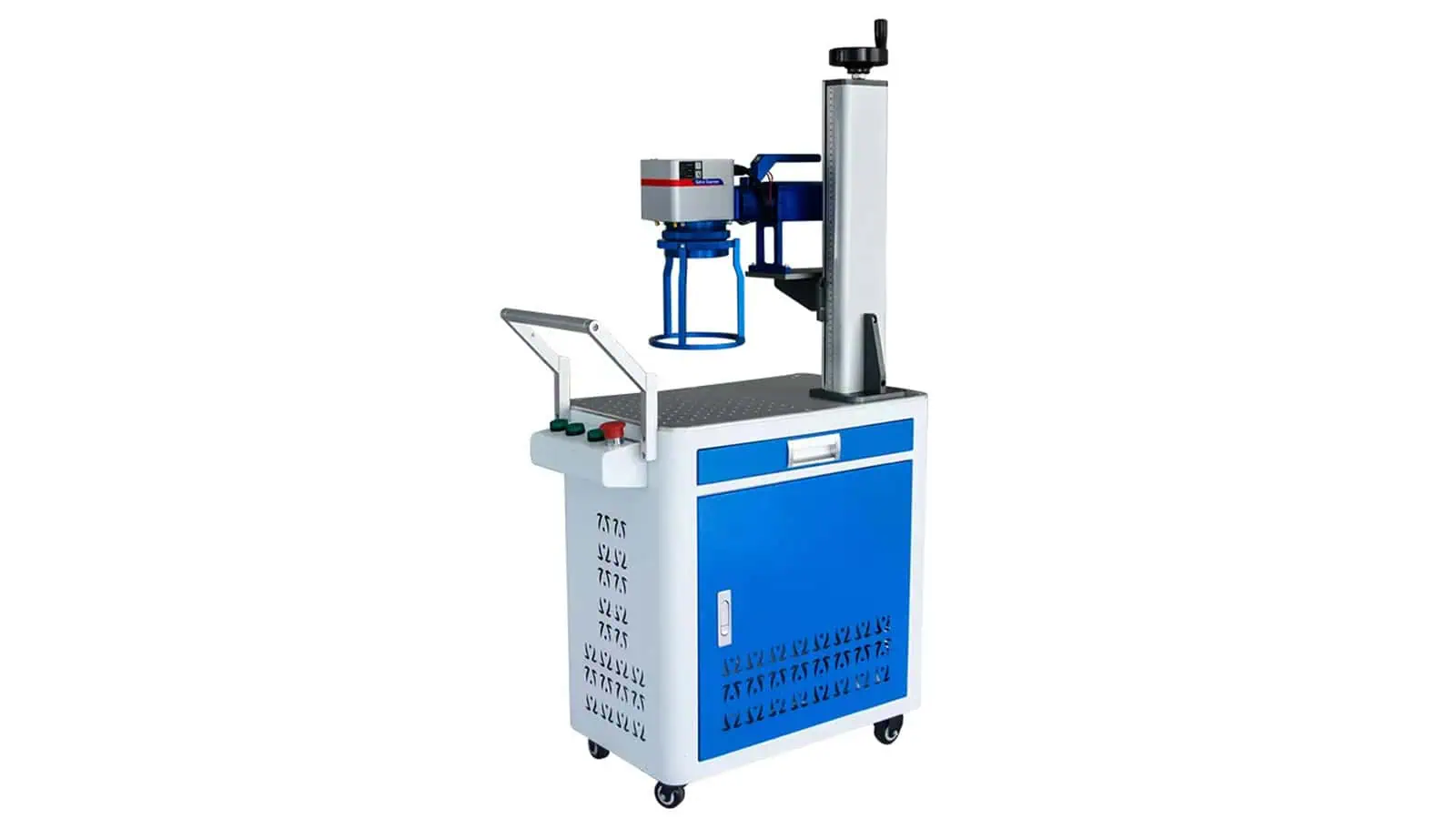
04 / Wheeled mobile workstation
Trolley Handheld Fiber Laser Marking Machine
The Fiber laser source, control components and handheld marking head are integrated on a wheeled trolley. This makes the complete system easier to reposition around a workshop while keeping the marking head free to reach large or fixed metal parts.
- Best fit: large metal parts distributed around one workshop or production area
- Confirm: trolley size, wheel stability, cable management, floor conditions and working reach
- Trade-off: easier to move than a fixed desktop unit, but larger than a compact portable handheld package
Source + structure relationship
How Laser Source and Handheld Structure Work Together
Fiber or CO₂ defines the laser route; desktop, portable, split or trolley defines how the machine is arranged and moved. These are two separate selection decisions and should not be treated as one product category.
| Handheld structure | Laser-source relationship | Main selection question |
|---|---|---|
| Desktop Handheld | Choose Fiber or CO₂ from the material and required mark; confirm the actual configured product before quotation. | Does the main machine stay at one workstation while only the marking head moves? |
| Portable Handheld | Choose Fiber or CO₂ from the material and required mark; confirm the actual configured product before quotation. | Does the complete machine need to move between work areas as well as the marking head? |
| Split Handheld | Choose Fiber or CO₂ from the material and required mark; confirm the actual configured product before quotation. | Does the marking head need extra reach while the source and controls remain nearby? |
| Trolley Handheld | Fiber handheld route on this page. The source, controls and handheld head are carried on a wheeled trolley. | Does the complete Fiber system need to roll around a workshop without being carried by hand? |
Do not choose the structure before the source route
First confirm whether Fiber or CO₂ is appropriate for the material and target result. Then select desktop, portable, split or trolley according to workpiece size, access direction, required reach and how the complete machine needs to move.
Configuration selection
How to Confirm the Right Handheld Configuration
A handheld machine should be selected from the complete operating geometry, not only from laser power or nominal marking field. The following four checks usually determine whether the proposed structure is practical.
Define the workpiece
Send material, surface condition, overall dimensions, weight and whether the part can be moved or rotated.
Show where the mark sits
Identify the marking face, mark size, orientation, nearby walls or ribs and the direction from which the operator can approach it.
Check focus, clearance and reach
Confirm the usable marking field together with focal distance, head size, cable reach and clearance around the mark position.
Review the operating cycle
Include quantity, marking frequency, operator posture, repositioning time, inspection method and whether a fixed fixture would improve repeatability.
Marking field is not the same as workpiece size
A large workpiece can still use a smaller marking field if each required mark fits inside that field and the handheld head can reach the mark location. Conversely, a larger nominal field is not automatically better because optics, detail size, working distance and positioning all need to be considered together.
Fiber or CO₂
Which Handheld Laser Route Fits Your Material?
Use the material as the first filter, then confirm the result on the real surface. The same handheld structure can only be useful if the selected wavelength produces the required mark.
| Decision factor | Fiber handheld | CO₂ handheld |
|---|---|---|
| Typical starting material group | Metals and selected compatible plastics | Wood, paper, cardboard, suitable leather, rubber, selected plastics and coated non-metals |
| Typical reason to choose | Metal identification, serial marking, logos, codes, surface contrast or engraving where the material responds appropriately | Marking, coding or surface processing on suitable organic and non-metal materials |
| Do not assume | Higher wattage automatically gives the best mark, or every plastic responds the same way | Every plastic or coating is CO₂-compatible, or CO₂ is the preferred route for direct bare-metal marking |
| Before final approval | Confirm alloy/surface, target effect, field, focus and representative sample result | Confirm material composition/finish, target effect, fume behavior and representative sample result |
Structure comparison
Handheld vs Desktop, Portable and Flying Laser Marking Machines
These terms describe different decisions. Handheld focuses on how the marking head reaches the part; desktop describes a workstation format; portable describes whole-machine mobility; flying describes marking on moving products.
| Structure | Best starting situation | Main strength | When to choose another route |
|---|---|---|---|
| Handheld | Large, fixed, installed or difficult-to-position workpieces | Bring the head to the part | Choose a fixed workstation when repeatable fixture positioning is more important than access freedom |
| Desktop | Parts that can be loaded at one workstation | Stable fixed-head operation and straightforward fixturing | Choose handheld when the part cannot be practically brought under the fixed head |
| Portable | Equipment needs to move between work areas | Whole-machine mobility | Portable may still use a fixed head; choose portable handheld only when both mobility and head access are required |
| Trolley handheld | Large metal workpieces are distributed around the same workshop or production area | Wheeled Fiber system combines handheld access with easier workshop repositioning | Choose a compact portable handheld system when carrying size matters more than trolley mobility |
| Flying | Products move continuously on a production line | Triggering and marking synchronized with moving products | Handheld is generally not the preferred route for unattended continuous inline coding |
When not to choose handheld
When a Handheld Laser Marker Is Not the Best Choice
Handheld is useful when access is the real problem. If the production priority is repeatability, automation or a fully defined workstation, another machine structure may be the better starting point.
High-repeatability fixture work
If every part is small and easy to locate in one fixture, a fixed-head workstation usually gives a simpler repeatable process.
High-throughput line marking
If products already move on a conveyor, review a flying or integrated marking solution rather than adding a manual handheld step.
Unattended automation
Robotic or automatic handling requires a project-specific integration review instead of treating an operator-held head as an automatic solution.
Dedicated enclosed workstation
If the part fits easily inside a dedicated guarded station, compare an enclosed or fixed-head system before selecting handheld operation.
Supply scope
Standard Configuration and Optional Items to Confirm
The exact BOM depends on the selected Fiber or CO₂ route and the machine structure. The trolley configuration shown on this page is a Fiber handheld route. The quotation should define the delivered source package, handheld head, optics, controls, cooling, cables and project-specific options rather than relying on a generic product photo.
Core items to define in the quotation
- Laser source type and approved power/configuration
- Handheld marking head and focus/reference method
- Galvo, lens and usable marking field
- Control system and marking software
- Power supply, cooling method and connection requirements
- Head cable or beam-delivery arrangement for the selected structure
Options reviewed only when the job needs them
- Head support, stand or positioning aid
- Fixture or custom locating reference
- Rotary device for suitable cylindrical parts
- Extraction or local fume-capture equipment
- Portable carrying or trolley arrangement
- Project-specific guarding, interlock or integration requirements
Typical applications
Typical Handheld Laser Marking Applications
Application should follow the laser route first. Fiber handheld systems are mainly considered for metal-oriented marking jobs, while CO₂ handheld systems are considered for suitable non-metal materials. In both cases, the handheld structure is most useful when the part is large, fixed, installed or awkward to place under a conventional fixed marking head.
Fiber-oriented applications
Large Metal Parts and Installed Equipment
- Fabricated frames and steel structures: serial numbers, IDs, logos or traceability marks on large assemblies.
- Machinery and installed equipment: marking where removing or relocating the component is impractical.
- Molds, tooling and heavy components: identification on parts that are difficult to load onto a conventional marking table.
- Large panels and metal housings: marks on different faces or locations where handheld access is easier than part repositioning.
Final marking quality still depends on alloy, coating, surface condition, mark target and the selected Fiber source configuration.
CO₂-oriented applications
Large Suitable Non-Metal Workpieces
- Wood products and panels: suitable marking or identification on parts too large for a standard fixed workstation.
- Leather and rubber products: where the real material responds appropriately to the selected CO₂ route.
- Cartons, paperboard and packaging surfaces: for large or awkward items when handheld access is more practical.
- Selected plastics and coated non-metals: only after confirming material response and fume behavior.
CO₂ suitability should be confirmed from the actual substrate, finish and required effect; the page does not assume every plastic or coating is compatible.
The application does not decide the machine structure by itself
Two users may mark similar materials but need different handheld layouts. A fixed workstation may suit one factory, while another needs a portable, split or trolley arrangement because of workpiece size, access direction or machine mobility.
Safety and operating boundary
Handheld Operation Needs a Controlled Work Zone
A handheld head can change orientation and reflection conditions from one workpiece to another. Safety controls therefore need to be reviewed for the complete delivered system, the actual wavelength and source, the workpiece surface and the operator workflow.
- Control access: define the operating area, responsible personnel and any guarding or interlock strategy required for the real configuration.
- Control the beam path: direct and reflected laser radiation must be considered from the actual head position and workpiece surface.
- Control operation: focus, head orientation, trigger behavior, emergency stop and safe restart need a defined procedure.
- Control fumes: coatings, oils, plastics, leather, wood and other materials may require local capture and filtration.
FAQ
Handheld Laser Marking Machine FAQ
What is the main difference between a handheld and a normal laser marking machine?
A handheld machine allows the operator to move the marking head to the workpiece. A conventional fixed-head system normally requires the part to be positioned beneath the marking head.
Is a handheld laser marking machine the same as a portable laser marking machine?
No. Handheld describes the operator-held marking head. Portable describes the mobility of the complete machine. A system can be both handheld and portable, while a trolley handheld system uses a wheeled mobile base rather than a compact carryable package. These terms describe different equipment structures.
Do handheld laser markers only use Fiber lasers?
No. Zhuorui reviews handheld configurations around both Fiber and CO₂ routes. Fiber is the main starting point for many metal marking jobs, while CO₂ is considered for suitable non-metal materials.
How large a workpiece can a handheld laser marking machine handle?
Workpiece size and marking field are different questions. A very large workpiece may still be suitable if the required mark fits the selected field and the handheld head can physically reach the location with correct focus and clearance.
Can I choose the machine from laser power alone?
No. Source type, material response, pulse behavior, marking field, optics, target result, head access, focus, operating cycle and safety boundary all affect the correct configuration.
Is handheld marking suitable for high-volume production?
It can be useful for access-led manual work, but a fixed fixture, flying system or automated station may be more appropriate when the priority is high repeatability, short cycle time or unattended production.
What should I send for a handheld machine recommendation?
Send the material and surface condition, part dimensions, mark content and size, photos showing the mark position and access direction, expected quantity or cycle, desired result and any extraction or safety requirements.
Configuration review
Send the Part, Mark Location and Working Conditions
For a useful recommendation, include the material, workpiece dimensions, mark artwork, required marking area, photographs of the mark position, operator access direction, expected production quantity and target result. Zhuorui can then review whether Fiber or CO₂ and desktop, portable, split or trolley handheld structure is the better starting configuration.