
Complete-machine testing before shipment
Laser Marking Machine Quality Control, Commissioning & Testing
A laser marking machine is not ready to ship simply because it powers on or produces one successful mark. After assembly, Zhuorui verifies the ordered configuration and laser output power, commissions the complete system, checks installed functions, runs the machine continuously according to its complexity, and then tunes the process with the customer’s sample where provided.
- Laser output power verification
- Whole-machine commissioning
- 24 / 48 / 72-hour stability testing
- Customer sample tuning before delivery
Actual factory workflow
How Does a Laser Marking Machine Move from Assembly to Shipment?
Zhuorui’s quality-control responsibility begins with the completed machine: confirming the installed configuration, checking laser output, commissioning the system, verifying installed functions, exposing instability through continuous operation, and confirming the customer’s marking result before packing.
Confirm Installed Configuration
Confirm the installed laser source, galvo, field lens, controller, machine structure, voltage, software and ordered options before final commissioning begins.
Purpose: make sure the completed machine matches the confirmed order.Verify Laser Output Power
After the laser source is installed, check its output power and operating condition before extended whole-machine testing.
This is installed-machine verification, not re-certification of the laser-source manufacturer’s complete specification.Commission the Complete Machine
Set up the software, focus, working distance, marking field and every installed motion, vision or positioning function required by the order.
The exact commissioning checklist follows the actual machine configuration.Check Installed Functions
Verify marking, galvo operation, communication, cooling and any installed Z axis, XY axis, rotary, CCD, autofocus, flying or 3D functions.
If a function is included in the machine, it should operate correctly as part of the complete system.Run the Stability Test
Operate the completed machine continuously for 24, 48 or 72 hours according to system complexity and project type.
The objective is to expose abnormal shutdowns, communication faults, motion problems and other integrated-system instability.Test Customer Samples
After the machine is stable, tune the marking parameters on the customer’s actual sample where samples are provided and confirm the required result.
Machine stability and application qualification are treated as two different checks.Final Configuration & Accessory Check
Confirm the tested machine configuration, software, parameters, accessories, fixtures and supplied items before delivery preparation.
The configuration prepared for shipment should match the configuration that was actually tested.Pack & Release
Prepare, pack and release the finished machine for shipment only after the required testing and final checks are complete.
Testing closes before the machine moves into packing and shipment.Configuration confirmation
We Confirm the Installed Configuration Before Final Testing
Before final commissioning begins, the installed laser source, galvo, field lens, controller, machine structure, voltage, software and ordered functional modules are confirmed against the approved machine configuration.
- Laser source: brand, model and ordered power level.
- Optical configuration: installed galvo scanner and field lens correspond to the confirmed machine configuration.
- Control configuration: installed controller, control card, computer and software correspond to the confirmed machine configuration.
- Machine structure: cabinet, enclosure, workstation and electrical configuration.
- Optional functions: rotary, motorized Z, XY motion, CCD vision, dual red-light positioning, autofocus, flying marking, 3D and other ordered functions.
Laser output verification
Laser Output Power Is Checked After Installation
The laser source is not treated as “ready” only because the model label is correct. After installation, laser output power is checked before the machine proceeds to extended stability operation and final sample tuning.
This check helps identify an obvious output abnormality early and confirms that the installed source is operating normally as part of the machine configuration.
- The installed source corresponds to the required machine configuration.
- Laser output is operating normally after integration.
- The machine can proceed to optical setup, commissioning and extended running.
- Customer-sample tuning is performed after this basic laser-output check.
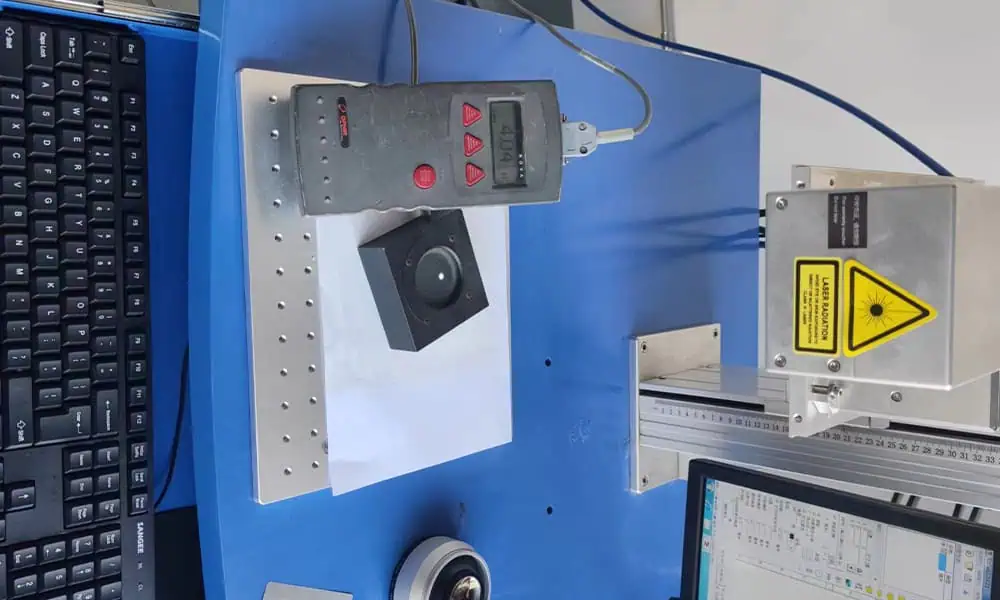
Complete-machine commissioning
The Complete System Is Commissioned Before the Stability Run
Commissioning establishes the actual working condition of the delivered machine. The checklist changes with the configuration because a standard desktop marker and a vision-plus-multi-axis system do not contain the same functions.
Software & Control
Set the control software, machine parameters, communication and project-specific control logic required by the delivered system.
Focus & Working Distance
Establish the working plane and focus reference for the installed laser, galvo and field-lens configuration.
Marking Field
Check the usable marking field and positioning behaviour for the actual optical configuration.
Motion Functions
Where installed, verify motorized Z, XY movement, rotary devices, multi-axis functions and related motion control.
Vision & Positioning
Where applicable, commission CCD vision, dual red-light positioning, autofocus and other positioning functions.
Online & Project Functions
For flying or customized systems, check triggers, communication, I/O and the functions specifically included in the project.
Stability testing
Why Do We Use 24-, 48- or 72-Hour Stability Tests?
The run time is selected according to system complexity. A standard machine has fewer integration points than a machine with vision, extra motion or online functions, while a project-type system introduces still more mechanical, control and communication variables.
| Test route | Typical machine type | Examples | Why a longer run is used |
|---|---|---|---|
| 24 Hours Standard machines | Standard laser marking machines with a relatively straightforward system architecture. | Standard Q-switched fiber, MOPA fiber, UV or CO₂ configurations without complex additional motion, vision or online functions. | Confirms stable laser marking, galvo/controller communication, software operation, cooling where applicable, electrical connections and basic whole-machine operation. |
| 48 Hours Option-equipped machines | Machines with additional positioning, motion, vision or production functions. | CCD vision, motorized Z axis, XY movement, dual red-light positioning, flying/online marking, rotary marking, 3D laser marking and similar added functions. | More modules create more communication, movement, positioning and control interactions. Repeated operation helps expose faults that may not appear during a short functional check. |
| 72 Hours Project-type systems | Complex customized equipment and project configurations with more integration variables. | Custom lathe-type marking machines, multi-axis coordinated systems, complex vision + multi-axis systems, project-type green laser systems, femtosecond and picosecond marking systems. | Custom mechanics, multiple axes, vision, special control logic, additional communication links or specialized laser configurations increase the number of possible integration failure points. |
A 72-hour test does not mean the machine is automatically “better” than a 24-hour machine. It means the system has more integration complexity and therefore requires a longer stability-validation route. Actual test duration follows the confirmed machine configuration and project requirements.
What the run is looking for
What Do We Look for During the Stability Run?
The machine is not run for a number of hours just to complete a timer. The useful question is whether the complete configured system continues to operate normally throughout the required test period.
- Unexpected machine shutdown
- Unstable laser marking operation
- Software or controller communication faults
- Galvo or marking interruptions
- Motion-axis or rotary faults
- Vision or positioning abnormalities
- Cooling abnormalities where applicable
- Intermittent electrical or connection problems
- Repeated alarms or other abnormal behaviour
If a problem appears
What Happens If an Abnormal Condition Appears?
Problems found during commissioning or the stability run are handled at the complete-machine level. The cause may be a setup, connection, parameter, software, accessory or component issue.
The machine proceeds only after the affected function has been rechecked and the complete system is operating normally. A successful one-time mark is not used to ignore an unresolved stability problem.
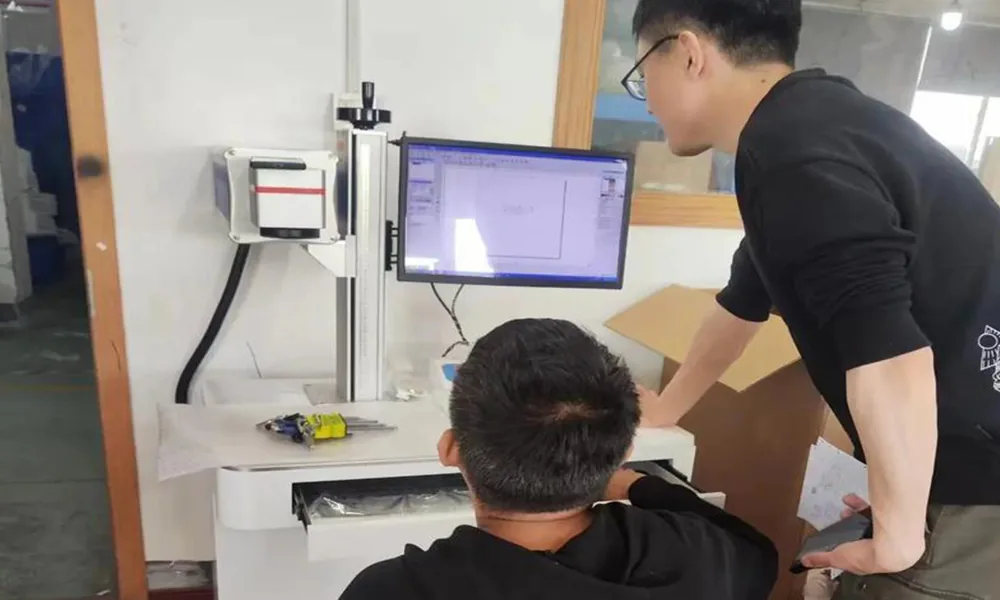
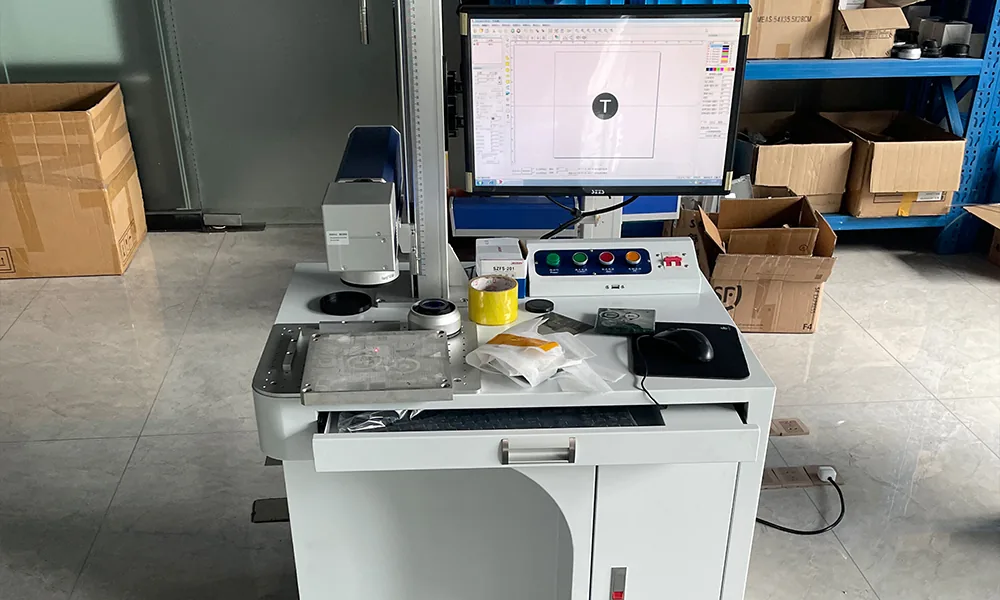
Application qualification
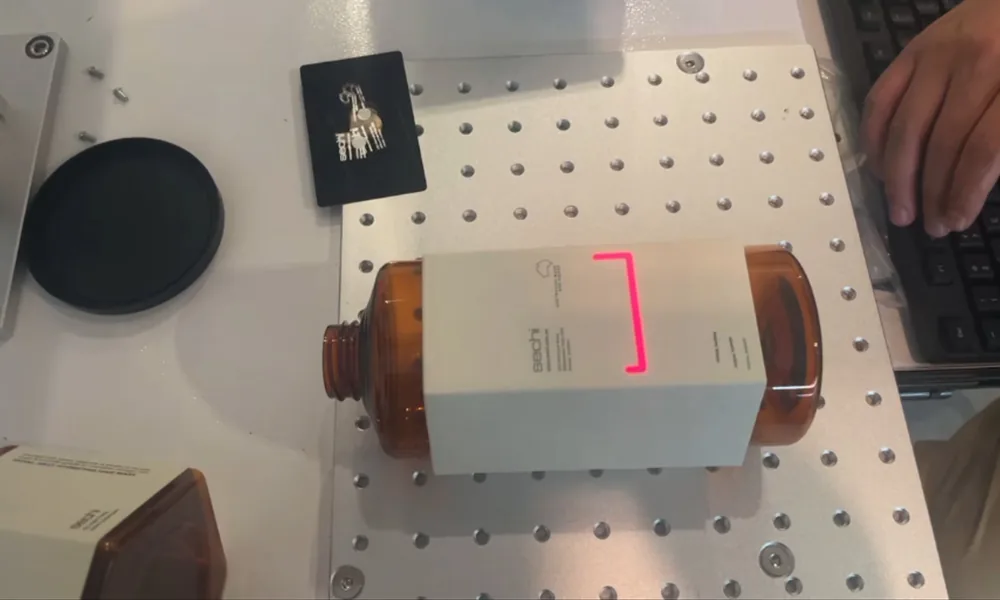
Customer Sample Marking Comes After Machine Stability Testing
A stable machine and a qualified marking process are two different things. After the required commissioning and stability checks are complete, marking parameters are tuned on the customer’s actual sample where samples are provided.
This sequence helps ensure that application tuning is performed on a machine that has already demonstrated stable whole-machine operation.
- Customer material and surface condition
- Logo, graphics, text or serial numbers
- QR code or Data Matrix where required
- Contrast, depth or cosmetic appearance
- Marking position and readability
- Other project-specific acceptance requirements
Project-specific acceptance
Project-Specific Acceptance Follows the Actual System
Complex custom and automation projects may require additional acceptance criteria for motion, vision, I/O, cycle sequence or external interfaces. These requirements affect how the finished machine is tested; the engineering of the custom or automation system itself belongs to the corresponding capability.
- Workpiece and fixture requirements
- Required marking content and result
- Motion or multi-axis sequence
- Vision and positioning checks
- External trigger or machine communication
- Cycle or production requirements
- Other project-specific functions
Final pre-shipment check
The Tested Configuration Is Confirmed Again Before Packing
Once stability testing and customer-sample tuning are complete, the final check confirms that the machine being packed matches the tested configuration and includes the ordered accessories and setup.
Machine Configuration
Confirm the machine model, laser source, optical configuration and installed functional modules.
Software & Parameters
Confirm the software setup, relevant machine parameters and project configuration prepared for delivery.
Accessories & Fixtures
Check rotary devices, fixtures, cables, computers, displays or other items included in the order.
Supplied Documents
Confirm the documentation and project handoff items included within the actual order scope.
Machine Condition
Prepare the completed machine for delivery after testing, sample work and final configuration checks are complete.
Packing & Shipment
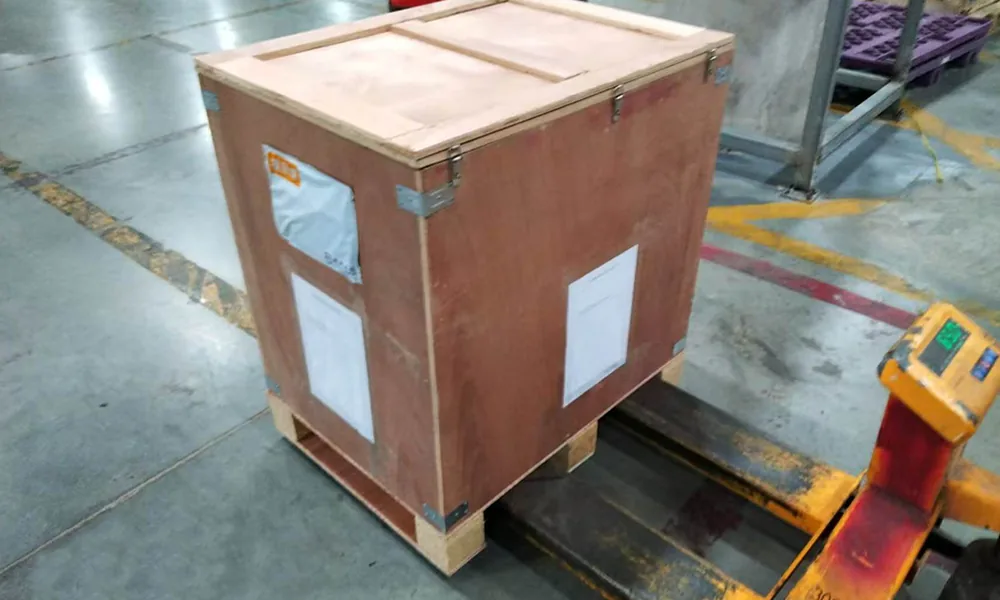
Pack the machine and ordered items only after the complete testing and final-check sequence has been completed.
Next step
Send the Machine Configuration and Sample Requirements Before Final Testing
For a standard machine, option-equipped system or custom project, include the preferred laser type and power if already specified, machine structure, additional functions, workpiece material and surface, sample where available, artwork or code, target marking result, and any motion, vision or production-integration requirements. Zhuorui can then align commissioning, the stability-test route and customer-sample tuning with the actual machine being supplied.