
Configuration decision guide
Laser Marking Power, Field Size & Configuration Guide
Choose a laser marking setup from the required result outward. First narrow the wavelength and source family, then compare power, field lens, spot size, frequency, pulse width and working distance as linked decisions rather than isolated specifications.
Use this guide to narrow the right configuration: Start with the required mark, the real part and access constraints, then review power, field lens, spot size, frequency, pulse width and working distance together. Zhuorui Laser can help turn those inputs into a focused sample-test plan.
- Result-first selection logic
- Optics and pulse behavior in one view
- Sample testing remains the final gate
Start with the job
A laser marking configuration is a chain of decisions
A higher wattage or larger marking field does not automatically produce a better result. Each choice changes energy density, detail, focus tolerance, handling and the complete production cycle.
Define the result
Contrast, depth, color, coating removal, code readability, texture and prohibited damage.
Describe the surface
Grade, coating, oxide, plating, finish, roughness, color and formulation help decide which wavelength/source family deserves testing before power is compared.
Set the field
Part size, feature size and geometry determine field lens, focal length and usable scan area.
Shape the pulse
Average power works with pulse width, frequency, speed and hatch to control heat and response.
Fit the machine
Working distance, Z travel, fixture, rotary, vision, extraction and guarding complete the system.
Prove the window
Use real samples and agreed acceptance criteria before freezing parameters or a BOM.
Prerequisite before wattage
Choose the wavelength and source family before comparing laser power
A 30 W UV laser and a 30 W fiber laser are not interchangeable simply because the wattage matches. Start with how the material and target effect respond to wavelength and pulse architecture; compare power only inside a plausible source route.
Q-switched fiber
Typical center wavelength: ~1064 nmA strong starting route for many metals, coated metals and some plastics. The usable frequency and pulse behavior are source-specific, so wattage alone does not define the process window.
Decide next: required contrast/depth, pulse energy, spot size, heat input and cycle target.
MOPA fiber
Typical center wavelength: 1064 nmMOPA is not a separate wavelength class. Its value is the wider, model-specific control of pulse width and repetition rate, which can widen the process window for heat, color and surface-response control.
Decide next: actual source model, pulse-width range, frequency range and pulse-energy limit.
UV / green
Common routes: 355 nm UV / 532 nm greenConsider shorter wavelengths when absorption or thermal sensitivity makes a near-IR route difficult. They can be valuable for plastics, precision surfaces and selected reflective materials, but the useful result still depends on the exact material formulation.
Decide next: absorption, acceptable heat effect, contrast and damage limit on real samples.
CO2
Common marking routes: 9.3 or 10.6 µmA common route for paper, wood, glass and many organic or polymer surfaces. It is usually not the first choice for bare-metal marking without a suitable absorbing layer or coating.
Decide next: material absorption, surface reaction, required mark and source-specific optics.
Practical rule: wavelength/source family is the first filter; wattage is a second-stage variable. Do not rank different laser families by power number alone.
Parameter relationships
How power, field size, spot size and pulse settings work together
Read the numbers as a connected system. A specification is useful when it explains a trade-off that matters on the real part.
| Input | It mainly influences | Confirm on the sample |
|---|---|---|
| Average power | Available process energy and potential throughput. | Contrast, heat tint, depth, cycle time and stability at the target speed. |
| Field lens / field size | Usable area, focal length, spot size and energy density. | Smallest feature, edge quality, focus tolerance and actual part coverage. |
| Spot size | Feature resolution and energy concentration. | Line width, overlap, surface texture and sensitivity to focus error. |
| Frequency + pulse width | Frequency affects pulse spacing and, at a given average power, pulse energy; pulse width affects peak power and interaction time. Together they influence heat accumulation and material response. | Color, melt, burr, coating removal, carbonization or unwanted damage. |
| Working distance | Part access, fixture envelope, focus position and operator clearance. | Flatness, Z travel, curved surfaces, guarding and repeatable setup. |
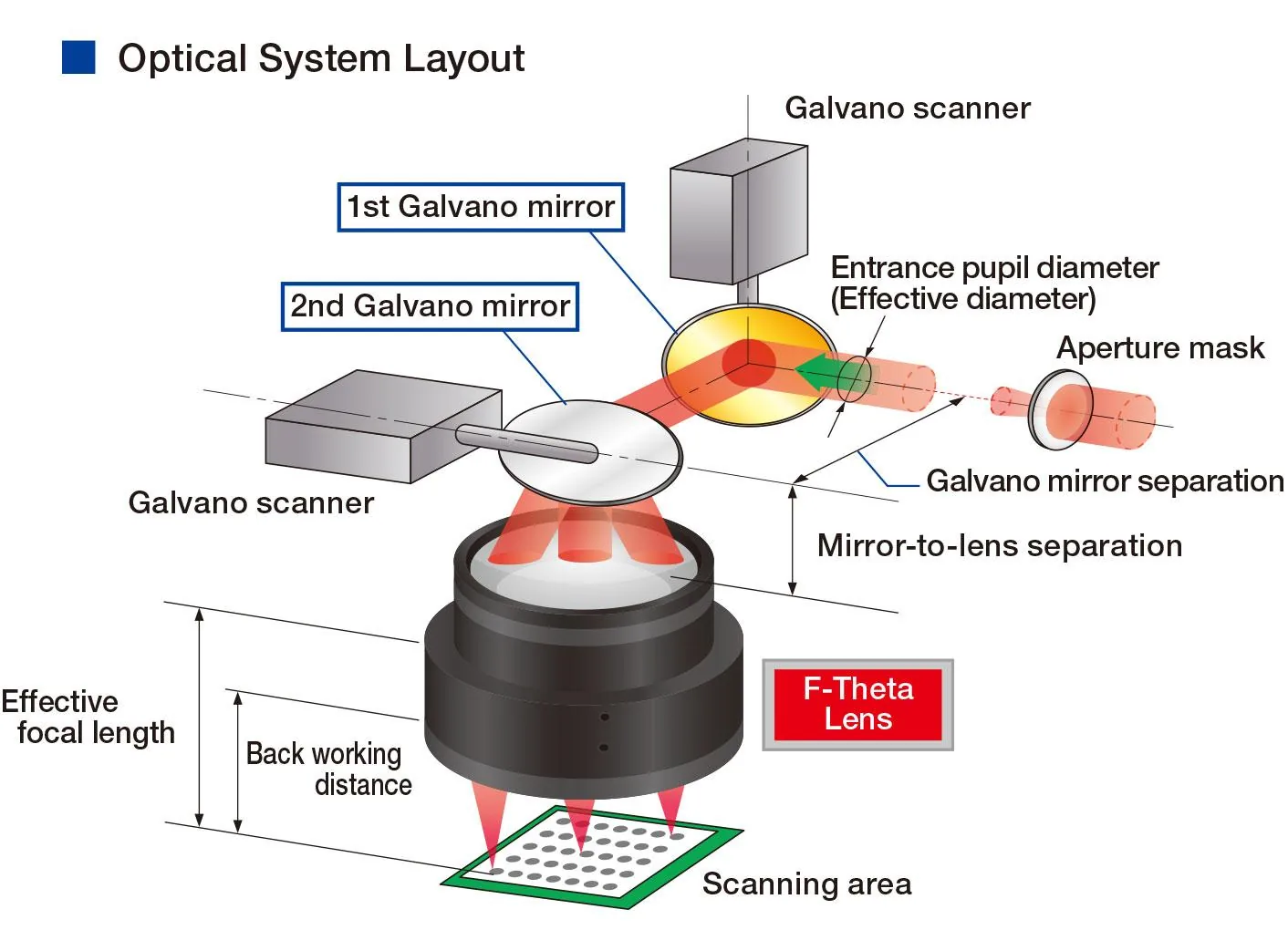
First-order calculations
Use simple equations to turn specifications into a test plan
These equations help explain direction and trade-offs. They are not universal marking recipes: real output depends on the source power curve, pulse shape, beam quality, spot definition, material absorption, hatch strategy and number of passes.
Where: Pavg = average power; frep = pulse repetition rate; τ = pulse duration; v = scan speed; s = pulse spacing; Epulse = pulse energy.
Pulse energy
At the same average power, increasing repetition rate reduces the average energy available per pulse. Use the actual source specification because some sources do not maintain the same average power across the full frequency range.
Approximate peak power
For similar pulse shapes, shorter pulse duration raises approximate peak power for the same pulse energy. The exact value depends on pulse shape and the source architecture.
Pulse spacing on the scan line
Scan speed v and repetition rate set the distance between successive pulses. Compare spacing s with the focused spot diameter to understand geometric overlap and heat accumulation.
Energy per scan length
During a continuous laser-on scan, slowing the scan increases average energy delivered per unit length. Hatch spacing, spot overlap, blanking and repeated passes then determine how that line-level input becomes a two-dimensional process.
Important: the equations describe relationships, not acceptance. Final settings still have to be proven against contrast, depth, code quality, heat damage, roughness, cycle time or whichever criterion matters on the real part.
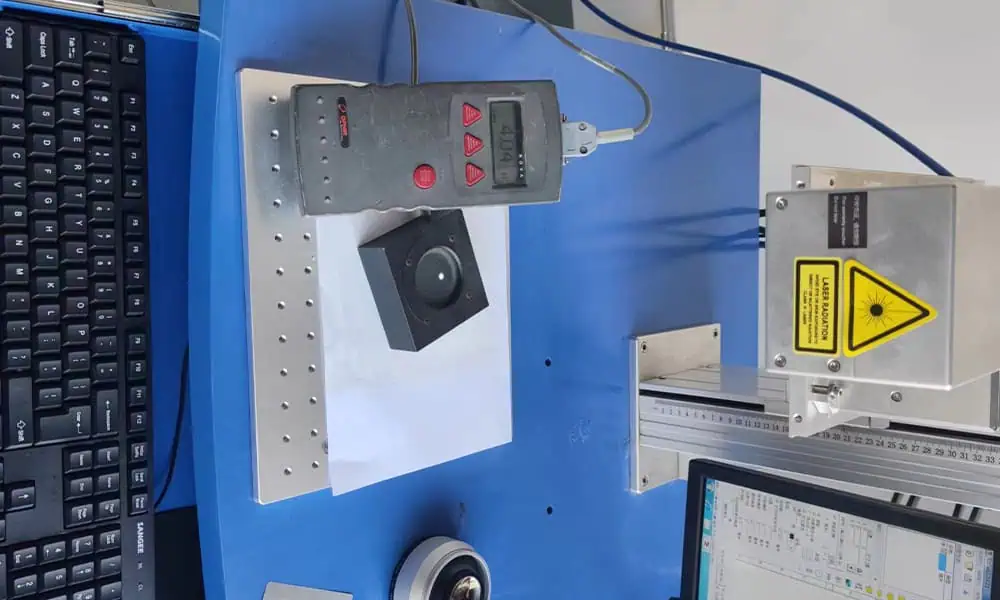
Pulsed fiber configuration brief
Build a pulsed fiber laser marking configuration brief
Use the controls only after you have narrowed the job to a plausible pulsed fiber route. This builder compares Q-switched fiber and MOPA fiber decision variables using illustrative values; UV, green and CO2 sources require source-specific operating ranges and should be evaluated separately.
Before purchase: Confirm the actual source model and its frequency / pulse-width range, then verify the lens, beam diameter, spot size, focus tolerance and part geometry on the intended setup.
Worked decision examples
See how the decision chain changes with the real marking problem
These examples show how to narrow a configuration; they are not parameter presets. The final source model, lens and settings still require sample testing against defined acceptance criteria.
Heat-sensitive plastic identification
Small high-contrast code on a molded plastic part, with minimal melting, swelling or cosmetic damage.
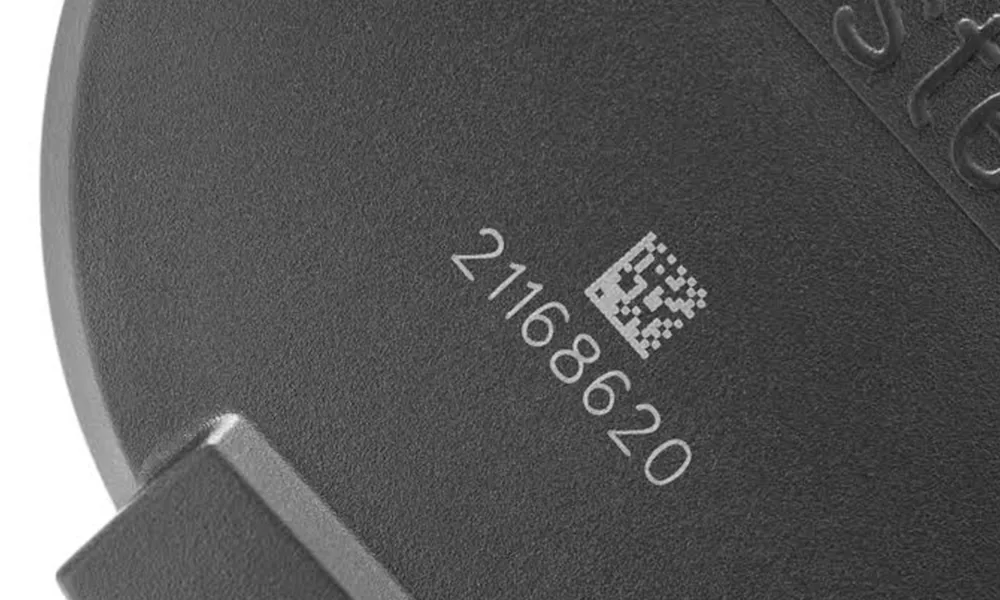
- Start with wavelength: do not begin with 30 W vs 50 W. Test UV, green or a suitable near-IR route according to the resin, additives and pigment response.
- Set the field from the feature: use only the field needed for the part and code so spot size and focus tolerance are not sacrificed unnecessarily.
- Shape the energy: tune pulse behavior, repetition rate and scan speed to build contrast without excessive thermal accumulation.
- Accept on the part: verify contrast/readability, surface damage, deformation and appearance consistency on the actual molded material.
What this prevents: buying a higher-power source before proving that the wavelength/material interaction is suitable.
Small traceability code on stainless steel
A compact 2D traceability code where feature definition and reliable reading matter more than covering a large area.
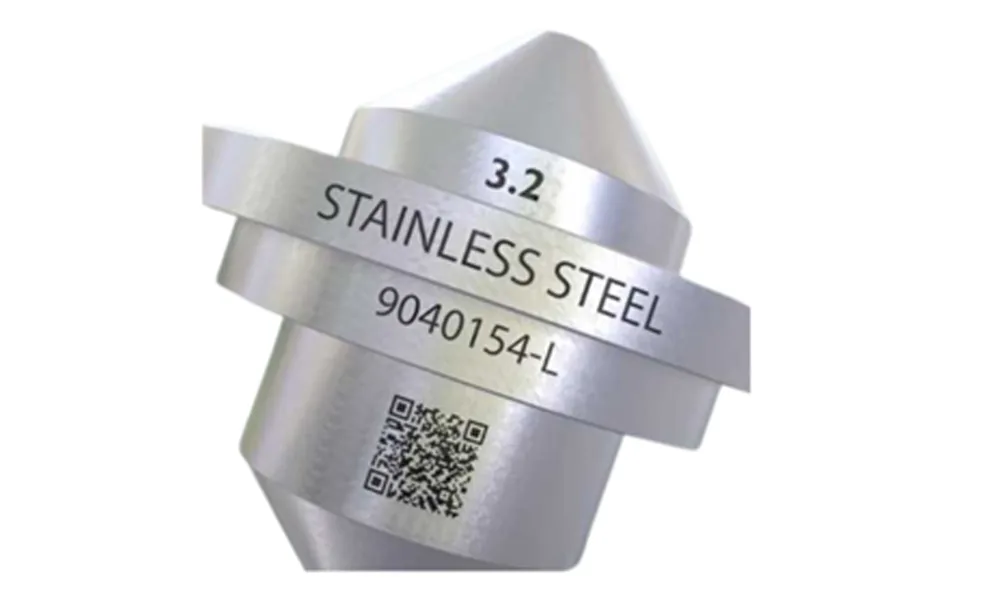
- Start with the mark: define code size, smallest feature or module, surface finish and required verification method.
- Choose the optical scale: a smaller practical field can help protect spot size and edge definition; confirm beam diameter and actual F-theta lens data rather than assuming field size alone sets resolution.
- Balance pulse energy and overlap: use average power, repetition rate and scan speed together instead of increasing wattage in isolation.
- Accept on readability: inspect code readability or grade where applicable, heat tint, feature-edge quality and repeatability across the usable field.
What this prevents: choosing a large field or high wattage that makes the code harder—not easier—to resolve consistently.
Large-area marking on a metal housing
A large logo, serial data and identification marks spread across a wide, mostly flat housing.
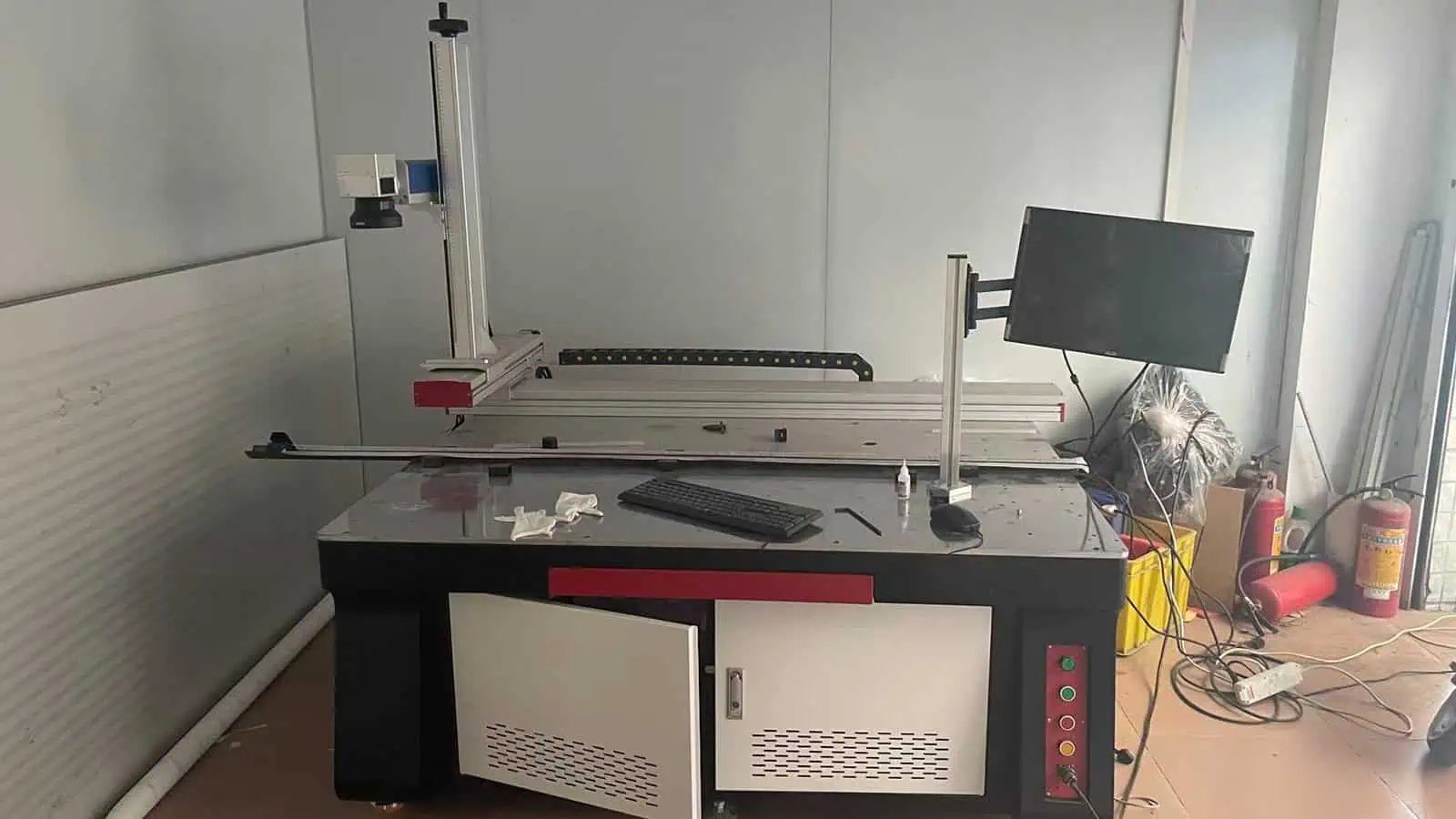
- Start with coverage: compare one large field against multiple positions or motion support; do not assume the largest lens is automatically the best production choice.
- Check working distance and flatness: longer focal-length optics change access and focus behavior, so verify fixture height, part flatness and edge-of-field focus.
- Protect the smallest feature: make sure the large field still resolves the smallest text or code element at the required quality.
- Compare total cycle: include repositioning, motion, focusing and inspection—not only laser scan time—before deciding between optics and motion strategies.
What this prevents: solving coverage with a large field while quietly losing feature quality, focus margin or production efficiency.
Detailed configuration guides
Choose the laser marking configuration factor to evaluate next
Use these guides when one configuration variable becomes the next unresolved decision. Each one goes deeper into the trade-off without turning the numbers into a universal preset.
Field Size, Focal Length & Energy Density
Use this topic when you need to balance coverage against spot size, feature resolution and energy density across the marking field.
Laser Power: Why Wattage Is Not the Only Factor
Use this topic when wattage looks like the obvious answer but spot size, pulse behavior, scan strategy, heat input and the target result still control what the process can achieve.
Working Distance & Focus
Use this topic when part height, recessed features, fixtures or machine access make the lens-to-part distance and usable focus range part of the configuration decision.
Pulse Width & Frequency
Use this topic when material response changes with how the pulse energy is delivered. The usable pulse-width and frequency window depends on the source architecture and model.
What still needs testing
What a configuration guide cannot decide alone
Use this page to narrow the setup, then confirm the final choice on the real part and the complete machine.
- Final parametersSpeed, hatch, focus, pulse settings and frequency depend on material, surface, optics and the target result. They require controlled testing.
- Guaranteed appearanceContrast, depth, color, durability and code performance are acceptance outcomes, not promises implied by a wattage or lens number.
- Complete-machine safetyLaser classification, guarding, interlocks, extraction and service states must be assessed on the finished system and target market.
- Production cycleLaser scan time is only one component. Loading, positioning, data exchange, inspection and reject handling must be included.
Frequently asked questions
Laser marking configuration questions
Is a higher-power laser always better?
No. Higher average power may help throughput or depth in some processes, but the result still depends on wavelength, pulse behavior, spot size, field lens, speed, heat input and the acceptance criteria.
Does a larger field size make the machine more capable?
A larger field can cover more area, but it generally changes focal length, spot size and energy density. Select it from the part geometry and feature size, then confirm the actual result on samples.
Why does pulse width matter on a fiber laser?
Pulse width changes how energy is delivered to the surface. MOPA systems can provide a wider adjustment window, but the useful window depends on the material, target effect, frequency, speed and optical setup.
How should working distance be specified?
Specify the lens and focal setup together with the nominal working distance, usable focus tolerance, part access, fixture envelope and any Z, rotary or vision requirements. A single distance number is incomplete.
What should I send for a configuration review?
Share the exact material and surface, part drawing or photos, marking content and smallest feature, target result, field or access constraints, volume and cycle target, data path, safety context and sample acceptance criteria.
Turn the configuration decision into a sample plan
Send the part, surface, marking result, field requirement and production context. Zhuorui Laser can help identify which power, optics and pulse variables should be tested before the final machine configuration is fixed.