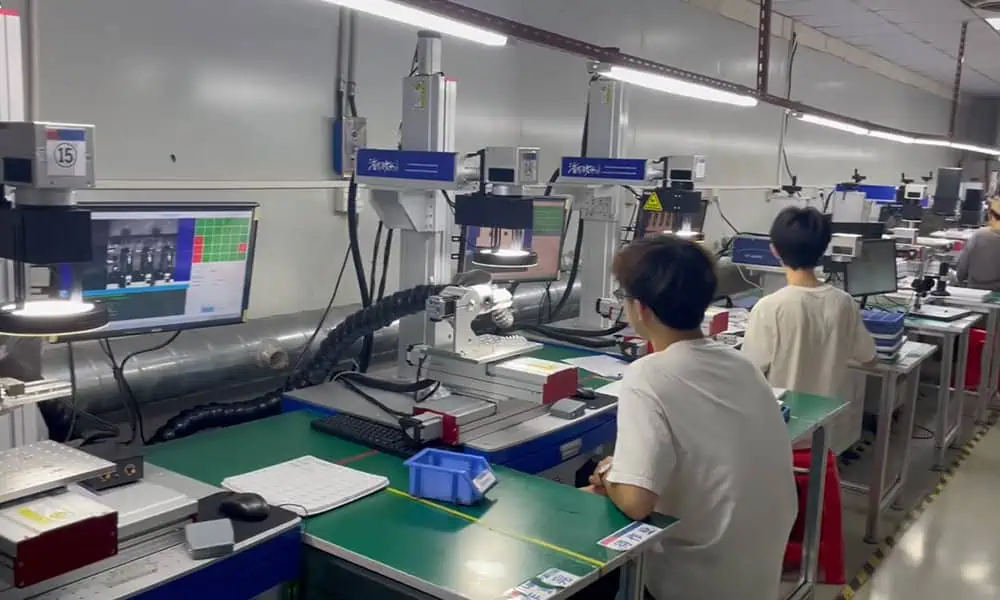
Search for “laser marking machine types” and you will quickly encounter a mixed list of names. If “type” means laser-source type, the main industrial routes buyers usually encounter are Q-switched Fiber, MOPA Fiber, UV and CO₂. The confusion begins because supplier lists often mix those source labels with machine structures and production configurations such as desktop, enclosed, handheld, flying, camera-based vision (often marketed as CCD vision) and 3D dynamic focus. Those terms describe different parts of a machine, so they should not all be compared as direct alternatives.
Market terminology becomes clearer when it is separated into three questions. The first is about the laser source and process route: how should the laser interact with the material and produce the required mark? The second is about machine structure: how will the real workpiece, operator and marking head physically meet? The third is about production configuration: does the process have to compensate for movement, changing part position or changing focal height?
Those dimensions can exist together in one machine. A UV split 3D system, for example, is not three competing machine types. “UV” identifies the laser route, “split” describes the physical arrangement, and “3D” describes a focus-control capability. Once that distinction is clear, supplier catalogs become much easier to interpret and a shortlist can be built without treating every product label as a separate machine family.

Three Practical Ways to Classify Laser Marking Machines
Common market terminology can be organized into three practical dimensions. This is not an IEC, ISO or universally standardized taxonomy, and suppliers do not always use the same names. The purpose is to connect each label to the engineering question it actually answers.
| Primary dimension | What it tells you | Typical labels |
|---|---|---|
| Laser source / process route | How the laser is intended to interact with the material and required mark | Fiber, including Q-switched and MOPA Fiber; UV; CO₂ |
| Physical machine structure | How the workpiece, operator and machine are physically arranged | Desktop, table, split, enclosed, semi-enclosed, portable, handheld, trolley |
| Production / functional configuration | How the system handles motion, positional variation or changing focal height | Flying, CCD vision, 3D dynamic focus |
These dimensions prevent unlike terms from being compared as direct alternatives. Fiber and UV can be compared as source routes because both answer a process question. Enclosed and semi-enclosed can be compared as physical workstation arrangements. Flying and vision can be compared as production functions, although they solve different sources of variation. By contrast, Fiber versus enclosed is not a meaningful either-or choice, because one describes the laser and the other describes the workstation. The same is true of UV versus CCD vision or MOPA versus handheld.
Not every important specification belongs inside these three primary dimensions. Power, marking field, rotary workholding, automation interfaces and laser safety classification can all change the final system substantially, but they answer different engineering questions. A description such as “30 W MOPA Fiber enclosed vision system” is easier to interpret when each term is read as a separate layer: power, source route, machine structure and positioning function.
Laser Source Types: Fiber, MOPA Fiber, UV and CO₂
Laser source is usually the first technical classification a buyer encounters because wavelength and pulse behaviour shape the process window available on the material. In industrial marking, Fiber, UV and CO₂ are useful practical routes, but the names are not perfectly symmetrical physics categories. Fiber describes a laser architecture, UV describes an output wavelength region, and CO₂ identifies a gas-laser medium. In industrial laser marking, “MOPA” usually refers to a MOPA Fiber source, where the master-oscillator power-amplifier architecture provides a different pulse-control window.
| Market label | What it mainly describes | Typical wavelength context | Main selection significance |
|---|---|---|---|
| Q-switched Fiber | Pulsed Fiber-laser route | Near-infrared, often around 1 µm | Common starting route for many metal-marking tasks and selected plastics |
| MOPA Fiber | Fiber laser using MOPA architecture and expanded pulse control | Also commonly around 1 µm | Useful when pulse-width flexibility may change the usable marking window |
| UV | Short-wavelength laser route | 355 nm is common in industrial marking | Often evaluated for fine marking and applications where lower thermal loading or different absorption behaviour is useful |
| CO₂ | CO₂ gas-laser route | Common industrial variants include 9.3, 10.2 and 10.6 µm | Widely used for many organic materials, packaging substrates, coatings and selected polymers |
Use the table to narrow a source route, not as a material recipe. Exact wavelength, pulse behaviour, optics and source model still matter, and the same broad material name can behave differently because of formulation, coating, finish or the required mark. The next step is to identify a route worth testing against the real part rather than declare one universally “best” laser type.
Q-Switched Fiber and MOPA Fiber
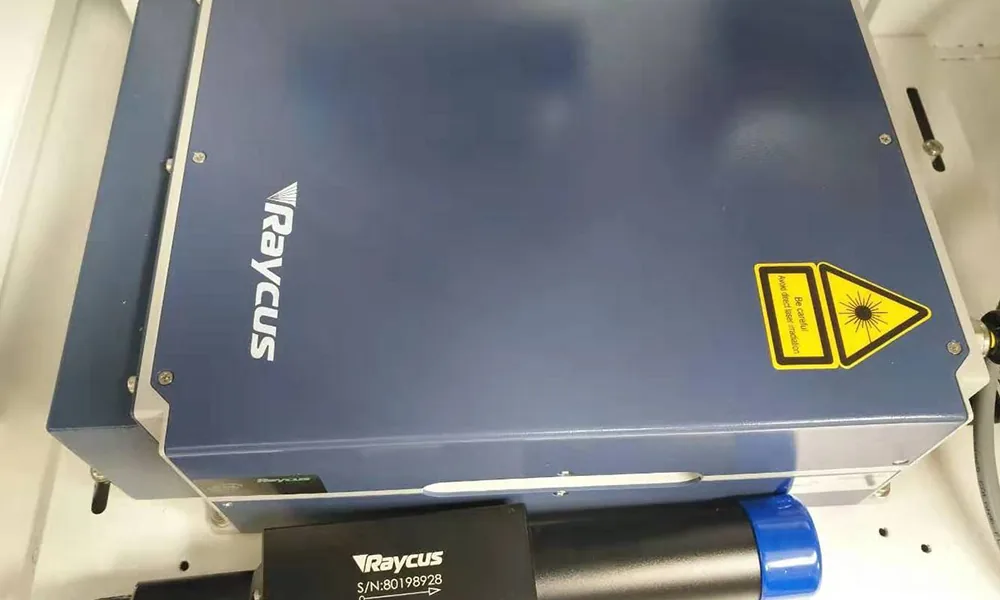
MOPA is often advertised as though it were a separate peer family to Fiber, but that framing is misleading. Conventional Q-switched sources and MOPA sources can both be Fiber lasers. A Q-switched Fiber source operates within the pulse characteristics provided by its design, and those characteristics are not universal from one source to another. A MOPA source uses a different oscillator-amplifier architecture that can provide a broader pulse-control window. JPT, for example, describes its M7 series as MOPA pulsed Fiber lasers with independently adjustable pulse width and frequency.
That added control changes how energy can be delivered to the surface. Depending on the application, it can expand the usable window for contrast, ablation, heat input, fine-detail marking or engraving behaviour. MOPA is not automatically “better” than a conventional Q-switched Fiber source. Many straightforward identification and engraving jobs can be handled well with Q-switched Fiber, while MOPA becomes more relevant when the result genuinely benefits from additional pulse-width flexibility.
Fiber wavelength should not be reduced to one fixed number. JPT lists 1064 nm for its M7 sources, while KEYENCE’s MD-F Fiber marker lists 1090 nm. Industrial Fiber marking systems commonly operate in the near-infrared around the 1 µm region, with the exact value depending on the source. When comparing Fiber laser marking machines, MOPA should therefore be treated as a Fiber-source architecture decision rather than a completely unrelated wavelength family.
UV Laser Marking
UV laser marking is commonly associated with 355 nm in industrial marking; KEYENCE likewise describes 355 nm as typical for its UV markers. The shorter wavelength creates a different interaction window from near-infrared Fiber and long-wave CO₂ systems, which is why UV is often evaluated for fine features, selected plastics, electronic components, coatings, glass and other applications where a different absorption behaviour or lower thermal loading is useful.
Lower thermal loading does not mean zero heat. Commercial descriptions often use phrases such as “cold marking,” but the real surface response still depends on the material formulation, pigment or filler package, coating, focus, pulse conditions and the result being requested. For the same reason, “the part is plastic” is not enough to select UV automatically. Some polymers respond well to Fiber, some favour UV, some are better suited to CO₂, and some need representative testing before the route can be confirmed.
The value of UV laser marking machines is not that they are universally more precise or more advanced. The short-wavelength route can instead open a more suitable process window for specific materials and marking goals.
CO₂ Laser Marking
CO₂ lasers work in a very different wavelength region from Fiber and UV systems. Although 10.6 µm is the best-known industrial CO₂ wavelength, it is not the only one. Coherent lists CO₂ source options including 9.3, 9.6, 10.2 and 10.6 µm. Those differences matter because material absorption changes across the CO₂ bands, so the route should be matched to the actual substrate and required result rather than treated as one perfectly uniform category.
In marking applications, CO₂ is commonly evaluated for materials such as wood, paper, cardboard, leather, films, packaging, coatings and selected polymers. That does not turn the category into a rule that “non-metal means CO₂.” Material formulation, surface treatment and the target effect still determine whether the wavelength is appropriate. A coated surface, for example, may require the laser to remove or alter only the top layer while preserving the substrate beneath it, which changes the process question completely. When comparing CO₂ laser marking machines with Fiber or UV options, the deciding issue is the process window on the real part, not a simplified material-family chart.
Where Do Green, Picosecond and Femtosecond Lasers Fit?
Green, picosecond and femtosecond systems appear frequently in broader laser catalogs, but they introduce different classification dimensions. A Green laser commonly refers to visible output around 532 nm and can be useful where that wavelength creates a favourable interaction window. Zhurui Laser’s standard source range currently centers on Fiber, UV and CO₂, while Green remains a more specialized route.
Picosecond and femtosecond describe pulse duration rather than a separate wavelength family. A laser can be Fiber-based, generate UV output and operate with picosecond pulses at the same time. That is why putting Fiber, UV, Green, picosecond and femtosecond into one flat “types” list can be misleading: the words are not all describing the same property. Source selection narrows the process route; the next decision is how the workpiece must physically meet the machine.
Machine Structure Types: How the Workpiece Meets the Machine
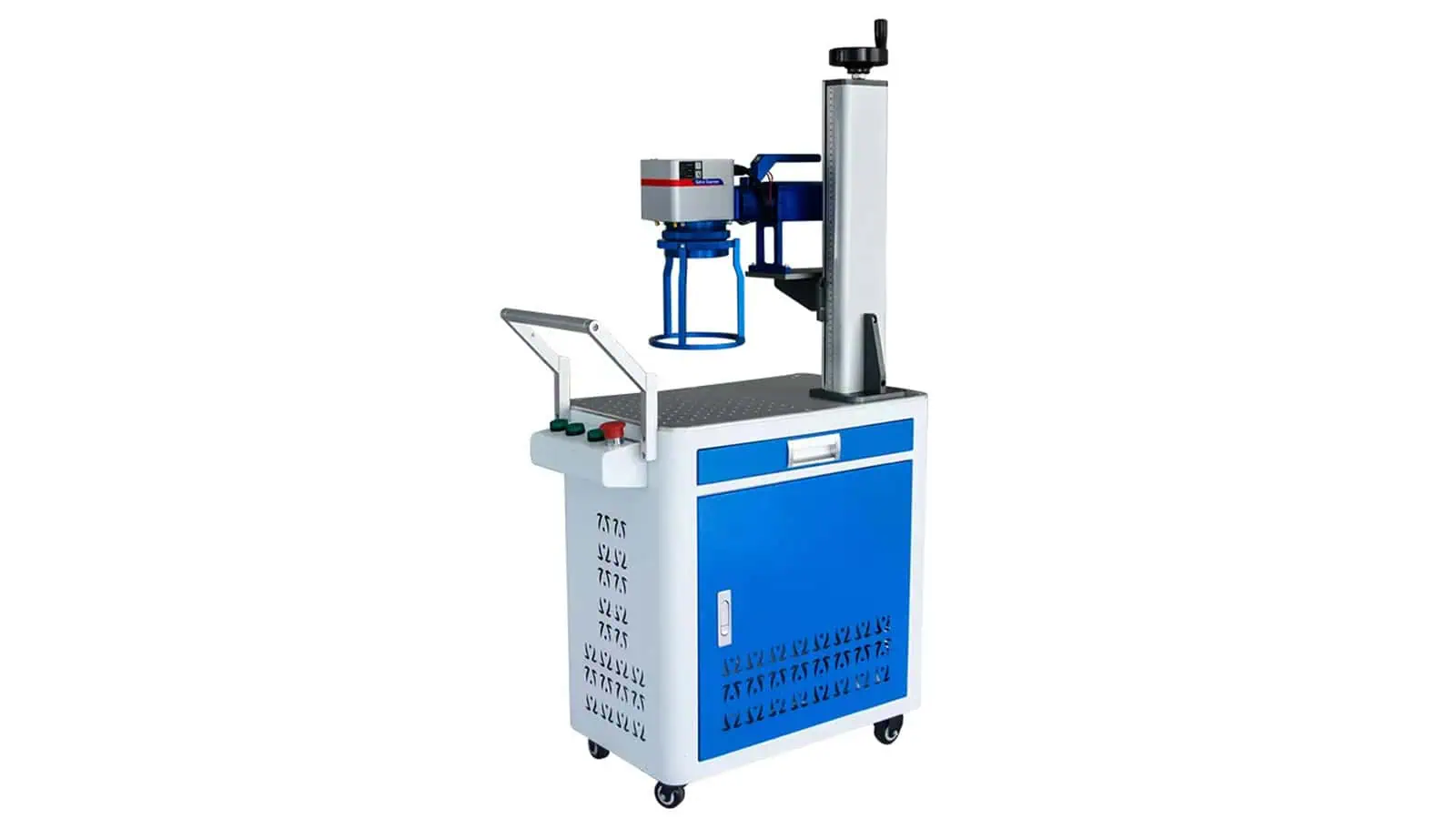
Once the source route is narrowed, the next classification question is physical. Machine-structure labels describe how the workpiece, operator, marking head and supporting modules are arranged around one another. Zhurui Laser uses practical product terms such as desktop, table, split, enclosed, semi-enclosed, portable, handheld and trolley, but these should not be treated as eight official global classes or as perfectly mutually exclusive boxes.
The real selection variables are more concrete than the names: the size and weight of the part, how it is loaded, how much fixture and vertical clearance it needs, whether the marking head must reach around the workpiece, whether the machine itself has to move, and how guarding and extraction will be handled. The best structure is therefore not the one that looks more advanced in a catalog. It is the one that gives the real part a stable and workable production setup.
Desktop and Table Machines
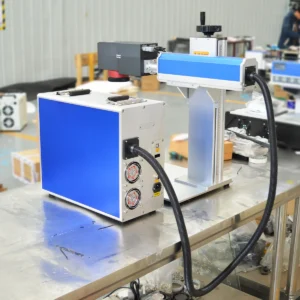
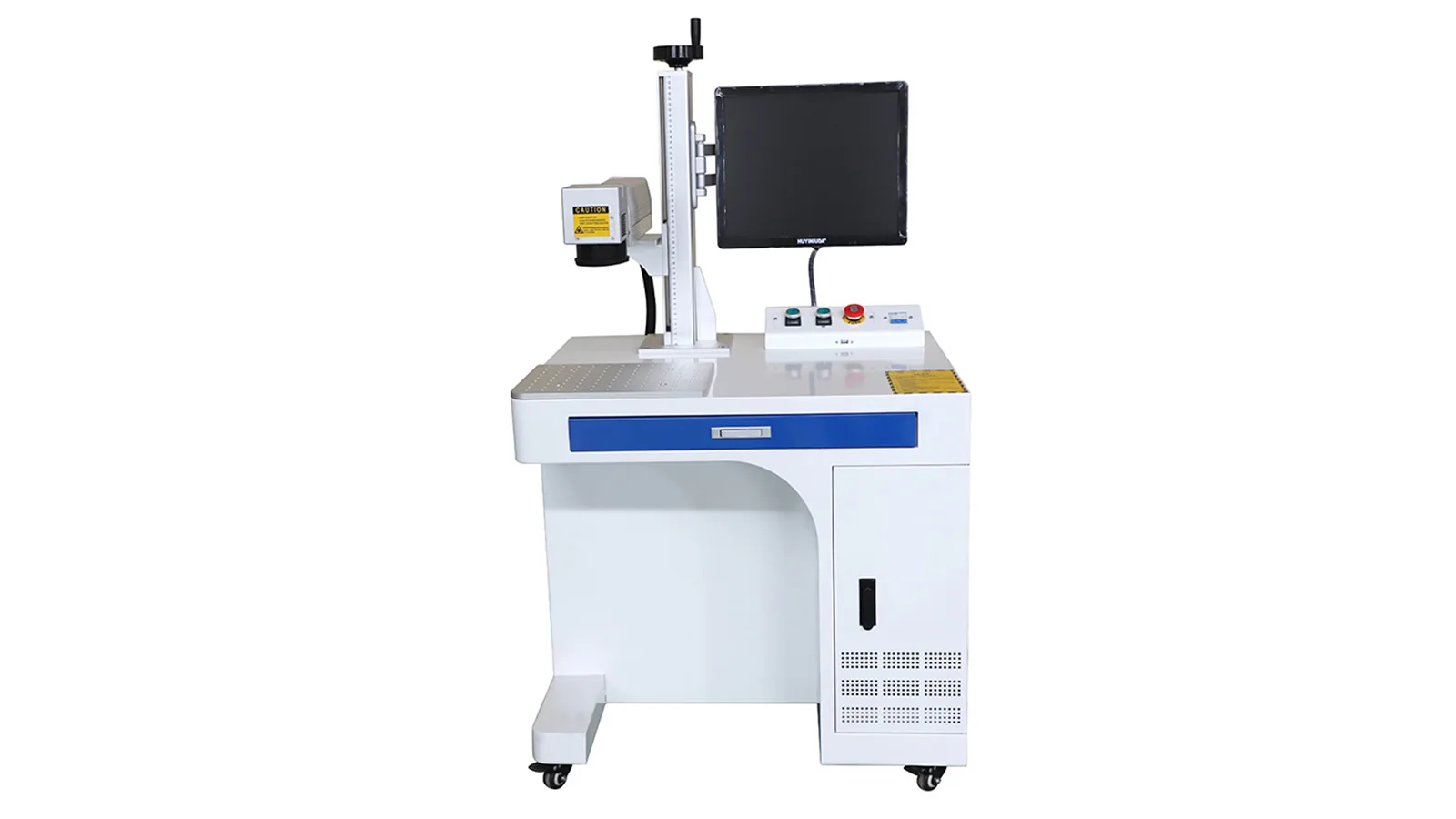
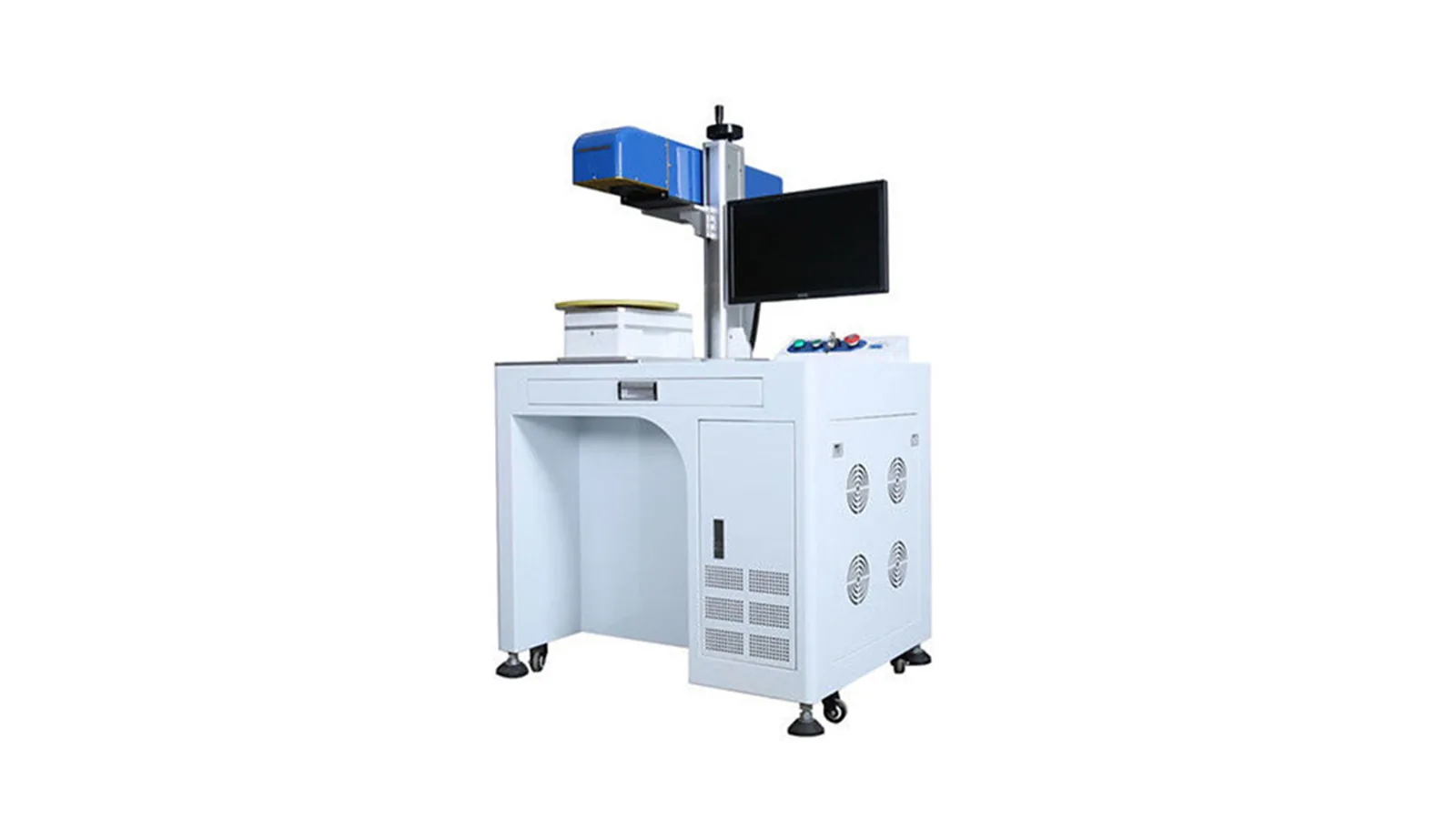
A desktop or benchtop machine creates a compact fixed marking station. The operator brings the part to the machine, places it in a fixture or repeatable position, and works within a defined envelope. This format is well suited to small and medium-sized parts when loading is mainly manual, the fixture fits comfortably under the marking head, and the workstation can remain in one production area.
The benefit is not simply reduced footprint. A fixed workstation makes it easier to repeat focus, fixture position and operator workflow from one part to the next. The limitation is equally practical: the part, fixture, working height and marking-head clearance must all fit within the machine envelope. A table-style machine follows the same basic loading logic but provides a larger integrated work surface when the part or fixture needs more support. In Zhurui Laser’s range, the distinction is mainly compact fixed workstation versus larger integrated work surface, not a change in laser technology.
Split Machines
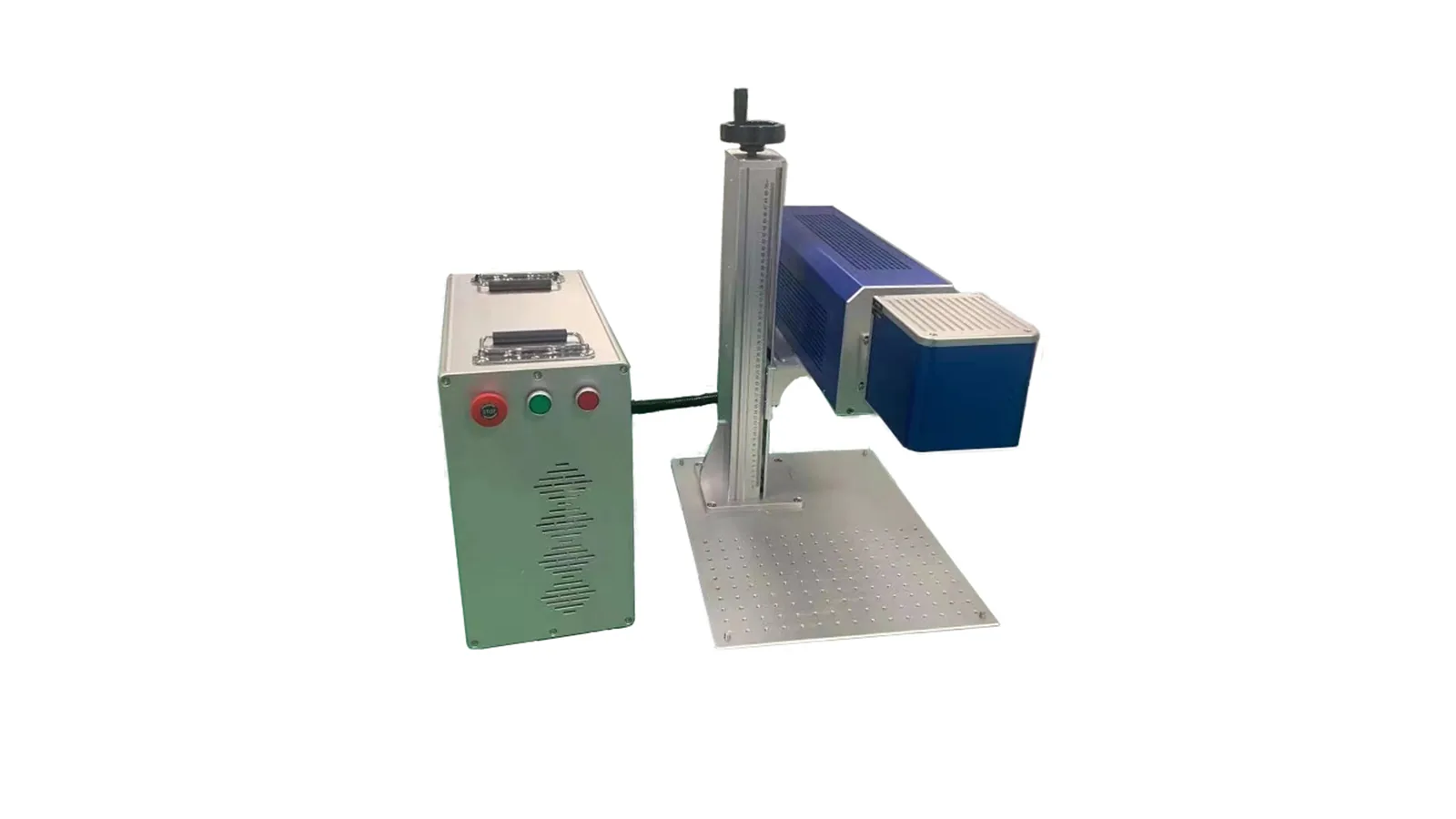
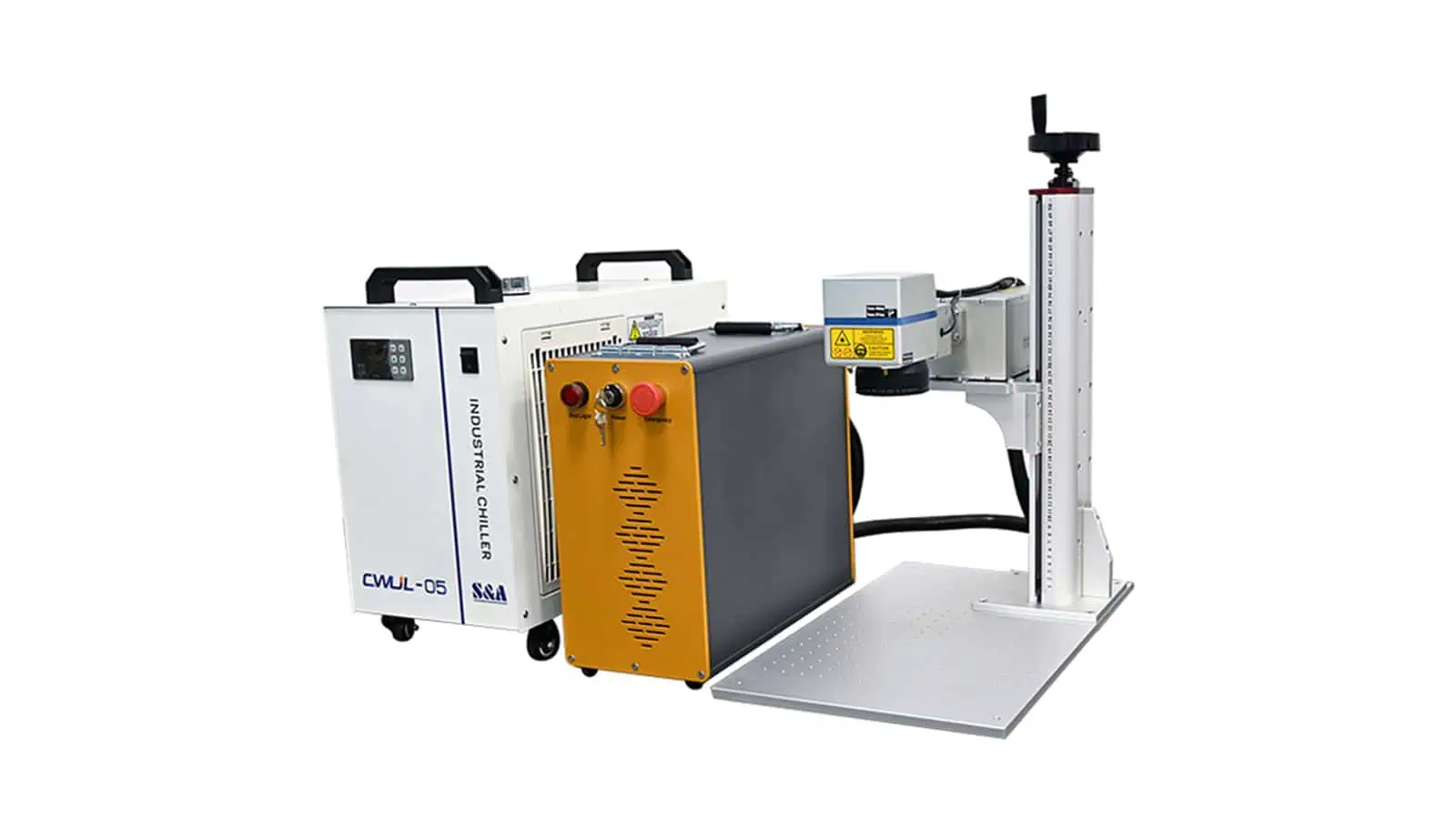
A split machine solves a different layout problem. Instead of packaging the marking station, source, controller and other modules into one compact body, some components are separated so the marking head can be arranged more flexibly around a large workpiece, custom workbench, rotary fixture or existing equipment. This can be useful when the part should not—or cannot—be placed inside a compact integrated workstation.
That flexibility introduces its own engineering requirements. Cable routing, cooling, service access, equipment placement and guarding all become more important when the system is distributed across separate modules. Split should also not be used as a synonym for portable. “Split” describes module arrangement; “portable” describes whether the complete system is intended to move between working locations. A system can have one characteristic without the other, and some designs can combine both.
Enclosed and Semi-Enclosed Machines
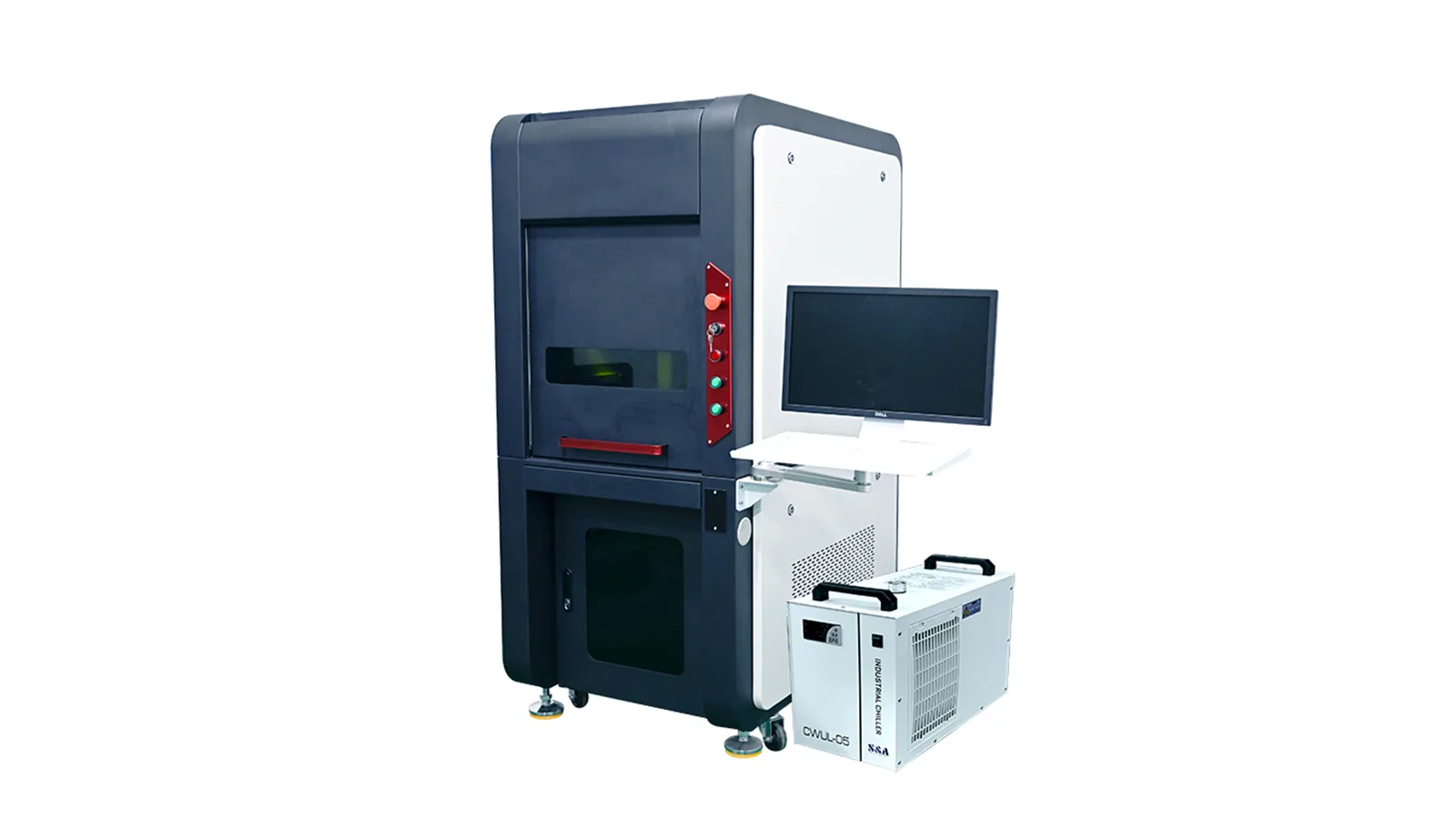
An enclosed laser marking machine places the marking process inside a guarded workstation with controlled access to the working area. In practice, that structure can support a defined loading zone, doors and interlocks, extraction, repeatable fixtures and beam-containment engineering. It is often attractive when the production process benefits from a more controlled operator interface rather than open access around the marking head.
“Enclosed” describes the physical workstation, not the final laser safety class; the classification applies to the complete laser product under the relevant operating conditions.
A semi-enclosed system trades some enclosure coverage for easier access to larger or irregular workpieces. Because “semi-enclosed” is a practical supplier term rather than a universal structural standard, buyers should look beyond the label and examine the actual openings, loading method, guarding and intended operating mode.
Portable, Handheld and Trolley Machines
Portable, handheld and trolley systems all involve mobility, but the mobility occurs at different levels. A portable machine is designed so the complete system can be relocated between work areas. A handheld system moves the marking head to the workpiece, which is useful when the part is large, installed or difficult to position under a fixed head. A trolley system keeps the main equipment assembled on a wheeled frame so it can roll between workstations.
Those descriptions can overlap. A trolley system can also use a handheld head, and a portable system can be handheld without every handheld machine being fully portable. The practical trade-off is that mobility increases the importance of re-establishing working distance, focus, angle, physical reference, guarding and extraction at each setup. This is why machine structure should be chosen from the workpiece and workflow first, not from the apparent convenience of the product name.
Production Configurations: Flying, CCD Vision and 3D Dynamic Focus
Flying, CCD vision and 3D dynamic focus are best understood as responses to different sources of variation during production. Flying deals with motion while the mark is being made, vision deals with where the part or datum is located, and 3D dynamic focus deals with where the marking surface sits relative to the focal plane. None of the three replaces source selection or machine structure.
| Production condition | Configuration to evaluate | Primary job | Does not automatically solve |
|---|---|---|---|
| Product continues moving during marking | Flying | Synchronize marking with product motion | Random X/Y position, changing height or wrong source route |
| Part position or orientation varies | CCD Vision | Locate a datum and correct mark placement | Z/focal variation unless additional sensing or control exists |
| Surface height changes across the mark | 3D Dynamic Focus | Adjust focal position across Z variation | Visual part recognition or inaccessible surfaces |
Flying Marking: When the Product Keeps Moving
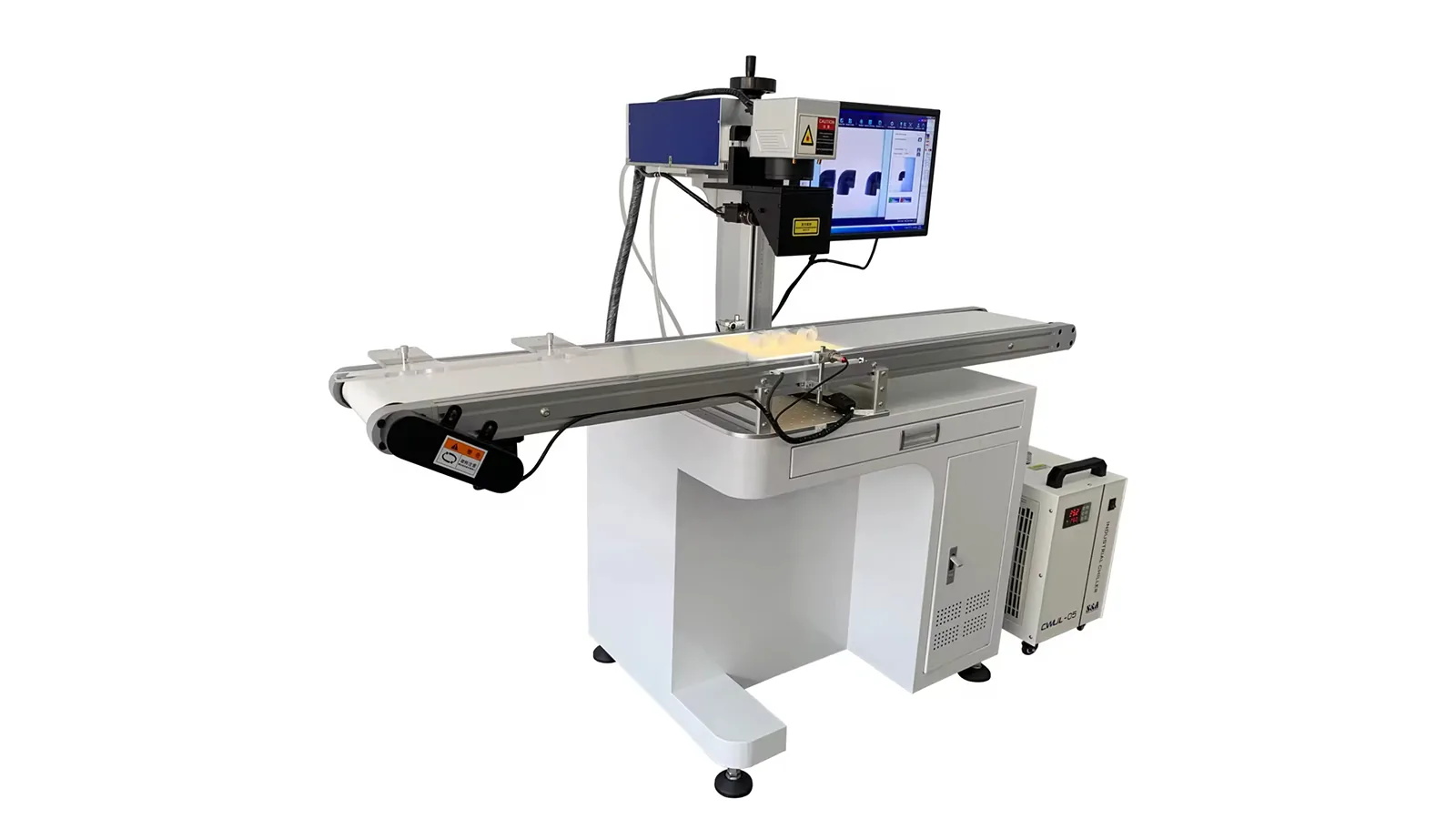
A flying laser marking system—often called marking on the fly—marks the product while it continues moving. That is different from a laser simply being installed beside a conveyor. An indexed line may bring a part into position, stop it, mark it while stationary and then restart. That is inline production, but it is not necessarily flying marking.
During true flying marking, the controller must relate the mark to product motion. Depending on the system, that can involve product detection, trigger timing, line-speed information and motion compensation. The limiting question is therefore not just how fast the galvo scanner can move; it is whether the complete mark can be produced correctly inside the available movement and timing window, given the line speed, product spacing, mark size, content and stability of the part.
A flying process needs a reliable motion reference, but an encoder is not an absolute requirement in every configuration. KEYENCE, for example, lists moving-marking modes using constant-speed or encoder operation on relevant equipment. Variable-speed production creates a stronger case for real motion feedback. Flying solves synchronization with movement; it does not automatically correct lateral position, orientation or focal-height variation.
CCD Vision Positioning: When the Datum Moves
Vision becomes relevant when the part is present but does not arrive at exactly the same X/Y position or orientation every time. A camera-based system can identify a feature, edge or other datum, calculate the offset and correct the marking coordinates before the laser fires. This can reduce dependence on highly precise manual loading when the workpiece itself provides a reliable visual reference.
The value of vision depends on the actual source of positioning error. If a simple fixture already locates every part repeatably, adding a camera may create cost, calibration work and software complexity without solving a meaningful problem. Positioning performance also depends on more than megapixels; field of view, lens choice, lighting, feature contrast, calibration between camera and laser coordinates and mechanical stability all affect the final result.
A conventional 2D vision system should not automatically be interpreted as Z-height measurement or focus compensation. Some integrated systems combine vision with distance sensing, autofocus or 3D measurement, but those are additional capabilities. Vision primarily answers “where is the part or datum?” while focus-control functions answer “where is the marking surface relative to focus?”
3D Dynamic Focus: When the Focal Plane Changes
A conventional galvo system is optimized around a defined focal plane. When the surface rises, falls or curves significantly across the required marking area, part of the target can move outside the useful focus range. A 3D dynamic-focus system adds controlled focal adjustment during X/Y scanning, making it relevant to curved, stepped or changing-height surfaces and to some larger-field applications where focal management becomes more demanding.
This is a geometry and focus function, not a replacement for the laser source. A curved part can still require Fiber, UV or another suitable route depending on the material and target mark. A motorized mechanical Z axis normally sets the head or workpiece height before marking, while a dynamic-focus system changes focal position during the X/Y scan; both can address height, but they are not equivalent functions. Nor does “3D” automatically mean deep engraving: dynamic focus manages focal position across geometry, while deep engraving describes material removal to depth.
A 3D scan head also cannot automatically reach hidden faces, severe wrap-around geometry or surfaces blocked from the beam. Those situations may still need rotary motion, repositioning or additional axes. A practical rule is: moving product points toward flying, changing X/Y or orientation points toward vision, and changing Z or focal height points toward 3D or another focus-control strategy.
One Machine Can Combine Several Type Labels
Once the three dimensions are separated, long machine names become much easier to read. “UV + Split + 3D,” for example, is one machine described at several layers: UV identifies the process route, split describes the physical arrangement, and 3D describes the focus-control function. “MOPA Fiber + Enclosed” combines a Fiber-source architecture with a guarded workstation, while “CO₂ + Flying” combines a source route with motion-synchronized marking.
The same idea applies inside the structural layer. Portable + handheld, split + handheld and trolley + handheld can all be legitimate descriptions because mobility of the complete system, module arrangement and operation of the marking head are different attributes. Functional layers can also combine when the application contains more than one source of variation; a project may need both visual positioning and a separate focus-control function if X/Y location and Z height vary independently.
That does not mean every theoretically sensible combination is automatically available as standard hardware. Compatibility still depends on the source, scan head, optics, working distance, machine clearance, controller, software, cooling, cable routing, calibration, guarding and the required production cycle. There is also a commercial difference between two technologies being compatible in principle, a supplier being able to engineer them together for a project, and a supplier already having a defined or validated product configuration.
Current Zhurui Laser configurations include combinations such as UV + Split + 3D, MOPA Fiber + Enclosed, Fiber + Trolley + Handheld, and Fiber/UV/CO₂ routes used with Flying or CCD Vision configurations. More complex combinations remain project-dependent unless the exact configuration is confirmed. A supplier name such as “30 W MOPA Fiber Enclosed Vision Laser Marking Machine” can then be read layer by layer: MOPA Fiber is the source route, enclosed is the structure, vision is the positioning function, and 30 W is a specification rather than another machine family.
What Is Not a Primary Laser Marking Machine Type?
Power, marking field, rotary motion, automation and laser safety class can all change the final equipment substantially, but they do not belong in the same comparison layer as Fiber, enclosed or flying. Treating them as peer “types” makes quotations harder to read because each term describes a different engineering property.
| Label | What it actually describes | Why it is not another primary machine type |
|---|---|---|
| 20 W / 30 W / 50 W / 100 W | Laser power | Specification within a source/process configuration |
| 110 × 110 mm / 175 × 175 mm / other fields | Optical marking field | Lens/scanning configuration and usable work area |
| Rotary | Workholding and controlled rotational motion | Adds angular movement for cylindrical or circumferential marking |
| Automation | Coordinated integration layer | Connects motion, sensing, signals, data or repeated steps |
| Class 1 / Class 4 | Laser-product safety classification | Safety classification of the complete laser product |
Power Is a Specification, Not a Machine Family
A 20 W Fiber laser and a 50 W Fiber laser can belong to the same machine family while using different source-power specifications. Higher power can change the available process window, but it does not automatically mean better mark quality, greater precision, deeper marking on every material or a shorter total production cycle. The required power still depends on the source route, material response, target result and production requirement.
Wattage also cannot be used by itself to compare unrelated laser technologies. A 20 W Fiber and a 20 W UV system are not equivalent simply because the number matches; their wavelengths, pulse behaviour and material interaction differ. For pulsed sources, average wattage is only one part of the process window: pulse energy, repetition frequency, pulse width and peak power also affect how energy reaches the surface. That is why two sources with the same rated average power can still behave differently, a distinction also reflected in OMRON’s discussion of pulsed-laser parameters. Power should therefore be selected inside an appropriate process route rather than used as the primary definition of that route.
Marking Field Is an Optical Configuration
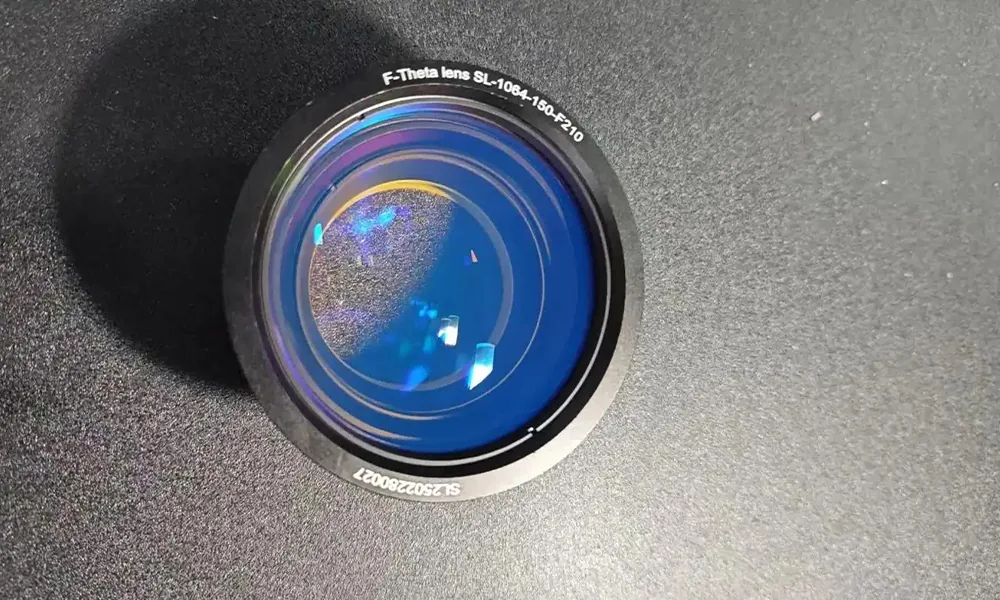
Marking-field values such as 110 × 110 mm or 175 × 175 mm describe the optical/scanning work area, not a separate machine family. Field size is tied to the optics, and changes in field can also change focal length, working distance and spot characteristics. Thorlabs publishes F-theta lens data that directly shows how scan field, focal length, working distance and focused spot size vary across optical configurations.
This is why “bigger field” is not automatically “better machine.” The useful field is the one that covers the required part area while preserving the feature size and process quality needed for the mark. A large logo on a broad plate and a small Data Matrix on a compact component can point toward very different optical priorities even if the laser source itself is unchanged.
Rotary Is Workholding and Controlled Motion
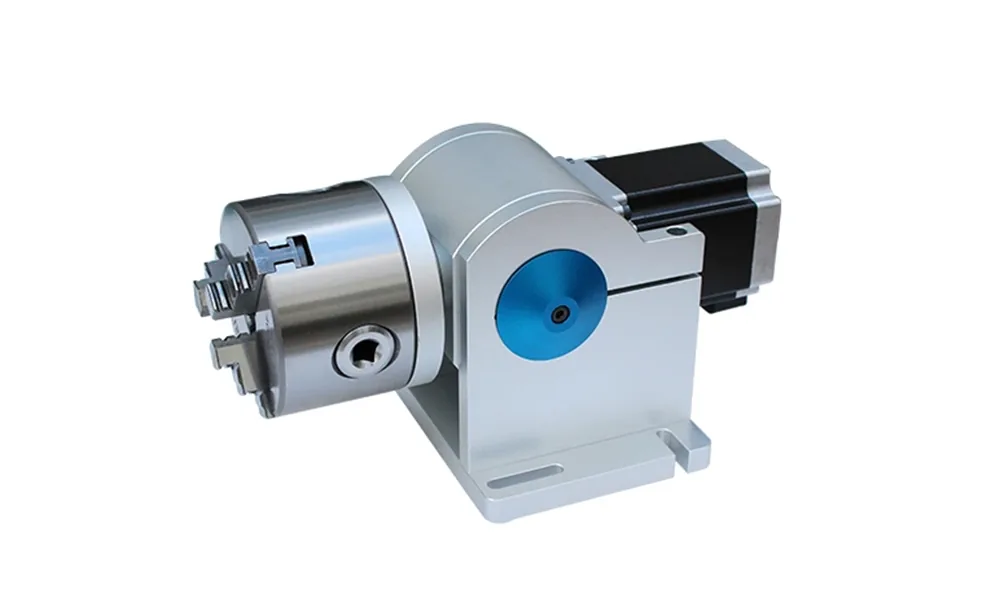
A rotary device becomes relevant when the workpiece needs controlled angular movement for circumferential marking or repeated positions around a cylindrical part. TYKMA Electrox, for example, classifies its D65 as a rotary device/accessory for 360° radial marking around cylindrical components, showing why rotary belongs to motion and workholding rather than another laser-source family.
A round part does not automatically require rotary motion. If the required mark occupies only a small stable tangent area, a fixed setup may still be sufficient. Rotary becomes more relevant when the mark needs to wrap around the circumference, reach several angular positions or maintain defined spacing around the part.
When Rotary Motion Becomes Part of Automation
A standard rotary can remain a normal machine option in a manually loaded process: the operator loads and clamps the part, the axis rotates to the required position, the laser marks, and the operator unloads it. The presence of a motor or axis alone does not make the system an automation project.
The distinction appears when rotary or other machine-side functions are coordinated in a defined repeated sequence. For example, the machine may rotate to a programmed angle, mark, index to another position, mark again and then send a completion signal. Zhurui Laser supports automation around the laser marking machine such as XY or multi-axis sequential positioning, rotary motion, vision, sensors, triggers, machine-side I/O, variable data and online marking interfaces. A camera, motorized Z axis, rotary device or fixture by itself remains a machine function or option; automation describes the coordinated process. Broader robotic loading, complex material handling or factory-wide automation are separate project scopes and should not be assumed from the word “automation.”
Enclosed Is Not the Same as Class 1
Laser safety classification belongs to another dimension again. “Enclosed” describes the machine structure, while Class 1 or Class 4 describes the safety classification of the complete laser product. The two terms can be related because an enclosure may contribute to beam containment, controlled access and interlocking, but they are not interchangeable.
IEC 60825-1 applies equipment classification and requirements to the laser product as a whole. The appearance of an enclosure, or the classification of an internal source, does not by itself establish the class of the delivered machine.
Use the Three-Dimension Framework to Build a Machine Shortlist
Use the three dimensions as a screening method, not as a formula that produces the final machine specification. Before comparing model names, define the actual material and surface and define what the mark must achieve. A broad label such as “plastic” or “stainless steel” may not be enough when formulation, coating, colour, finish or surface treatment changes the process. The target result also matters: high contrast, coating removal, fine code readability, shallow engraving and durable identification are different process goals. With those inputs understood, the equipment can be narrowed by engineering need rather than by catalog terminology.
1. Which Laser-Source Route Is Worth Testing?
Start with the process route that is most promising for the real material and required result. That may be Q-switched Fiber, MOPA Fiber, UV, CO₂ or a more specialized route when the application justifies one. The aim is to narrow the candidate process, not to declare a final recipe before the real part has been evaluated.
This is why simple rules such as “metal = Fiber, plastic = UV, non-metal = CO₂” are not reliable enough for final selection. Formulation, coating, finish and target result can change the answer. If Fiber is the likely route, the next source-level decision may be whether conventional Q-switched operation is sufficient or whether MOPA’s wider pulse-control range creates a useful advantage.
2. Which Physical Structure Fits the Real Workpiece?
Next, translate the part geometry and production workflow into a physical platform. Small manually loaded parts may fit a desktop or table workstation. Large or awkward parts may be easier to handle with a split arrangement. A fixed oversized component may call for a handheld or mobile structure, while a process that benefits from controlled access and repeatable loading may favour an enclosed workstation.
The decision should follow how the part will actually be presented: its size and weight, loading direction, fixture requirements, working height, marking-head access, mobility needs and guarding. Choosing structure from styling preference is one of the easiest ways to create an unnecessary handling problem later.
3. What Additional Function—If Any—Solves a Real Production Problem?
Only add a production function when it removes a real source of variation. If the product keeps moving during marking, evaluate flying synchronization. If the part shifts in X/Y or rotation, evaluate vision. If the surface moves significantly in Z, evaluate 3D dynamic focus or another focus-control strategy. If the mark must wrap around a cylindrical part, evaluate rotary motion.
“None” can be the correct answer. A stationary, flat part that is repeatably fixtured at a consistent focal height may not need vision, 3D, flying or additional motion at all. Adding functions that do not solve an actual production problem can increase cost, calibration effort, software complexity and commissioning time without improving the mark.
What the Shortlist Still Does Not Decide
A shortlist such as MOPA Fiber + Enclosed or UV + Split + 3D is already much more useful than simply asking for “a laser marking machine,” but it is still not the final engineering configuration. The exact source model, power, optics, marking field, working distance, fixture, motion specifications, camera field of view, focus range, I/O, extraction, guarding, cycle time and inspection method may still have to be defined.
Representative testing may also be necessary where the result is sensitive to formulation, coating, finish, feature size, thermal response or engraving depth. A good sample demonstrates feasibility under the tested conditions; production readiness adds repeatability, loading, positioning, cycle time, data handling and verification. That distinction is important because a process that produces one attractive sample is not automatically ready for stable production.

- Define the real part, surface and required mark.
- Narrow the laser-source route worth testing.
- Choose a machine structure that fits the workpiece and workflow.
- Add only the functions that solve a real production problem.
- Compare and validate the actual machine configurations that remain.
From there, compare the current Laser Marking Machines by source family, structure and production configuration. For the complete engineering-selection process—including optics, geometry, production cycle and sample validation—continue with How to Choose a Laser Marking Machine.